2020年1月5日星期日

OBDSTAR ODO Master Hyundai IX35 2018 – Mileage Calibration

Customer Qustion:
Can you recommend something OBDSTAR tool to me? I need odometer tool for Hyundai IX35 2018 – 2019 how is the best? Thanks
Suggestion  from OBD2tool.com
OBDSTAR X300 DP PLUS and OBDSTAR Odo Master both can do mileage change for  Hyundai IX35 2018 – 2019 via OBD.
Here is how to use:
Part 1: obdstar odo master Hyundai IX35 2018 – mileage calibration via obd
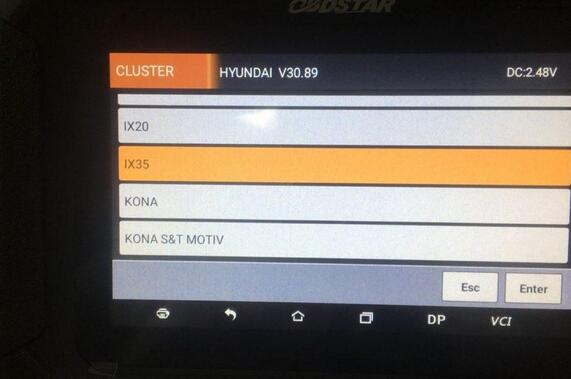
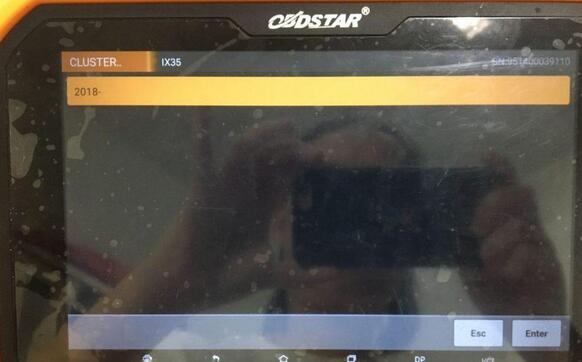
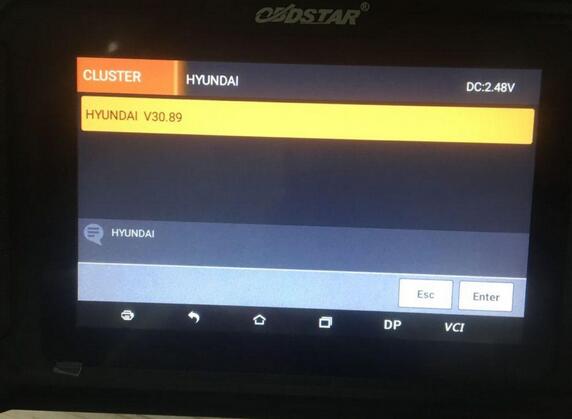
Use obd2 cable to connect obdstar odo master to the Hyundai IX35, open the machine, tap “Cluster”, then “Hyundai”.
OBDSTAR-ODO-Master-Hyundai-IX35-2018-1
Hyundai IX35.
OBDSTAR-ODO-Master-Hyundai-IX35-2018-2
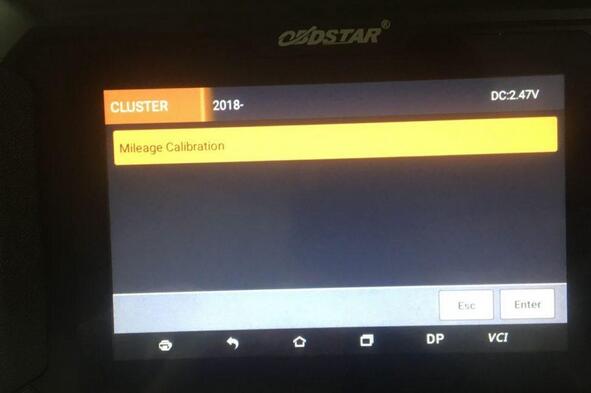
2018 – (Year)
OBDSTAR-ODO-Master-Hyundai-IX35-2018-3
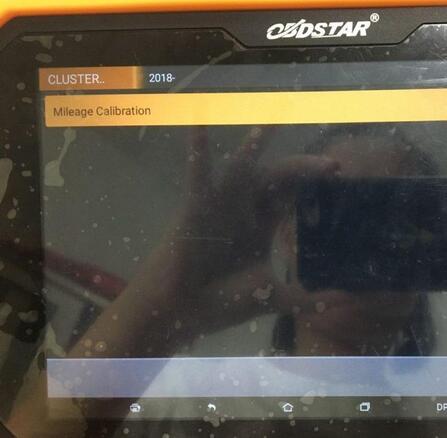
Mileage Calibration.
OBDSTAR-ODO-Master-Hyundai-IX35-2018-4
Go on to follow the on-screen instruction to finish mileage calibration, the machine comes with “Help” file that you can follow.
Youtube video is coming
Part 2: OBDSTAR X300 DP PLUS Hyundai IX35 2018 – mileage calibration via obd
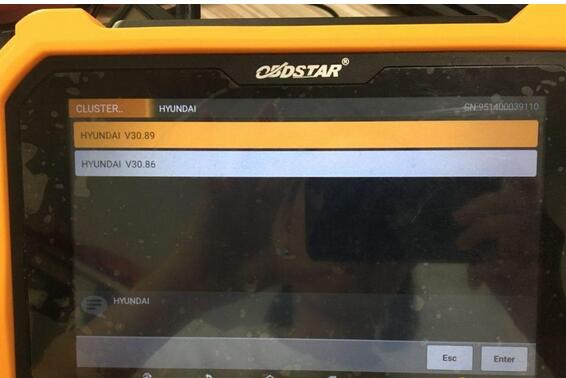
Use obd2 cable to connect obdstar X300 DP Plus to the Hyundai IX35, open the machine, tap “Cluster”, then “Hyundai”.
obdstar-x300-dp-plus-hyundai-ix35-2018-mileage-calibration-5 obdstar-x300-dp-plus-hyundai-ix35-2018-mileage-calibration-6
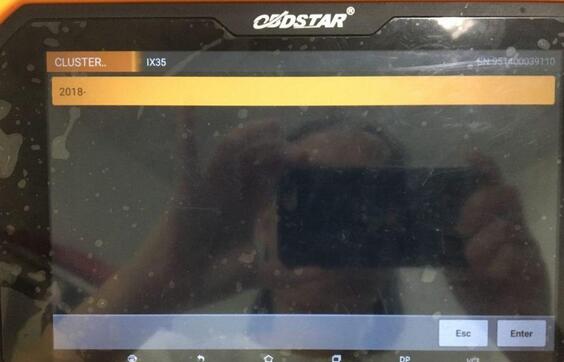
Hyundai IX35.
obdstar-x300-dp-plus-hyundai-ix35-2018-mileage-calibration-7
2018 – (Year)
obdstar-x300-dp-plus-hyundai-ix35-2018-mileage-calibration-8
Mileage Calibration.
obdstar-x300-dp-plus-hyundai-ix35-2018-mileage-calibration-9


2019年11月22日星期五

Solution to SEC-E9 machine “ABUS Bravus keys” Password needed

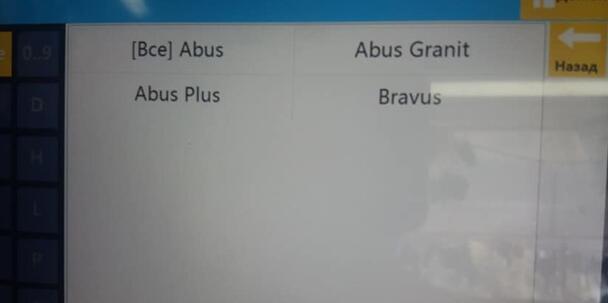
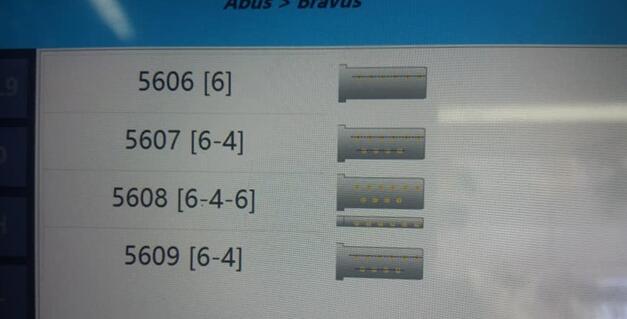
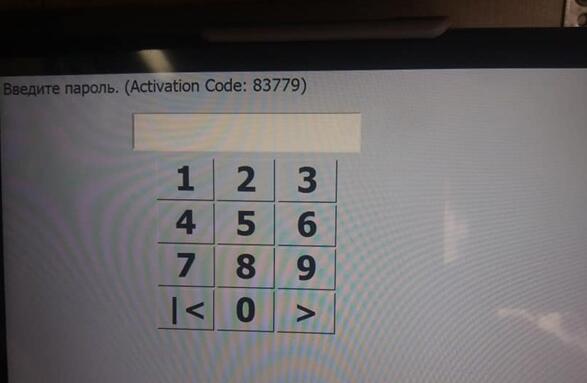
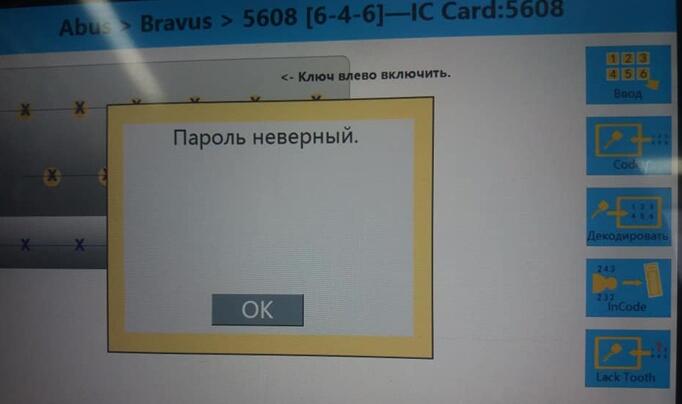
I have a SEC-E9 Key Cutting Machine, I tried to open the tab with the ABUS Bravus keys – asks for a password, how do I open access?
sec-e9-machine-abus-bravus-keys-password-1
sec-e9-machine-abus-bravus-keys-password-2
sec-e9-machine-abus-bravus-keys-password-3
sec-e9-machine-abus-bravus-keys-password-4
Working solution offered by the engineer of www.obd2tool.com:
Have to buy this Abus-licence from factory, or from Abus…. not sure how it goes.

2019年11月6日星期三

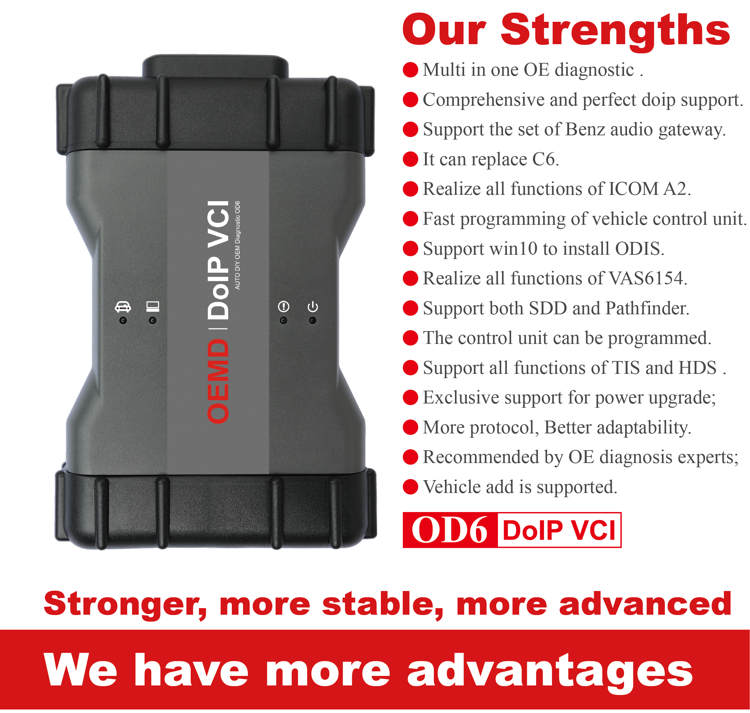
OD6 DoIP VCI Product comparison


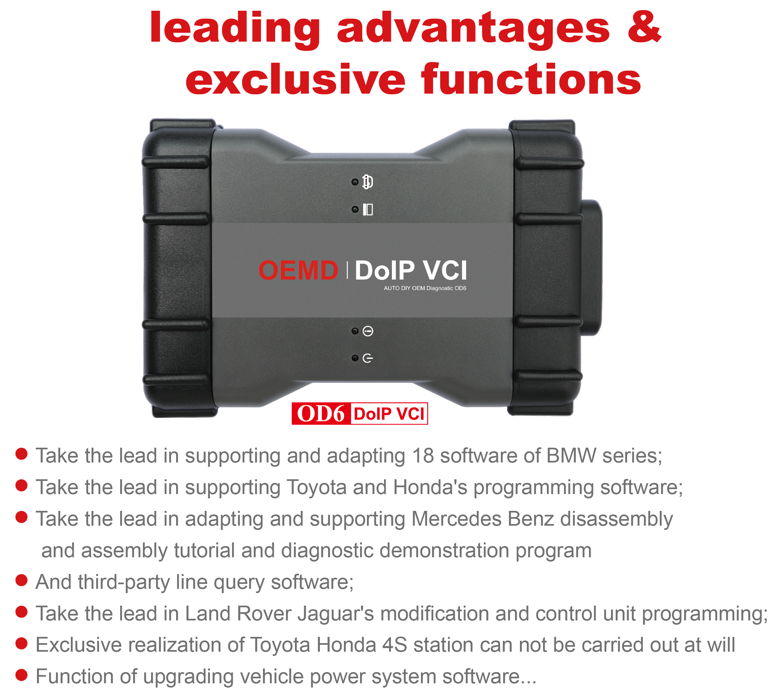
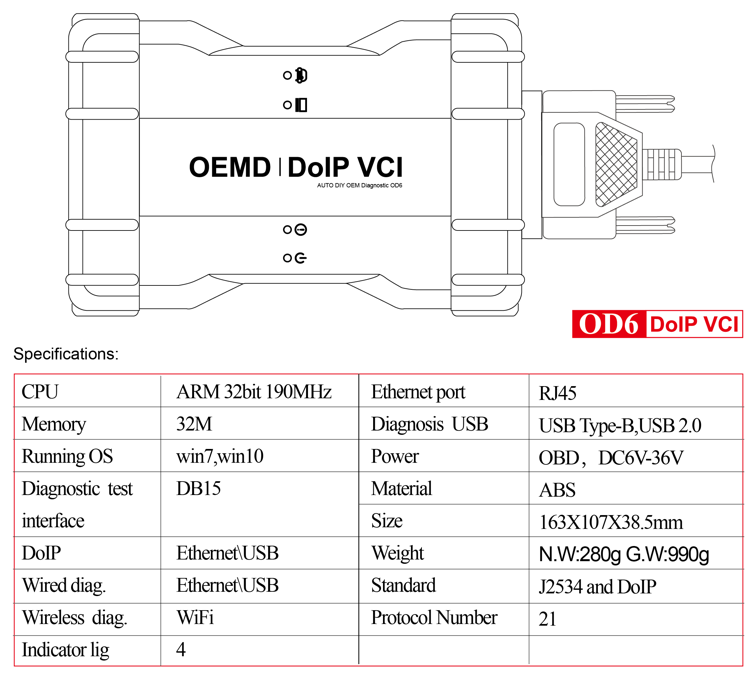
OD6 DoIP VCI multi in one DoIP OE diagnosis is a real DoIP original diagnosis instrument based on DOP, J2534 and more original protocols adaptation under OEMD brand. It not only supports all J2534 protocols, but also takes the lead in realizing perfect and complete DoIP adaptation in the industry, replacing the original diagnosis instrument’s adaptation ability, programming ability, diagnosis and programming speed, stability and original diagnosis. The ability of the instrument has been greatly improved, taking the lead in the industry to replace C6 in an all-round way, and it is also the first comprehensive original diagnostic instrument in the industry to realize all functions of ICOM A2 and VAS6154.  Auto Scanner Tool OD6 has really raised the multi in one and comprehensive original diagnosis instrument to a new benchmark height, which has become the only choice for J2534 and DoIP OE diagnosis tool.
All original software will installed
1. If you select the software installed the hard disk , you can insert the hard disk to your laptop then can use it
Configuration requirements and usage of PC
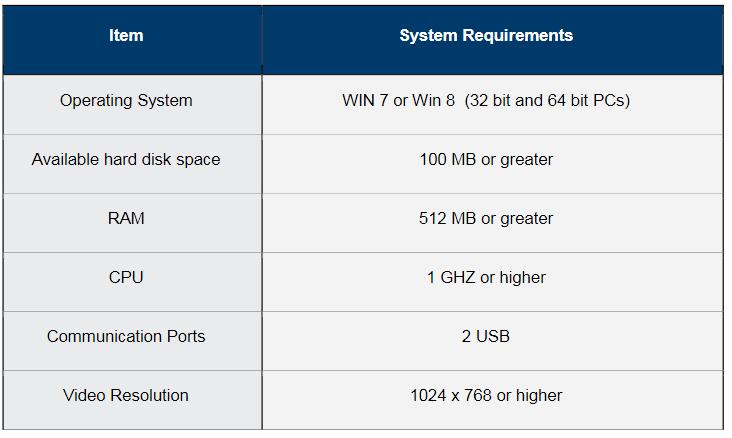
1.1 Computer hardware requirements: CPU i5/i7; memory: 8g.
1.2 Usage: there are 4 options after power on, which can be selected by the up and down keys, and then click enter to confirm.
2. If you select the software installed the laptop , you can use it directly when you get it
Lenovo T420 Laptop:
Brand: Lenovo
Screen Size:14.0
Memory: 4GB
Memory (RAM): Intel (R) Core(TM) I5-2520M CPU
HD::2TB
Type: Laptop/Notebook
Condition: Used
Primary Drive: DVD+/-RW Processor Speed: 2.50GHz
An item that has been used previously. The item may have some signs of cosmetic wear, but is fully operational and functions as intended.
OD6-DoIP-VCI-10
OD6-DoIP-VCI-11
OD6-DoIP-VCI-12
OD6-DoIP-VCI-13
OD6-DoIP-VCI-14

2019年10月23日星期三

V2019.07 Best quality GM MDI 2 Diagnostic Tool GM Multiple Diagnostic Interface with WIFI

Overview
The Multiple Diagnostic Interface 2 (GM MDI 2) is used by professional technicians as an aid in diagnosing and repairing automotive electrical and electronic systems. The MDI 2is designed to connect the vehicle to a host PC computer application which then functions through the MDI2for data transfer and Electronic Control Unit (ECU) reprogramming.Using the MDI Manager
PC application software, you configure the MDI 2to communicate with a host computer. The MDI 2is capable ofcommunicating over a USB cable, Ethernet cable, or wireless network (WLAN).
User group
The product may be used by skilled and instructed personnel only. Personnel scheduled to be trained, familiarized, instructed or to take partin a general training course may only work with the product under the supervision of an experienced person.
PC System Requirements
The MDI 2 Software runs on a PC/Laptop. The user interacts with the MDI 2 software for device setup, and configuration for SAE J2534 or ISO 22900 data transfer and ECU reprogramming.The following table lists the minimum PC/laptop requirements for installing and running the MDI2 Software.
gm-mdi-2
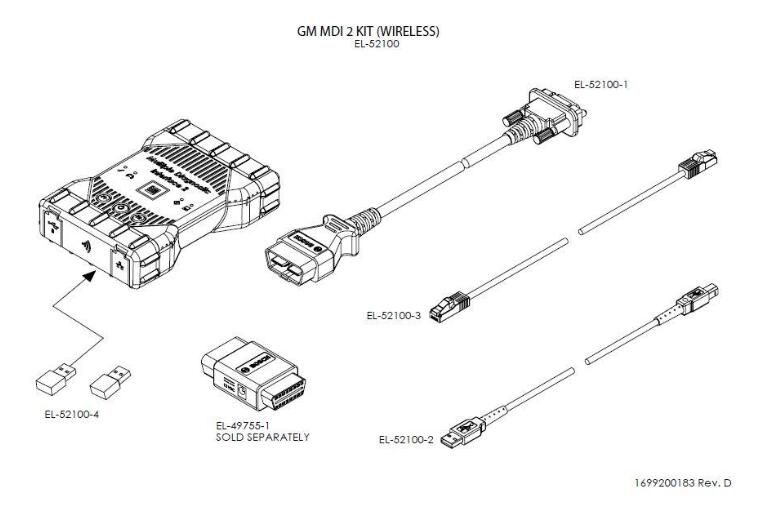
MDI 2 Kit ContentsThe MDI 2 Kit includes hardware and cables needed to transfer data and reprogram ECUs on vehicles through the DLC connector.
GM-MDI-2-KIT
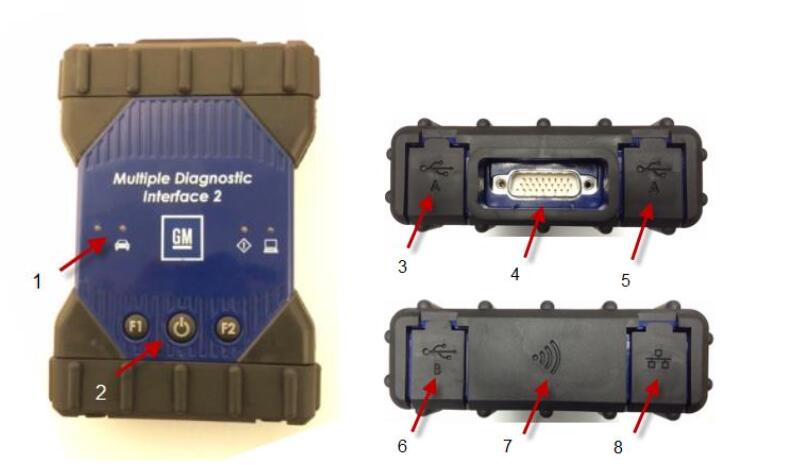
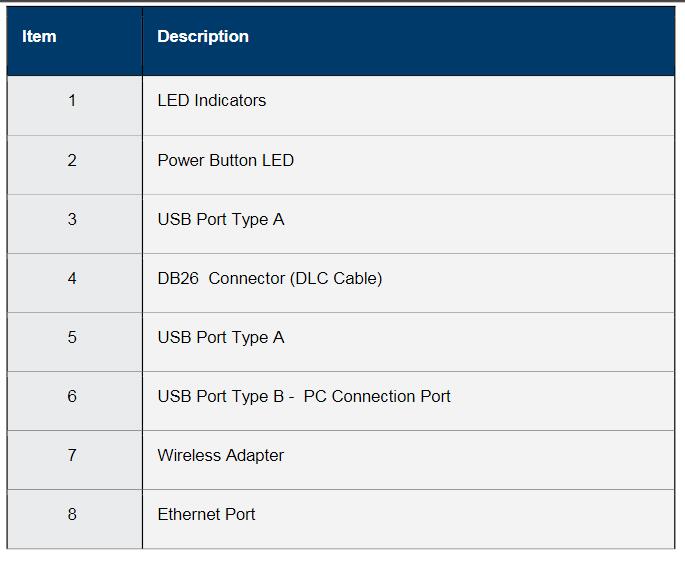
The Wireless Auto Scan Tool MDI 2 Kit (Bosch p/nEL-52100) US and Canada-Includes the MDI 2 assembly with two USB Wireless Adapters, DLC Cable, USB Cable, and Ethernet Cable.  The Self Test Adapter is sold separately.MDI 2 Connectors and ControlsA number of standard connectors and controls are available on the MDI 2to facilitate operation and communication with vehicles and workshop networks. These connectors and controls are shown in the following illustrations
GM-MDI-II-1
GM-MDI-II-2
The MDI 2has a fixed USB configuration which cannot be changed. This ensures that the MDI 2can always be connected to a single PC running the MDI Manager software so you can configure LAN or WLAN settings required by your local network. In addition, it is important to note that a USB connection is recommended to configure and update the firmware on the MDI 2. USB connection must be made directly with the PC port.  Do not connect through a USB hub.

2019年10月1日星期二

Why should buy Xentry connect

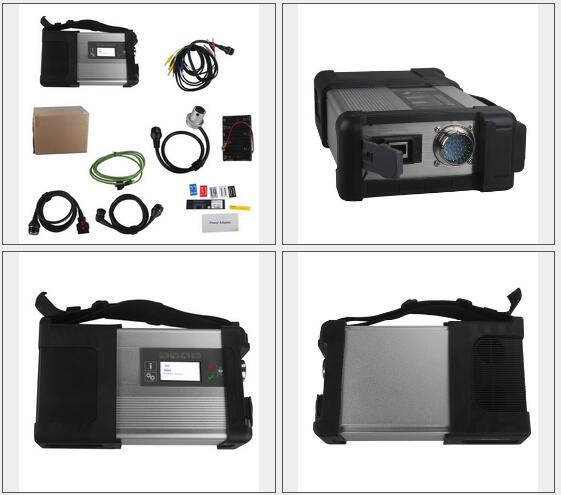
Benz c5 can provide complete diagnosis for the newest hybrid W222. And it has a qualitative improvement in hardware and software by authorization of diagnostic interface to control the software.can work on windows xp, win7/8/10 system.
MB-SD-C5-SD-Connect-Compact-5-Star-Diagnose-for-Cars-&-Trucks-1
Xentry Connect C5 Benz SD Connect DoIP Wifi MB Star C5 Xentry Tab Kit Diagnosis Multiplexer
Benz c5 can provide complete diagnosis for the newest hybrid W222. And it has a qualitative improvement in hardware and software by authorization of diagnostic interface to control the software.
The tool we sell do not include the xentry tab, you can equip one yourself or choose other laptop, it is just as a display, no special requirement.
Xentry Connect (VCI+) Technical Parameters:
1.OS: Windows Embedded Standard 7(32bit)
2.Processor: ArrandaieCeleron P4500 oder P4505(38W TDP)
3.Memory: 4G hard disk with 256GB SSD
4.Display: 128*64 PX
5.Battery: 40 minutes (When CPU capacity to 60%)
6.Weight: 1.9KG
7.Network connection: WLAN : IEEE802.11 a/b/g/n2.4+5GHZ
The way to connect: support wireless connection via 1000M workshop switches, also support wired connection.
What the difference on diagnostic systems based on Xentry Connect from other equipment used to diagnose Mercedes cars?
What are its distinguishing features?
Hardware, despite the similarity of many solutions with multiplexers SD Connect –
but the different All diagnostic software is loaded into the Xentry Connect multiplexer itself.
The management software can be installed on any computer with Windows 7 – 32-bit or Windows 8 – 32-bit and serves only for communication with the multiplexer
The licensing system is reworked – now licenses are stored on MB servers – Any license changes are tracked by the multiplexer when connected to the Internet network.
Why should buy Xentry connect
After 2015, all Star Diagnosis equipment is no longer supported. First of all, this means that there is no update of the diagnostic data for the newest cars and their systems, as well as the lack of the possibility of coding and programming of electronic units due to the backlog of the software data level in the device, from data in the electronic control units of the car.
Already at the end of 2014, at most dealerships, almost all of the previously used Star Diagnosis Compact4 with SD Connect DoIP multiplexers were almost completely removed. Instead, dealers received Xentry Kit kits, which include the latest Xentry Connect multiplexers and Xentry Tab tablets from Panasonic. Tablets are custom-made, although they also have a “civilian” version – the Panasonic Toughbook CF-D1,
somewhat inferior in terms of battery life to the original Xentry Tab, but it has a much more powerful configuration.
Honestly, the need to use the Xentry Tab on non-dealer services seems somewhat exaggerated to me. With dealers everything is clear – they were forced to use this equipment.
And what about workshop service? Undoubtedly, the tablet from Panasonic is not very bad … But … Its price is disheartening. The cost of the Japanese tablet is realistic to buy pieces of eight new laptops or tablets from other manufacturers.
So , we suggest buy Xentry connect from us , then buy a laptop yourself . the software from which Xentry Connect is managed can be installed without any problems on any computer that has a 32-bit version of Windows 7, Windows 8 or Windows 10. It’s clear with Xentry Connect itself – there’s no alternative .
After all, in this choice there are many reasons that encourage one to make a decision. The main thing is one: since 2015, the diagnostic multiplexer Xentry Connect C5 becomes the only one used at dealerships.
Thus, by purchasing this equipment, you do not lag behind the progress. You use in your work the best that is available today. Each your client, seeing with his own eyes that you in your work use the same device that he saw at the dealer’s service station, will understand that he made the right decision entrusting his car to your specialists.
Package List:
1pc x C5 Multiplexer (new C5 case)
1pc x OBDII 16PIN Cable
1pc x Lan Cable

2019年8月31日星期六

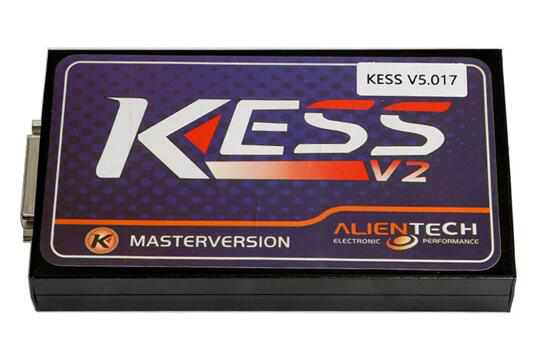
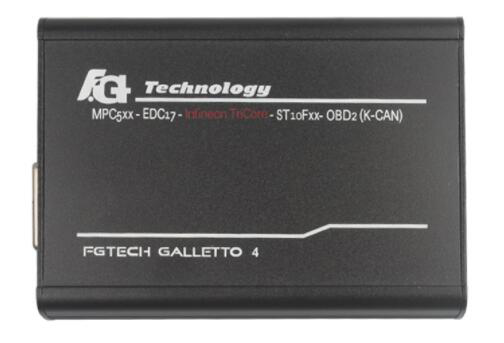
Kess v2 & Galletto v54 Which is better for BMW M5 E60 EDC17 ?

I have been remapping a 2006 BMW M5 E60.
I have the MPPS, but it’s not suitable for this so decide to buy a better tool , not sure if I should go for a Galletto v54 or the Kess V2
Any advice would be great, ideally I would like to get the one that covers most cars via OBD.
Advice from users:
1.KESS V2 is better solution.
2.EDC17 safer to do on the frame, and some only.
KESS and GALLETTO it is a good.
If you buy a fake you never know what to do, and if at all something impute.
Kess-V2
3.The kess is more better than fgtech mpps etc
4.Kess is better tool for no w.
5.On MED17 with KESS can’t do full read. File is somehow encrypted. With Galletto is fine.
6.My KESS is reworked and work great as original. I just say if I do full read (backup) the file is encrypted.
Galletto works well for boot mode tricore
1.For me both tools are doing a good JOB – Kess is china clone but i have an original one as well. just need to update is to Master – because at the moment is SLAVE.
2.Fgtech V54 Galletto 4 is Euro Clone and until now it never ever let me down . Anyway… what i figure it out is that the tools are good and work good but the laptop configuration is quite important.
FG-Galleto-V54
3.I use panasonic toughbook CF 19 and CF 52. – Never had a single problem with both of them .
4.Buy a good galletto clone “EU” and no problems, very stable.
5.The FG have no cs correction in edc17 , kess have .
6.Galletto works well with edc17,
Chinese kess no!
Galletto is fine
Galletto working fine
GALLETTO works well in boot mode tricode
7.I use both, Kess v2 clone + Galletto v54 clone. But i prefer v 54 only because user fredliness and good working stability, no chance to suspend writing file or something else. Kess little bit fussy, and to much moronresistant and used only if V54 will not handle it but in plus a lot better for gasoline engines. V54 in 80% still needs rework after buying but after that works perfect
8.Buy both they are cheap enough get them reworked and then you have two good tools
9.Earlier Galetto didn’t support MSS65 K-line ( E6x V10 Mpower ) . It can only read by CAN which is only LCI E6x . Not sure about kess and the latest Galletto version . Someone can double check please . Some chinese says kess is not working good with K-line .
10.I think it’s better to have boot clone tools they works on many units, about this ecu i think fg is the Best
11.Both of them have its pros and cons, it’s up to you to make decision.
12.I like like KessV2 is Safe,to work with them.
13.EU kess only sold by resellers of chinese clones…..do the maths
buy both Auto ECU Programmer kess v2 and galletto v54 chinese clone tools, have a play, decide which you like best software wise
have it reworked, job done
galletto is compatible with more cars IMO kess is more user friendly
14.Galletto working ok w/ sirius 32
For more details of car diagnostic tools , welcome to check www.obd2tool.com

2019年8月20日星期二

How to set WIFI for BMW ICOM NEXT A+B+C New Generation OF ICOM A2

1.Set router
username:ISAP
password:12345678
2.Connect the laptop with router
3.The device is powered on and waits for the WLAN light to be on for a long time.

If the customer needs to set the WIFI account password of BMW ICOM NEXT A+B+C.Power on the device and connect to the computer via a network cable
1.Open IToolRadarsoftware
图片2
2.Record the current IP address of the device
图片3
3.Open IE browser and enter the IP address you just recorded.
+  :58000图片4
4.Enter WLAN Settings.Put username in SSID,put the password in Pre-shared Key
图片5
5.Click Save Changes
6.Then restart the device and you can use it

2019年8月2日星期五

(Solved)BMW ICOM A2 A3 NEXT got blue screen on Dell laptop

Customer’s problem:
We had purchased one set BMW ICOM NEXT with HDD from obd2tool, We really appreciate the faster shipment, all is well packed dhl week quickly received. But when we install the HDD to our computer, we have blue screen and doesn’t access to computer windows. We are wondering if we get the broken HDD……

Solution offered by www.obd2tool.com engineer:

The BMW ICOM A2 A3 NEXT drives we assign to our customers are generally AHCI-mode hard drives with SATA port. If your laptop BIOS is not set to the same hard drive mode (AHCI mode), if you connected to our hard drive to your computer, there will be a blue screen or can not find the hard drive. Please make sure your HDD is set to AHCI in the BIOS.
BMW ICOM SOFTWARE

To check this you turn the laptop on and press F2, it will enter the BIOS. Now go to “ONBOARD DEVICES” or “SYSTEM CONFIGURATION” then go to “SATA OPERATION” press enter and make sure its set to AHCI not ATA or any other option. Change another computer, switch achi mode for your Dell laptop. You will get it to work with achi mode.

BMW ICOM NEXT PRODUCT REVIEW:
1. Everything is fine. It came what i was waiting for. Works amazing. Immediately carried out an update on the bmw e70 block dme. Fast and accurate. Thank you so much. Satisfied completely.
2. Connects very well with Ista + works well! Thank you
3. You can buy boldly! The goods are quality, fully consistent with the description. Installed ista d and ista p programs, checked in, everything is fine! Thank you very much to the seller!
If you are interesting in buy BMW ICOM diagnostic tool, Please check this link : https://www.obd2tool.com/search-BMW+ICOM.html

2019年6月16日星期日

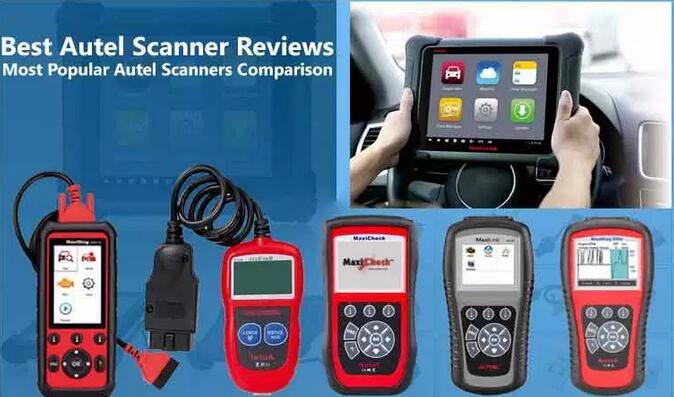
Top 12 Best Autel Scanner Comparison Chart

Are you a mechanic, technician or DIY enthusiast looking for the best Autel scanner for your vehicle? You’ve landed on the right page.
Autel OBD2 scanners are some of the best on the market and the brand offers different scanners for different people. They offer low-end scan tools for starters and DIYers and mid-range to high-end scanners for professional technicians and mechanics. But still, you can buy any scanner as long as you feel it’s a great fit for your needs and budget. Read this Autel Scanner reviews article to know more about this brand scan tool.
Best-Autel-Scanner-Reviews-0
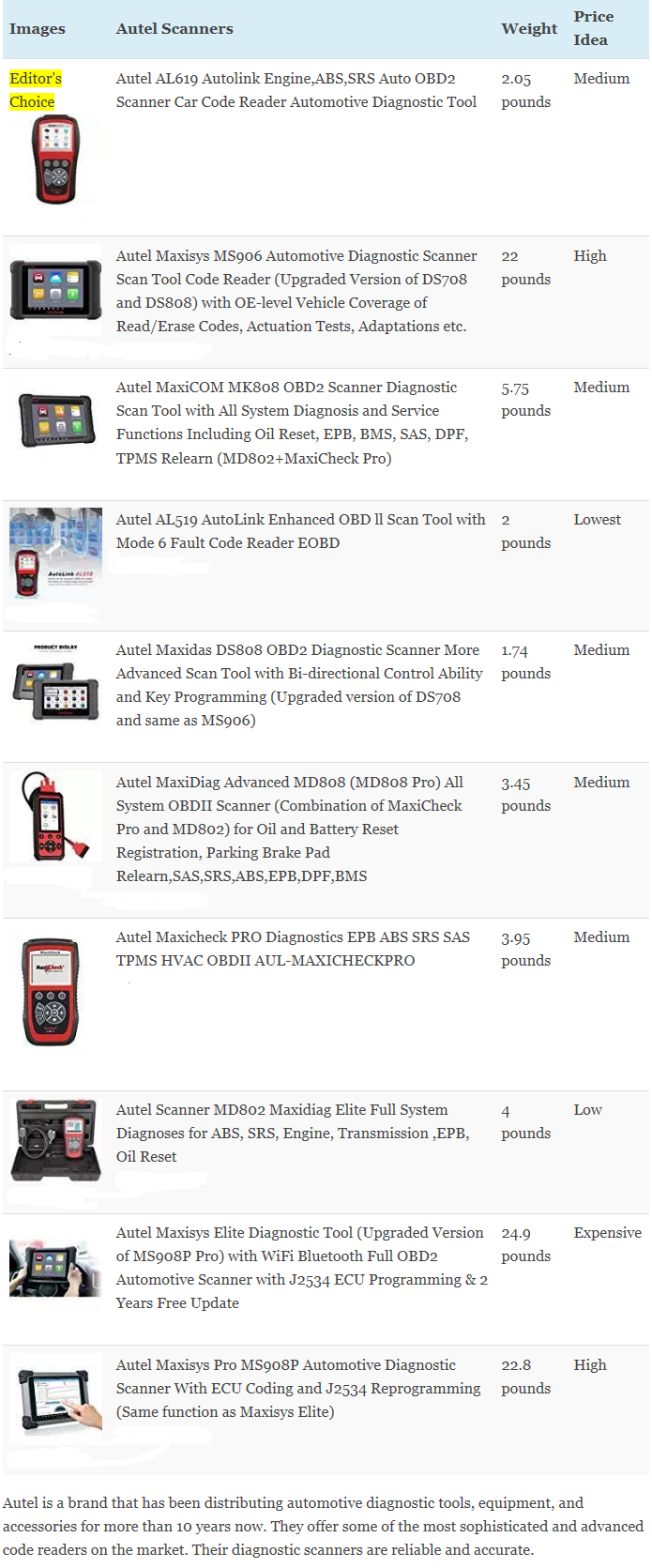
Top 12 Best Autel Scanner Comparison Chart
Best-Autel-Scanner-Reviews-1
Here are our top 12 Autel automotive scan tools on the market:
1. Autel MD802 OBD2 Scanner
Autel-MD802-OBD2-Scanner
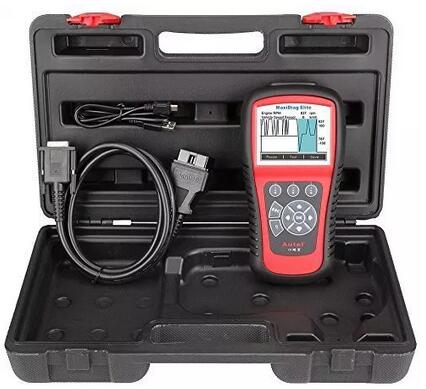
For those who want to advance from a basic or entry-level scanner to a better code reader with extra functions, the Autel MD802 MaxiDiag Elite scan tool is a good choice. This OBDII code reader is amazing in that it can read and clear codes in all powertrain, body, chassis, and information & communication systems. Furthermore, it reads and clears trouble codes on transmission, engine, ABS failures, Airbag, oil service reset, and EPB.
Technical specifications of the Autel md802 maxidiag elite Scan Tool
Features     Autel md802
Works:     ALL available systems for most of the European,
Asian and domestic vehicles after 1996
Check Engine Light:     Yes
Oil Reset Service:     Yes
ABS,SRS,EPB:     Yes
Freeze frame Data:     Yes
Transmission:     Yes
Retrieving I/M Readiness status:     Yes
Live Data:     Yes
Mode:     6
Viewing vehicle information:     Yes
Automatic VIN Acquisition:     Yes
Software Update Option:     Lifetime of free
Warranty:     1-year warranty
This scan tool is derived from the MaxiDas DS708 professional series. But it is cheaper and has some advanced features like mode 6 and live data graphing. The large TFT color screen helps the user to have an easy time reading the error codes. On the other hand, the multilingual menu enables you to switch it to a language you understand better.
2. Autel AL619 Car Code Reader
Autel-AL619-Car-Code-Reader
The Autel AL619 Autolink scanner is a great tool for car owners who want a quality scan tool at a great price. The Autel AL619 comes with some wonderful features that cannot be found in the basic code readers. This code reader is compact and very easy to use. It features a large TFT color display and built-in speaker. These help in delivering the results through the visual or audio display. It is also a multilingual gadget with the default language being English. You can switch it to French, Spanish, Portuguese, Russian, Dutch, Italian, etc.
Technical Features of the Autel AL619 Automotive Diagnostic Tool:
Features     Autel al619
Works:     All 1996 and newer vehicles
Display:     TFT color display
ABS, SRS Airbag:     Yes
Retrieves vehicle information:     IN,CIN and CVN
Check Engine Light:     Yes
O2 Sensor Monitor Tests:     Yes
Reads, Stores, and Playback Live PCM DataStream:     Yes
Update option:     Lifetime Free Update
Views freeze frame data:     Yes
Displays monitor and I/M readiness status(emissions):     Yes
Model Support:     Over 50 different vehicle
Warranty:     One-Year Warranty
In addition, the AL619 scanner performs a wide range of functions. You can use this tool to read or clear ABS/SRS DTCs, turn off warning lights, display monitor & I/M readiness status, and view freeze frame data.
Furthermore, you can as well use it to retrieve generic, pending, and manufacturer-specific codes. Apart from having these amazing features, the AL619 is compatible with most vehicles manufactured from 1996 and newer. Updating the device is easy as it comes with free lifetime updates.
3. Autel MaxiSYS MS906 Automotive Diagnostic Scan Tool
If you’re looking for a high-quality Autel scanner at an affordable price, then the Autel MS906 Automotive diagnostic scan tool is for you. The MS906 code reader is an upgrade of the Autel DS708 scanner and DS808. This is an excellent automotive diagnostic scanner with outstanding features just like the Autel Maxisys MS906BT and Autel MS906TS. Its price may be slightly higher than most scan tools but it is worth every penny.
Related: Autel MS906 VS MS906BT VS MS906TS Scanner [Features Comparison Table]
The MS906 smart scanner performs advanced vehicle diagnosis and analysis like actuation tests, live data view, adaptations, and much more. MS906 one of the best Autel scanner for professionals.
Technical Specifications of the Autel Maxisys MS906 auto diagnostic scanner
Features     Autel ms906
Display:     8” LED-backlit glossy Multi-Touch capacitive display(1024×768)
Operating System(OS):     Android 4.4.2
ABS,SRS,SASS,EPB,DPF,TPMS:     Yes
Check Engine Light:     Yes
Internal Memory:     2 GB RAM & 32 GB ROM
Oil Reset:     Yes
Camera:     Built-in 8-megapixel rear camera with autofocus and flashlight
Live data:     Yes
Views freeze frame data:     Yes
Active Test:     Yes
ECU coding, Injector coding:     Yes
Smart AutoVIN technology for identifying vehicles easily:     Yes
Real-time push message notifications:     Yes
Vehicle Coverage:     More than 80 US, Asian and European car
Software Option:     1 year free update
Warranty:     One year Limited Warranty
Autel-Maxisys-MS906-Automotive-Diagnostic-Scan-Tool
The MS906 scan tool has excellent vehicle coverage of more than 80 car manufacturers. This makes it be suitable for professional use and for car repair shops. Apart from this, it operates at a high speed with its powerful processor, easy to use and large touchscreen, great memory, and a powerful battery. You can as well take photos with the 8MP camera and share them with colleagues or clients. Another great feature of this device is that it is grease and water resistant.
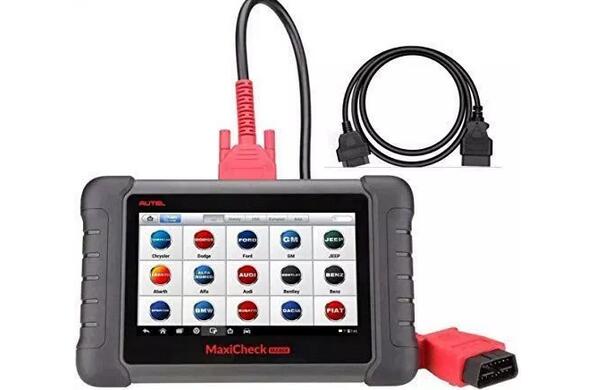
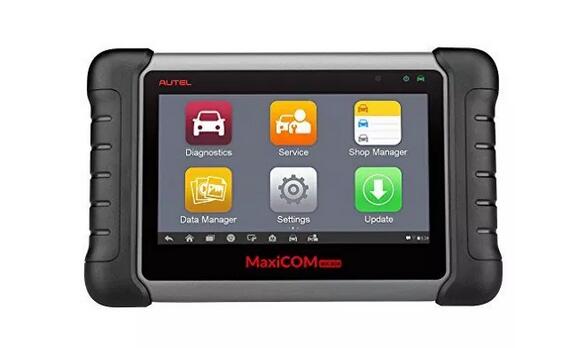
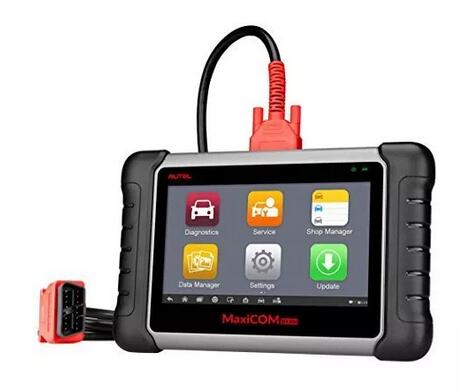
4. Autel Maxicom MK808 OBD2 Scanner
Just like the Autel MX808 scan tool, the Autel Maxicom MK808 is one of the best mid-range Autel scanner that you will lay your hands on. It comes with a great design and features that you will mostly find on the high-end Autel scanners. The Autel MaxiCom MK808 diagnostic scanner will provide you with a full detection for all systems such as SRS, Transmission, ABS, Light system, Engine, Wiper system, and much more. Apart from that, it as well performs various functions like Basic TPMS service, oil reset, and EPB/SAS/BMS/DPF.
Technical Specifications of the Autel MaxiCOM MK808 Diagnostic OBD2 Scanner
Features     Autel MaxiCOM MK808
Works:     All 1996 US-based, 2000 EU-based and newer vehicles
Operating System:     Android
Display:     7″ LCD Touch-screen
Processor:     Cortex-A9 processor (1.5 GHz)
Live data:     Yes
Views freeze frame data:     Yes
Check Engine Light:     Yes
ABS,SRS,EPB,BMS,SAS,DPF:     Yes
Oil Reset:     Yes
Software Update Option:     12-month free updates
Reading/Clearing codes:     Yes
Get transmission codes:     Yes
Warranty:     One year warranty
So, you don’t have to worry about putting it on the garage floor as you work on the vehicle.
Autel-Maxicom-MK808-OBD2-Scanner
This device also features an intuitive user interface. It comes with a 7-inch touchscreen, fast quad-core processor, and a multi-lingual menu. These features make this device to be easy and fun to use. Moreover, the MK808 scanner is compatible with 1996 US-based, 2000 EU-based and newer vehicles. On purchase, the buyer gets a 1-year for any quality issue and a 1-year of free software updates.
Related: Autel MX808 VS MK808 [Is There Any Difference?]
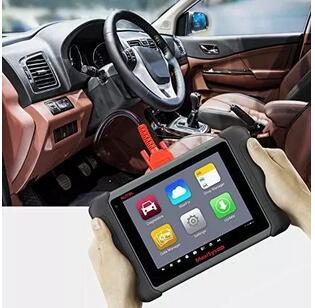
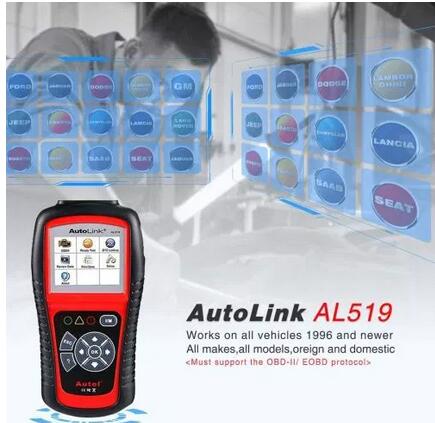
5. Autel AL519 AutoLink OBD II Scan Tool
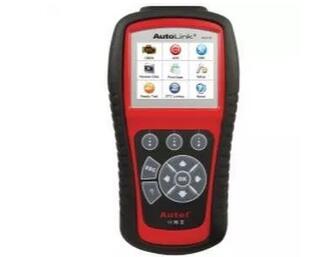
If you’re a startup mechanic looking for a budget-friendly code reader, the Autel AL519 Autolink is a great pick. As sleek and compact as this scanner looks, it will help you perform a wide range of functions. It may be a basic scanner but offers fast and accurate results. Also, it features a large TFT color screen that enables you read results easily or you can listen to the audio if the screen is not clear. Thanks to its built-in speaker. You can as well change the language or update the device via the internet. Autolink AL519 is one of the cheapest but best autel scanner that you can buy.
Technical Features of the Autel AL519 Scanner
Features     Autel AL519
Works:     ALL 1996 and newer vehicles
Display:     TFT color screen
Check Engine Light(MIL):     Yes
Reads, stores Data:     Yes
Playbacks live sensor data:     Yes
Clears codes & resets monitors:     Yes
Enhanced OBDII Mode:     6
Emissions readiness checks:     Yes
Retrieves vehicle information:     VIN, CIN and CVN
Views freeze frame data:     Yes
Voltage:     12v
Live O2 sensor test data:     Yes
Get transmission codes:     Yes
Software Update Option:     Free update online lifetime
Warranty:     One year warranty
Autel-AL519-AutoLink-OBD-II-Scan-Tool
The Autel AL519 has extensive vehicle coverage as it is compatible with most 1996 and newer OBD2 and CAN domestic and import vehicles. This device is very easy to use as it comes with clearly indicated keys and it is compact in design. Some of its functions include retrieving generic, manufacturer-specific, and pending codes.
Additionally, the AL519 displays live O2 sensor test data, displays monitor & I/M readiness status, and reads, stores, and playbacks live sensor data.
6. Autel MaxiDAS DS808 Automotive Diagnostic Scanner
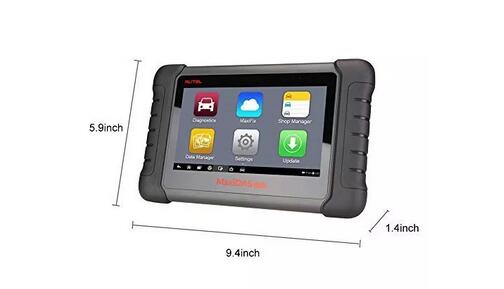
The Autel Maxidas DS808 Automotive Diagnostic tool is an upgrade of the Autel DS708 diagnostic scanner. This means it is more powerful than the DS708 and can be compared to the MS906 scan tool. It features complete capabilities for codes, active test, adaptation, matching, live data, and ECU information. It performs powerful functions such as TPMS programming service, DPF regeneration service, Oil reset service, ABS/SRS service, EPB service, SAS calibration service, and much more. Apart from offering powerful functions, it as well performs specialized functions like Cloud-based MaxiFix, Smart AutoVIN, and Shop Manager.
Technical Specifications of the Autel Maxidas DS808 Automotive Diagnostic Tool
Features     Maxidas DS808
Operating System(OS):     Android
Memory:     32GB
Display:     7″ LCD capacitive touchscreen
Processor:     Cortex-A9 processor (1.5 GHz)
Sensors:     Ambient light sensor for brightness auto changing
Audio Input/Output:     ? Input: N/A ? Output: buzzer
Connectivity:     Mini USB 2.0 ? USB 2.0 ? Wi-Fi ? Micro SD card (supports up to 32GB)
Oil Reset:     Yes
ABS,SRS,TPMS,EPB,DPF,SAS,BMS Resets:     Yes
Injector coding:     Yes
Reset transmission CVIs:     Yes
View live data:     Yes
Perform active tests:     Yes
Power Consumption:     500 mA (LCD on with default brightness, Wi-Fi on) @3.7 V
Vehicle Coverage:     More than 80 U.S., Asian and European vehicle
Software Update Option:     Free Online Update
Warranty:     12-month warranty for any product problems
Autel-Maxidas-DS808-Automotive-Diagnostic-Scanner
Similar to other high-end Autel scanners, the Autel DS808 features a fast quad-core processor, 7-inch LCD touchscreen, outstanding operating system, and a wide coverage of OE-level diagnostic. Additionally, the automotive diagnostic scanner covers more than 80 European, US, and Asian vehicles made from 1996 to 2017. You can also update this device online for free for one-year. With such features, this a great tool for professionals.
7. Autel MaxiDiag Advanced MD808 OBD II Scanner
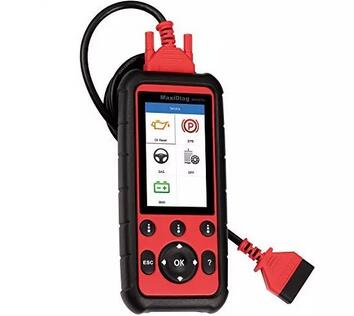
The Autel MaxiDiag MD808 Pro car scan tool may appear to be simple but it is very versatile in performance. It combines both the functions of the MaxiCheck Pro and MD802 into one device. The Autel MaxiDiag has the ability to scan all the vehicle systems and not just the ABS, SRS, and Transmission. In addition, it performs a wide range of functions such as steering angle sensor reset, oil & maintenance service lights reset, diesel particulate filter regeneration, electronic parking brake maintenance, and battery maintenance services.
Technical Specifications of the Autel MaxiDiag MD808 Pro Scan Tool
Features     Autel MD808 Pro
Works:     All 1996 and newer vehicles
Processor:     ARM? Thumb? Processor (400 MHz)
Memory:     32MB, 166 MHz
Display:     4″ LCD with 800×480 resolution
AutoScan:     Yes
Connectivity:     Mini USB: 2.0 Micro SD Card(16GB)
Read/Clear SRS,SAS,DPF,BMS,EPB,ABS Codes:     Yes
View Freeze Frame data:     Yes
View, Report, Graph and Playback Live Data:     Yes
Print via PC:     Yes
Oil Service  Reset:     Yes
Battery Maintenance Services:     Yes
Read Clear Transmission Codes:     Yes
View Live Data:     Yes
Read/Clear Engine Codes:     Yes
Graph, Store & Playback:     Yes
I/M Emissions Readiness:     Yes
View Code Definitions OnScreen:     Yes
Software Update:     Free Software Update
Warranty:     12 month Warranty
Autel-MaxiDiag-Advanced-MD808-OBD-II-Scanner
The device is robustly constructed and features a rubber case to withstand impact. Additionally, it has a large display screen with well-organized and clear buttons. The multilingual menu enables you to change to a language of choice and the manufacturer offers a one-year warranty. If you’re a mechanic, this is a great scanner to add to our arsenal.
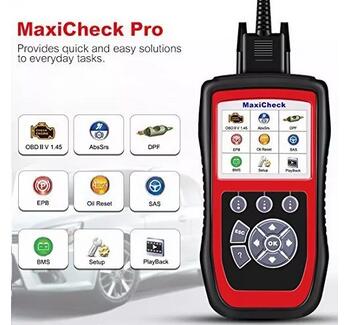
8. Autel MaxiCheck Pro OBD2 Diagnostic Tool
With a wide vehicle coverage of most 1996 and newer Domestic, European, and Asian vehicles, the Autel MaxiCheck Pro is a car diagnostic tool that can be used to diagnose different car models and brands. The scanner is sturdily constructed with a sturdy case to defy impact. It also has an intuitive user interface with the easy to use hotkeys and a multilingual menu. The large TFT color screen helps the user to easily read results in dim or poorly lit areas. Apart from having a sturdy case, it has a carrying case for proper storage of the gadget when not in use.
Technical Specifications of the Autel Maxicheck Pro Scanner
Features     Autel Maxicheck Pro
Works:     Most vehicle Year under 2013 or older vehicles
Display:     TFT color display (320 x 240 dpi)
Resets the Oil Service Light:     Yes
EPB/ABS/SRS/SAS/Airbag/BMS/DPF:     Yes
View, graph, record and playback OBD-II live data:     Yes
Reads, Records and Plays Back OBD2 Live Data Graphing:     Yes
Turns off the ECU & Brake Warning Lights:     Yes
Sets Inspection Mileage:     Yes
ABS Bi-directional Functionality:     Yes
Multilingual Support:     Yes
Software Update:     1-year free online updates
Warranty:     Limited 1-Year Warranty
Autel-MaxiCheck-Pro-OBD2-Diagnostic-Tool
The Autel MaxiCheck Pro performs a wide range of functions which include reset oil service light, reads & clears EPB/SBC trouble codes, reads & clears troubles codes, view, graph, record, and playback live data, and many more.
One of the best features of this scanner is that you can upgrade it or update it via the internet. With such amazing features and reliable performance, this is a wonderful diagnostic code reader for motorists as well as mechanics.
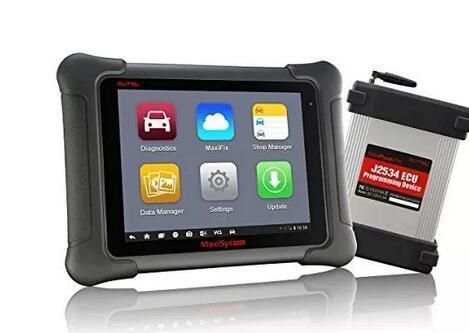
9. Autel Maxisys Elite Diagnostic Tool
Looking for a high-quality best Autel Scanner? The Autel Maxisys Elite diagnostic tool is one of the most advanced scan tools that you will come across on the market. As sleek and beautiful as it looks, the Autel Maxisys elite automotive diagnostic scanner is very fast, accurate, and powerful. It features a powerful operating system in the Android 4.4.4, a powerful 13600mA battery, and a 1.8 GHz fast quad-core processor. In addition, the car scanner has a large storage and a 3x faster connection that professional mechanics love.
Technical Specifications of the Autel Maxisys Elite Scanner
Features     Autel Maxisys Elite
Works:     All 1996 and newer vehicles
Operating System(OS):     Android operating system
Display:     9.7” Retina display with 2048X1536 resolution & Capacitive Touch Screen
Processor:     NVIDIA Tegra 4 (4-PLUS-1 Quad-core Processor) 1.8GHz with ARM Cortex – A15 CPU
Memory:     2GB RAM & 32GB Embedded Memory
Camera:     Rear: 8.0 Megapixel, Autofocus
Front: 2.0 Megapixel
Sensors:     Ambient Light Sensor, G-sensor
Connectivity:     802.11a/b/g/n/ac WIFI
Version 2.1 3Mbs Bluetooth
RJ45 Ethernet Connection
3.0 USB (2.0 Compatible)
HDMI 1.4a
SD Card(Support up to 32GB)
Models:     More than 80 US domestic, Asian and European
Protocols:     Most OBD1/OBD2
Check Engine Light(MIL):     Yes
Reads, stores Data:     Yes
Clears codes & resets monitors:     Yes
Playbacks live sensor data:     Yes
Views freeze frame data:     Yes
Remote Control Tech Support:     Yes
Real-Time push message notifications:     Yes
Get transmission codes:     Yes
Software Update:     2 years free update
Warranty:     One year warranty
Autel-Maxisys-Elite-Diagnostic-Tool
Besides, it has a large LCD touchscreen that allows the user to clearly view what is being displayed. Some of the functions of this Autel Elite diagnostic scanner are tire pressure reset, ECU matching, DPF reset, SAS reset, coding function, Anti-theft matching, throttle matching, advanced ECU coding, and programming.
Also, it covers more than 80 car make and models from the US, European and Asian. Automatically update the system and software through the internet with instant remote control to get tech support at any time.
Related: Autel Maxisys Pro VS Elite Diagnostic Scanner [Features Comparison]
10. Autel Maxisys Pro MS908P Automotive Diagnostic Scan Tool
Just like the Autel MaxiSys MS908, and Autel MS908CV, the Autel MaxiSys Pro MS908P is another high-end diagnostic scan tool. If you own just one car or don’t deal with lots of car make and models, this may not be a good purchase for you. This is because of its initial price and a wide range of features. But if you’re a professional mechanic or technician who wants the best of the best, then the Autel Maxisys Pro MS908P is the scan tool to go for.
Technical Specifications of the Autel Maxisys Pro MS908P automotive diagnostic scanner
Features     Autel Maxisys Pro MS908P
Display:     8.0″ LED capacitive touch screen with 1024x768P Resolution
Operating System(OS):     Android
Processor:     Samsung Exynos 6-Core Processor(1.3 GHz quad-core ARM Cortex-A7 + 1.7 GHz dual-core ARM Cortex-A15)
Configures display options:     Yes
Power-balance test & auto-scan:     Yes
EPB,ABS,SRS,SAS Calibration, DPF:     Yes
Check Engine Light:     Yes
Internal Memory:     2 GB RAM, 32 GB ROM
Oil Reset:     Yes
Camera:     8.0 Megapixel, AF, Flashlight
Displays live data in text:     Yes
Views freeze frame data:     Yes
Recording modes:     Full Screen waveform graphing analysis
Connectivity:     Wi-Fi (802.11 b/g/n), DB16 DLC, USB 2.0, SD Card (Support up to 32GB)
Actuation Tests:     Yes
ECU Information:     Yes
Injector Coding:     Yes
Read all kinds of DTCs:     Yes
Audio Input/Output:     Single Speaker, Microphone
Real-time push message notifications:     Yes
Vehicle Coverage:     More than 80 US, Asian and European Vehicle
Prints out Recorded data with Wi-Fi:     Yes
Software Update Option:     One-year free update
Warranty:     1-year limited warranty
This scan tool is able to perform ECU coding and J2534 reprogramming which can as well be found in Autel Maxisys elite. Apart from that, it also performs advanced functions such as actuation tests, graphic live data, matching, and ECU information. It also has some special functions like Data logging, shop manager, data manager, and MaxiFix.
Related: Difference Between Autel MS906TS and MS908
Use this can tool on more than 80 car brands and enjoy its fast and accurate operation. Thanks to its fast quad-core processor, Android 4.0 operating system, and powerful 11000mAh battery.
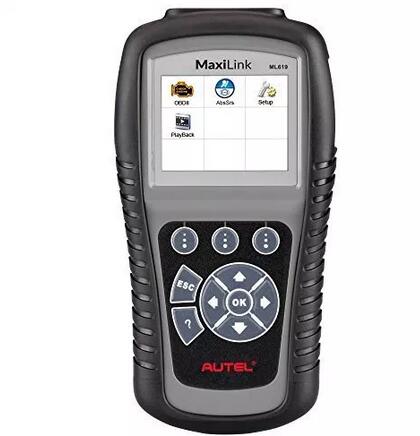
11. Autel MaxiLink ML619 CAN OBD2 Code Reader
The Autel MaxiLink ML619 is another quality scan tool from Autel. It features clearly labeled buttons and a large TFT screen for easy use. Beginners won’t have a problem using this device and it is offered at an excellent price. The code reader is also well protected as it comes with a rubber covering that protects it from the impact. In addition to the outstanding features, the device is also compact and can be easily kept in your car compartment. Maxilink ML619 one of the best autel scanner for the money.
Technical Specifications of the Autel Maxilink ML619 obd2 diagnostic scanner
Features     Autel Maxilink ML619
Works:     All 1996 and newer major vehicle
Display:     TFT color display (320×240 dpi)
EASY ABS/SRS DIAGNOSIS:     Yes
Views freeze frame data:     Yes
VIN, CALID and CVN:     Yes
Live sensor data:     Yes
Oil Reset:     Yes
Software Update:     Free Online Update
Live data:     Yes
Prints data:     Yes
Warranty:     One year warranty
Autel-MaxiLink-ML619-CAN-OBD2-Code-Reader
The gadget is compatible with most 1996 and newer OBD2 and CAN vehicles. You can use it on car brands such as Volvo, GM, Ford, BMW, Mercedes, Honda, Kia, Mitsubishi, Nissan, Toyota, and Hyundai. Furthermore, the scan tool is able to retrieve manufacturer-specific, generic, and pending codes. Other key functions that it performs include reading, storing, and playbacks live PCM data stream and live sensor data. It also turns off MIL and ABS/SRS warning lights. Upgrade or update this gadget online for free.
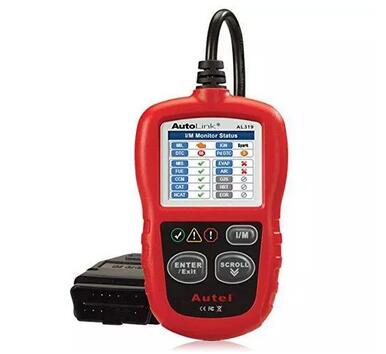
12. Autel AutoLink AL319 OBD2 Scanner
If you’re very tight on the budget and want a basic code reader for reading and clearing error codes, then the Autel AutoLink AL319 is the code reader for you. This is an entry-level code reader with basic functions and easy to use features. It is great for start-up technicians and DIYers. You don’t need any knowledge about code readers in order to utilize this gadget. It is also compact and lightweight for easy use and storage.
Technical Specifications of the Autel Autolink AL319 obd ii
Features     Autel AL319
Works:     All 1996 and newer vehicles
Display:     DTC definitions on the TFT color screen
Views Freeze Frame Data:     Yes
Check Engine Light:     Yes
Retrieves Vehicle Information(VIN,CIN & CVN):     Yes
I/M readiness status(emissions):     Yes
SRS & ABS:     Yes
Reads live PCM datastream:     Yes
Malfunction Indicator Light(MIL):     Yes
Retrieves generic (P0, P2, P3, and U0):     Yes
Clears codes and resets monitors:     Yes
Manufacturer specific (P1, P3, and U1) codes:     Yes
Software Update:     Lifetime free online update
Warranty:     One year warranty
Autel-AutoLink-AL319-OBD2-Scanner
All you need is to plug and play and know why the “check engine light” is on. Above all, this code reader functions on all 1996 and newer domestic and import vehicles. Just like most Autel scanners, this one as well allows you to select a language of choice for easy use. Utilize the AL319 to retrieve generic, manufacturer-specific, and pending codes. It can also turn off Malfunction indicator light, view freeze frame data and retrieve vehicle information.
In addition to these exceptional features, the manufacturer offers the buyer one-year warranty and free lifetime online update.
Conclusion:
If you need a quality scan tool, then select one from above best autel scanners list. I hope this Autel scanner reviews post will be helpful to take buying decision.
FAQ
Question: What should I do if the “check engine light” goes off before taking the car to the mechanic?
Answer: In most cases, you should do nothing at all. If the issue that made the check engine light to come is rectified, then the OBD II computer will turn the light off. This is not a sign of a bad OBD system. As a matter of fact, the car computer system is performing its duty by verifying that an issue temporarily existed but has since been rectified. At this juncture, your car requires no special attention unless the light comes on again.
Question: What should I do if the light stays on after clearing the error codes?
Answer: You shouldn’t panic at all. This is a sign that your car needs to be checked and some parts fixed. After driving, you should ensure that the gas cap is not missing or loose. Constantly turn off your engine when refueling. And when the light does not turn off after a few short trips after you’ve replaced the gas cap or tightened it, then, you should take your vehicle for service instantly. If you delay, this might cause more problems.
Question: Does Autel provide free updates and upgrades on its OBD2 scanners?
Answer: Yes, it does. Though, this varies from one Autel scanner to another with a good number of them having one year of free updates. Some Scanners say that they offer a lifetime of free updates but many users say this is not true.
Autel MX808 VS MK808

Are you stuck between the Autel MK808 and Autel MX808 scan tools? Worry not as this Autel MX808 VS MK808 article will help you select the best automotive diagnostic scanner for your needs.
The Autel MX808 and MK808 scanners share similar functions and features, but still, they have a few differences. Read on to learn which scan tool is ideal for your car repair shop or DIYers.
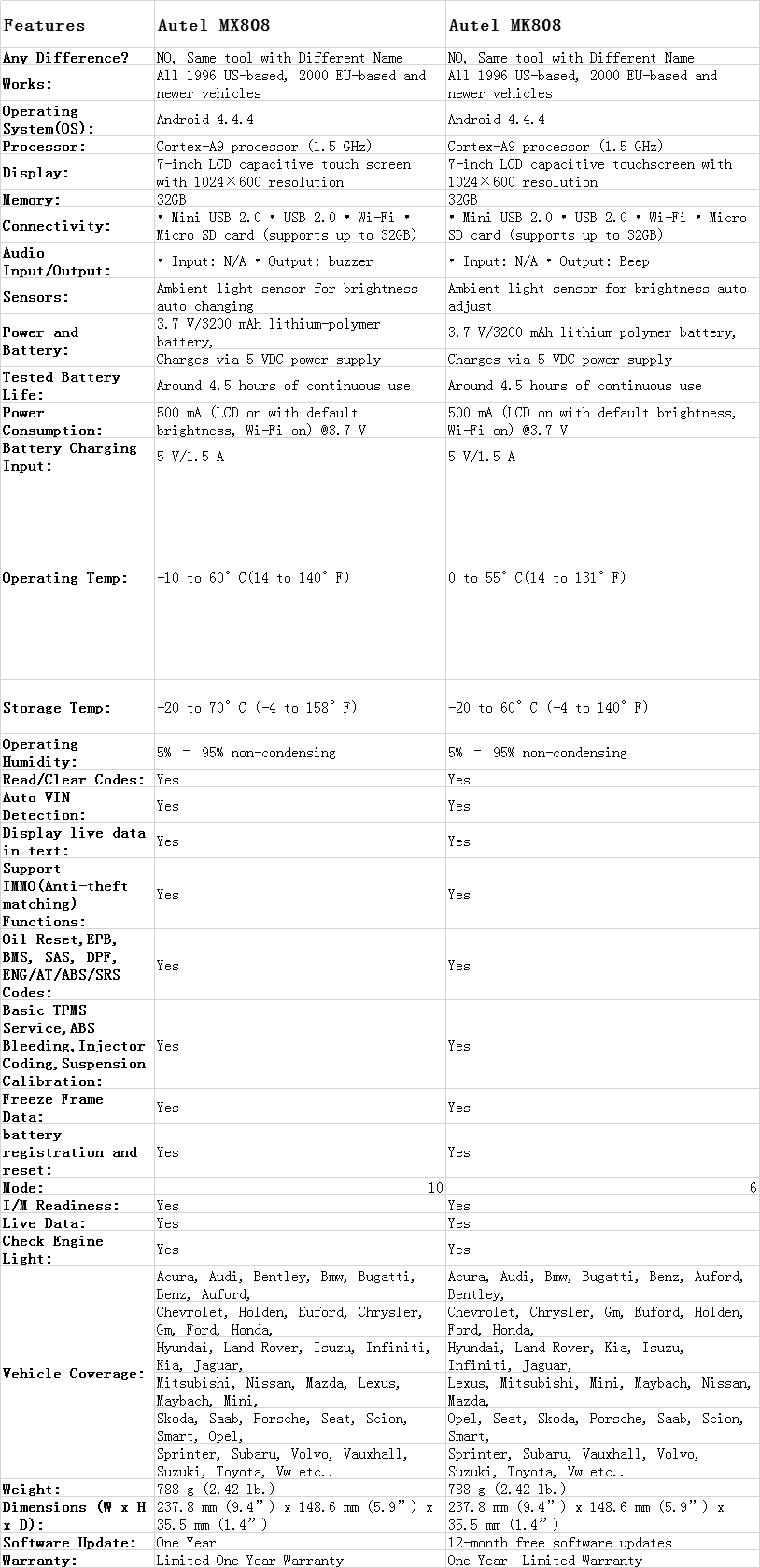
Feature Comparison Chart: Autel MX808 VS MK808
Autel-MX808-VS-MK808
Main Features of the Autel MK808 and MX808 Diagnostic Scanner
Autel Maxicheck Maxicom MX808 OBD II diagnostic scan tool
The Autel Maxicheck Maxicom OBD2 scan tool is an Android version of the Autel MD802 diagnostic code reader. It features a 5 feet extension 16pin cable for easy maneuvering during reading or erasing of error codes. The large 7-inch LCD capacitive touch screen displays clear results with a high 1024×600 resolution. It has Android 4.4.4 operating system with the cortex-A9 processor. This makes the device to be extremely fast and easy to navigate.
Related: Difference Between Autel DS808 and MK808
Additionally, the MX808 scan tool is powered by a 3.7 V/3200 mAh lithium-polymer battery. This battery provides an excellent run time of 4.5 hours of continuous use. There are many ways through which you can connect this device such as using the mini USB cable, Wi-Fi connectivity, USB, and with the Micro SD card. The gadget has the ability to support up to 32GB. With Wi-Fi, you can as well update this scanner as it comes with free one-year updates. With greater compatibility and wide range of functions, the MX808 scan tool is a great tool for beginners and car enthusiasts.
Autel-MX808-VS-MK808-1
Pros:
Large color touchscreen for easy use
Compatible with most OBD2 complaint vehicles manufactured from 1996 and newer
Fast and powerful processor for exceptional performance
Performs a wide range of functions
Large storage capacity
Cons:
It has to be charged
Offers limited functions
Autel MaxiCOM MK808 automotive OBD II scan tool
The Autel Maxicom MK808 automotive diagnostic scanner is a combination of the Maxicheck pro and MD802 all systems scanners. It has the ability to perform a wide range of functions such as basic OBD2 functions, special functions, and advanced functions like support auto bleed test and IMMO functions. Moreover, this scanner is compatible with more than 80 US, European, and Asian vehicle makes manufactured from 1996 and newer.
Related: Autel Maxidas DS808 VS Autel Maxisys MS906
It features a large 7-inch LCD capacitive touchscreen with 1024×600 resolution for easy reading of results on display. It is also fast and powerful, thanks to its Android 4.4.4 operating system and the Cortex-A9 processor.  In addition, it has an audio output which helps the user not to miss on the results when the light conditions are not favorable. Just like the MX808 scanner, this code reader also comes with a 3.7 V/3200 mAh lithium-polymer battery with a runtime of 4.5 hours of continuous use. It can as well be updated for free and has a one-year limited warranty.
Features Comparison autel maxicom mk808 and mx808Check Today’s Price
Pros:
Easy to use interface
Fast and powerful
Sleek and compact design
Performs a wide range of functions
Extensive vehicle coverage of over 80 vehicle makes and models
1-year warranty and 1-year free online update
Cons:
You will be required to charge the battery
Provides limited functions
Related: Autel Maxisys MS906 VS MS908
Autel-MX808-VS-MK808-2
Even though these two diagnostic scanners come with similar functions and features, they still differ slightly. First of all, the Autel MX808 scanner is lighter than the Autel MK808 scan tool. So, if you’re looking for a portable and reliable diagnostic code reader, then the MX808 automotive scan tool is the best choice. Secondly, the MX808 is slightly smaller in size as it measures 15 x 11.6 x 4.8 inches, compared to MK808 which measures 15 x 11.7 x 4.7 inches.
In short, if you want a reliable tool for your auto repair shop, then the Autel MaxiCom MK808 is the best tool for you.
Conclusion
The final decision when it comes to selecting either the Autel MX808 scan tool or the Autel MK808 scanner lies in the type of work you’re going to perform. If you want a scanner for your auto repair shop, then the MK808 scan tool is the best for you. But if you do repairs at your garage or are a car enthusiast who moves around more often, then the lighter MX808 diagnostic scanner will be the best for you.
Related: Autel Elite VS Pro
FAQ
Question: What’s the difference between Autel Maxicom MK808 and MX808 scanners?
Answer: These scan tools possess the same hardware and provide the same functions. Nevertheless, if I were to select between the two, then I would go for the Autel MK808 scan tool due to its stability and reliability in performance.
Question: Which of the two (Autel MK808 and MX808) is more portable?
Answer: If you’re stuck between these two scanners as they have similar features and functions, but want a more portable gadget between the two, then the Autel MX808 scan tool is the best choice for you. It weighs 2.3 pounds, which is lighter than the Autel MK808’s 5.91 pounds.

2019年5月29日星期三

VXDIAG Porsche Piwis3 Developer Mode shell config. update tips

The Developer Mode in Porsche Piwis 3 is not available when you update the shell, coz you lose the menu diagnostics configuration to switch between regular and developer mode,
Problem solved if you copy the old file com.porsche.piwis.Shell.exe.config
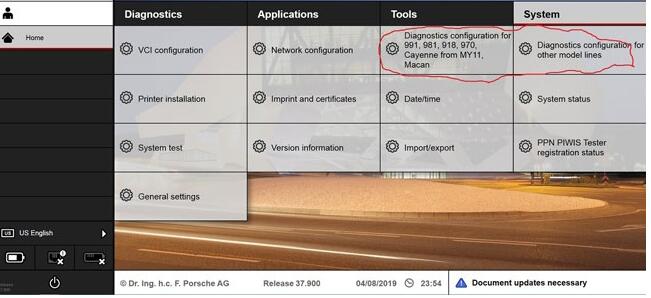
Here is how to update the shell config. and get the diagnostic configuration boxes back, on the system tab.
After a successful update from 37.250.20 you will loose the two above mentioned boxes from the System tab.
If you did not loose them, then the [PIDT] diagnostic software did not update completely.
So it’s a good thing to loose it !
Go to C:\PiwisApps\Shel\ and carefuly edit with notepad   this file –> com.porsche.piwis.Shell.exe.config
after the update the PIDT section shows up in green, after U edit it it will be blue.
First picture shows, red underlined, 2 places, beginning and the end of the green section, what to remove.
On top [Line 568 on mine] U delete  these four symbols       !–<     on the bottom [line 603 on mine] U delete these 3 symbols   –>
Then U save the config file.
Restart the PC and your Diagnostic config box for 991,981,970 and Diagnostic config for other models RE-APPEAR.
rm996 has the solution how get the developer functionality back up and running, !!! PM him.
[Similar solution for the lost with the Update Wiring Diagrams ]
VXDIAG-Porsche-Piwis3-Developer-Mode-1
Another tip might help you also.
It’s how to enable Developer Mode for Piwis 3
Developer mode is a special Piwis program that allow a lot of advanced coding normally reserved only to Factory.
With this function you will have a tool that can do more than software of official Porsche Dealer.
For example, you can reprogram all ECUs completely offline.
How to use Piwis Developer Mode:
Install winrar and winhex on your computer.
-1-locate the file c:\program files\porsche\PIDT_P_MIG_DLSS3\pidt\plugins\de.dsa.pidt.datatype.jar and copy it on your desktop in order to modify it.
Open it with winrar,in the wirar windows locate the file
\de\dsa\pidt\datatypes\utils\Helper$1.class and drag it on your destop , delete it from the archive after the copy, keep the winrar window open.
Open Helper$1.class on your desktop with winhex and goto offset E81, replace 9A by A7 and save.
Drag back the save file on the winrar windows still open and click OK.Close winrar
Copy the new file de.dsa.pidt.datatype.jar you just made in
c:\program files\porsche\PIDT_P_MIG_DLSS3\pidt\plugins, overwrite it.
copy the file aftersales.sig on your desktop and rename it development.sig.Copy this file back in the folder
Do exactly the same method given above with the folder c:\program files\porsche\PIDT_P_MIG_DLSS3 with its own files.
To transform it in developer :
Settings
Diagnostic configuration
981-991, mode, operating mode, E= development, P= production, V= aftersales ( regular piwis)
Other models line, mode, operating mode, E= development, P= production, V= aftersales ( regular piwis)
This method to switch between regular and developer works only with my backup and will not work anymore after
an update.
Images:
VXDIAG-Porsche-Piwis3-Developer-Mode-2
VXDIAG-Porsche-Piwis3-Developer-Mode-3
VXDIAG-Porsche-Piwis3-Developer-Mode-4
Maybe this helps Folks some.