2021年2月13日星期六

How to Use KTAG Programmer to Read Detroit DD15 ACM2 Data

 This instruction show you guide on how to use KTAG programmer to read data from Detroit DD15 ACM2 ECU data.

Preparations:

KESS V2 KTAG K-Suite Software Download & Installation

Procedures:

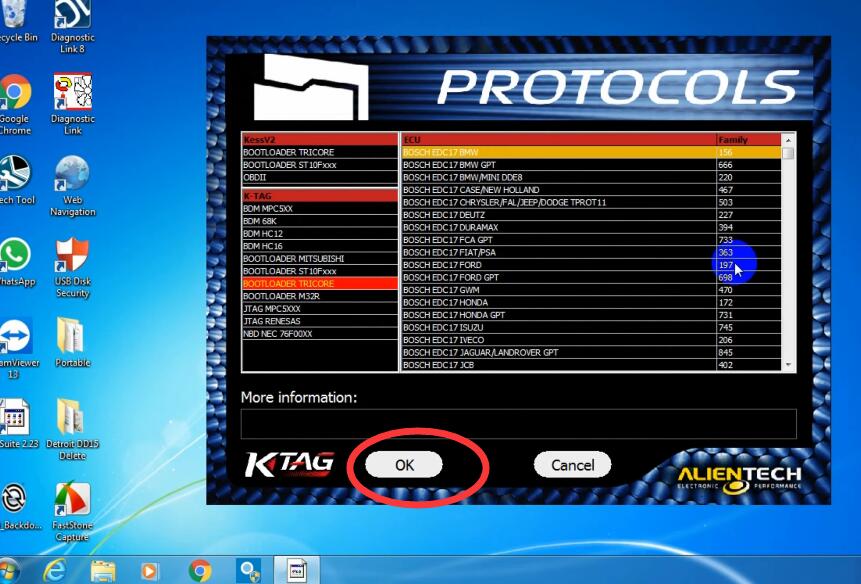
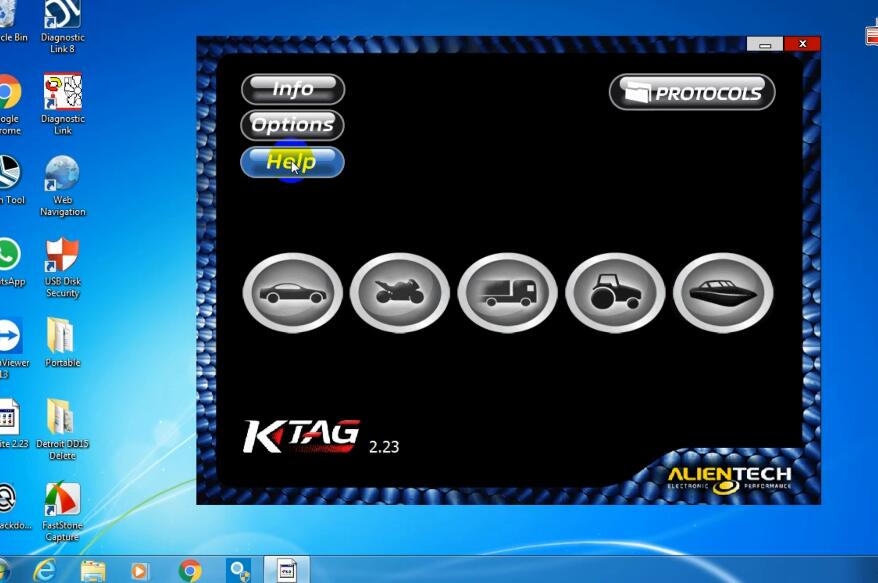
Run KTAG programmer software,then select “PROTOCOLS”

Select “BOOTLOADER TRICORE”

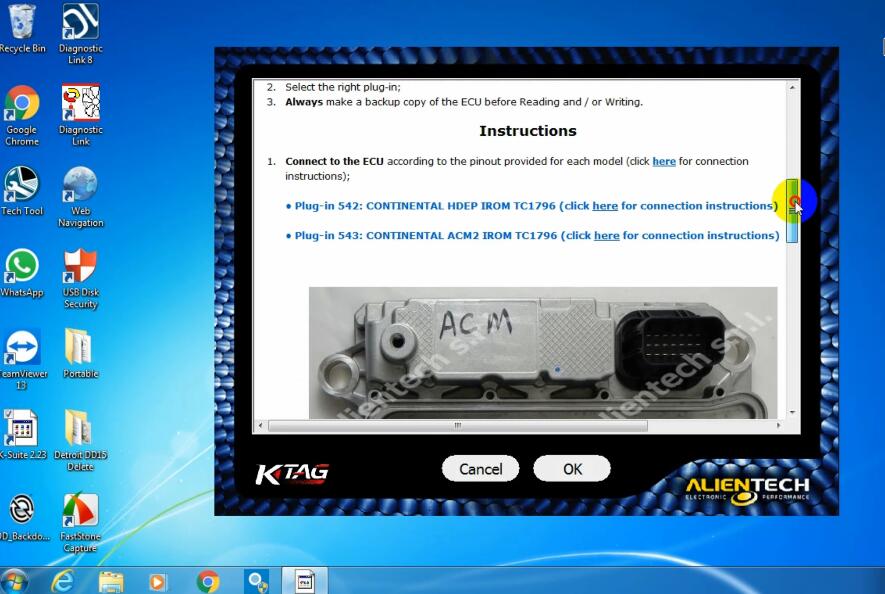
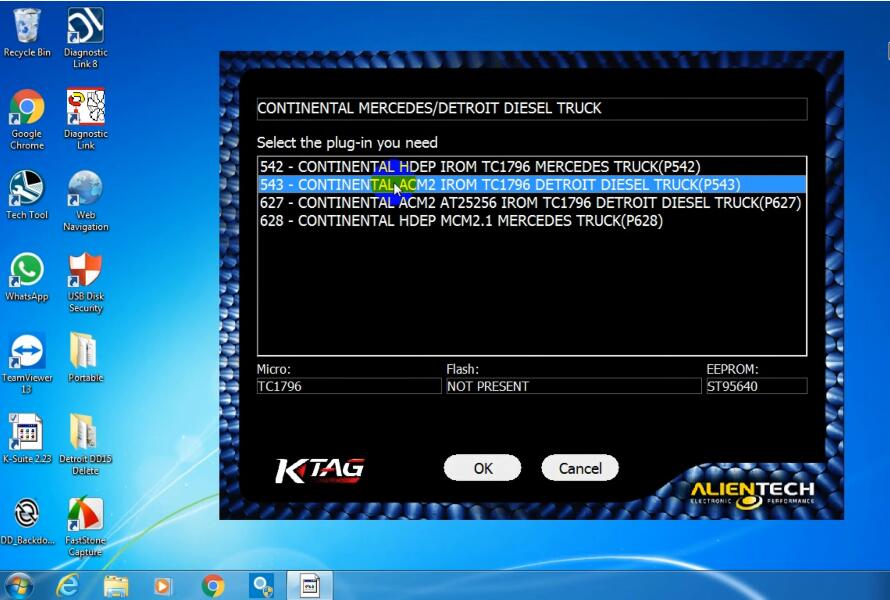
Select “CONTINENTAL MERCEDES/DETROIT DIESEL TRUCK”

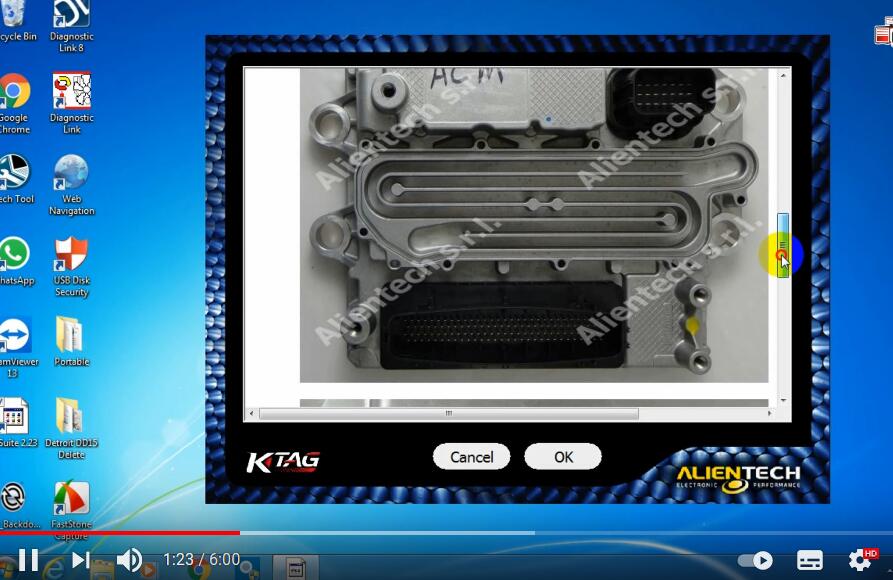
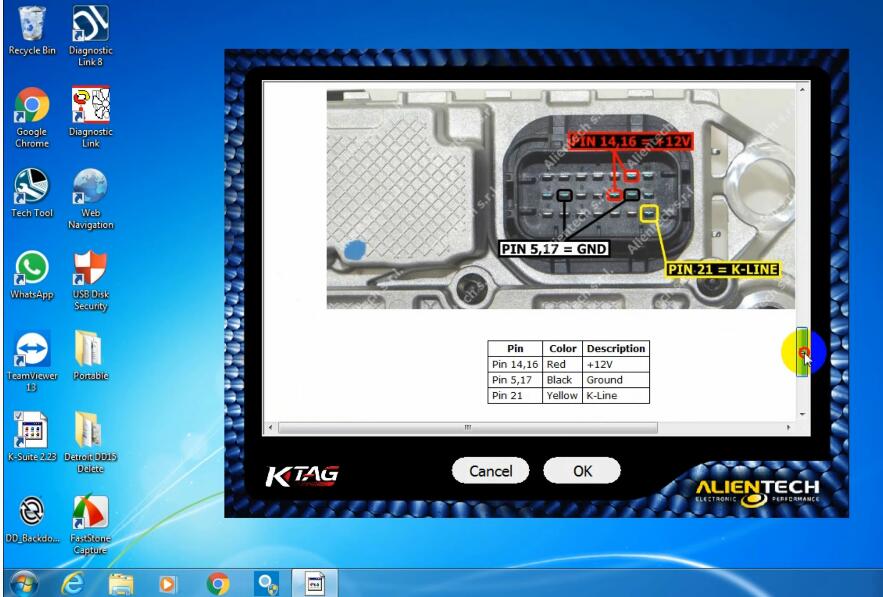
Scroll download to find the pinout for ECU connection

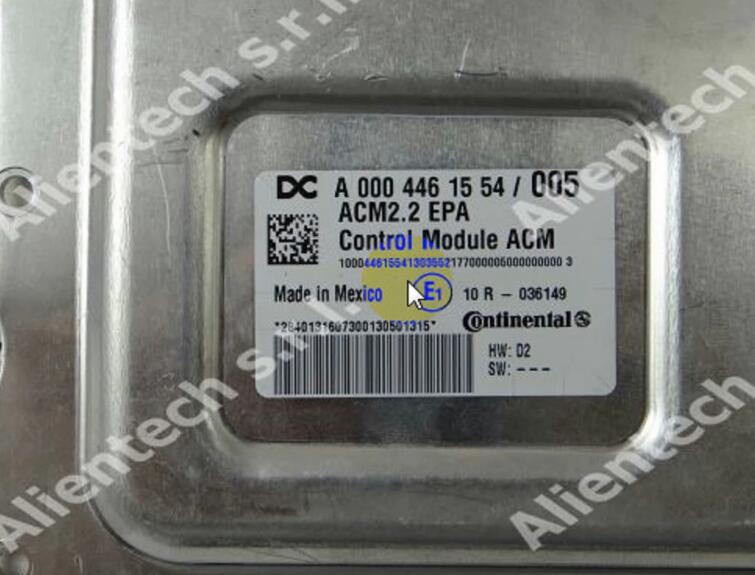
Follow the diagram to connect ECU from KTAG

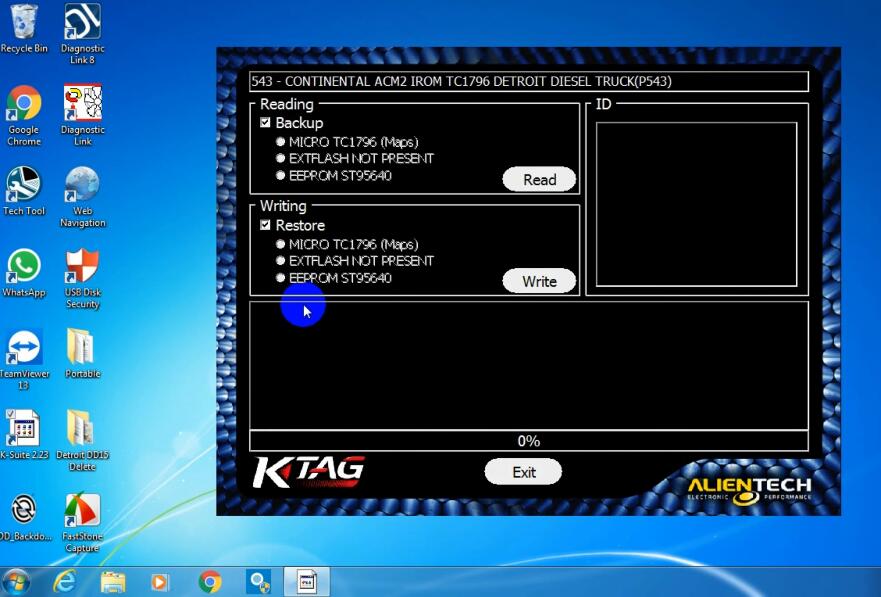
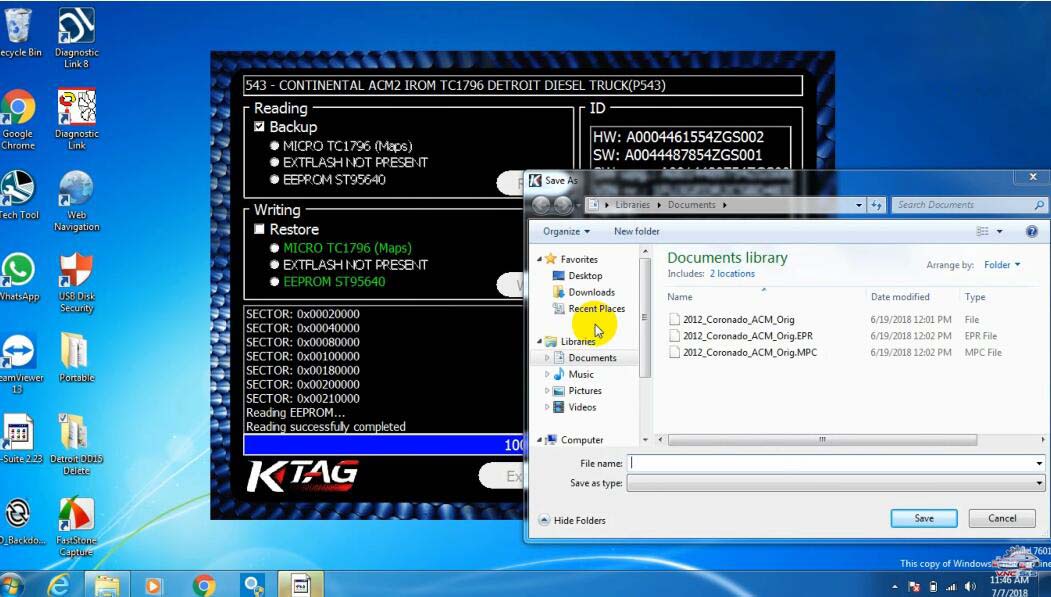
543 CONTINENTAL ACM2 IROM TC1796 DETROIT DIESEL TRUCK(P543)

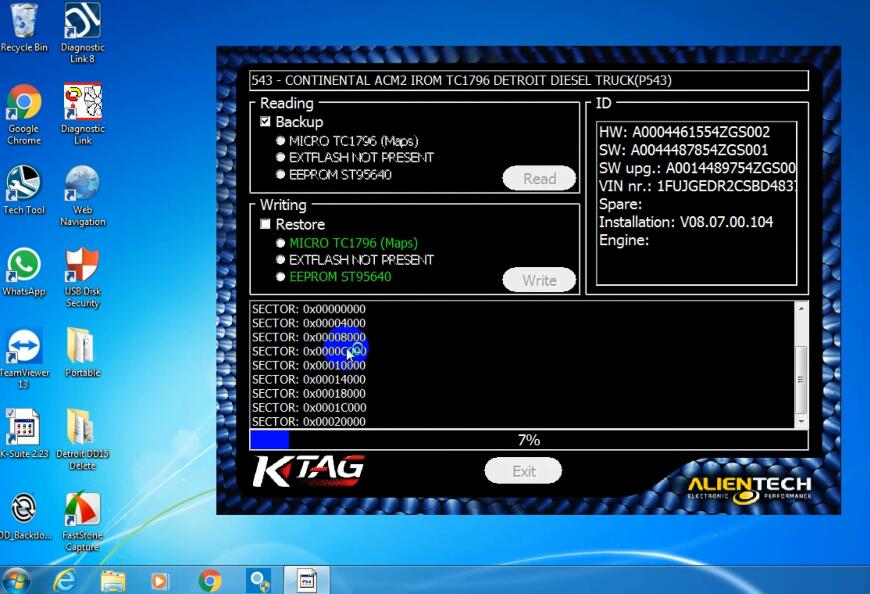
Select “Backup” and click “Read” button

Wait reading process

When it done,just save the ECU data on PC

Done!


BMW ISTA Software 01.2021 Version Update!


BMW ISTA Software latest Version 01.2021 releases! Newest version comes with ISTA-D: 4.27.20 and ISTA-P: 3.67.1.000, supports diagnosis, offline programming and coding for bmw vehicles till 2021. Laest ista software is compatible with ICOM A2+B+C and ICOM NEXT A.
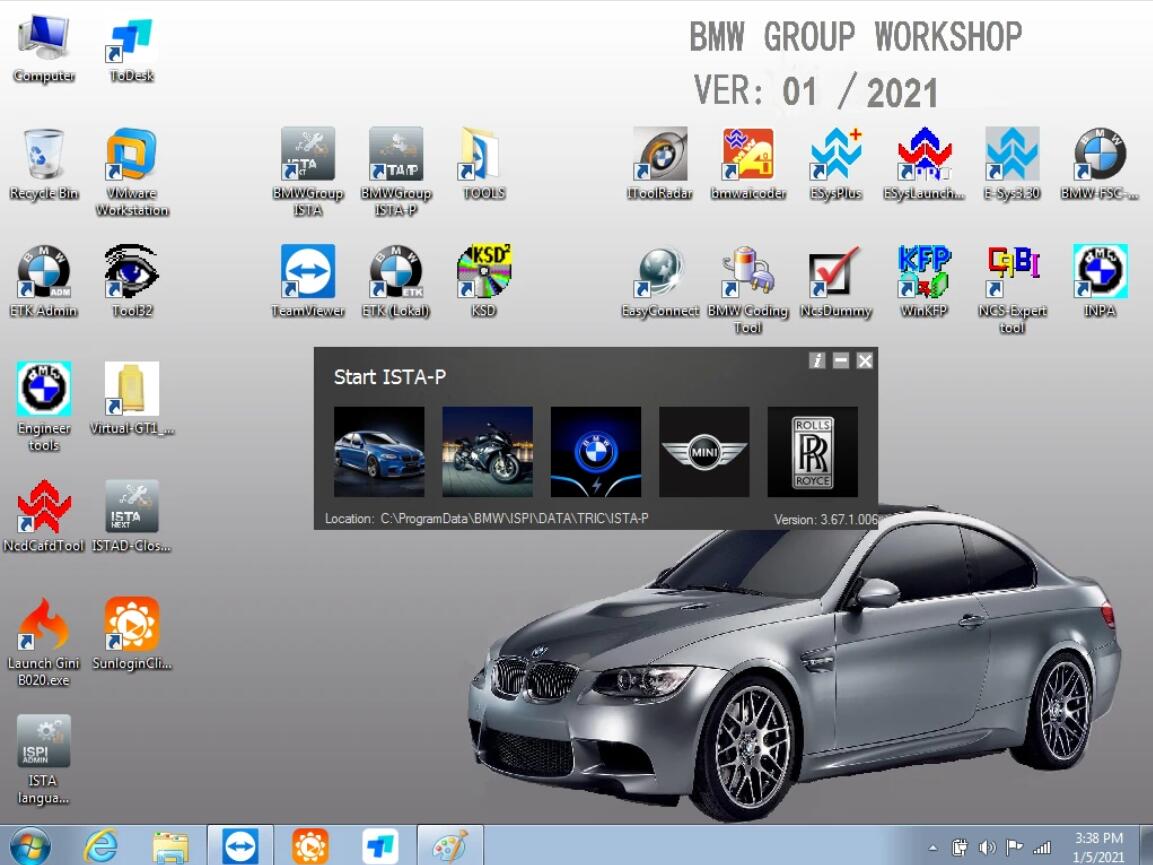
Latest BMW ISTA Software Overview

1. Software Version: V2021.01

2. Support System: Win7 64bit

3. Software Type: HDD and SSD

4. Support Language: ISTA/D(Wiring diagram) Languages: English(Default), French, Spanish, Portuguese, Dutch, German, Thai, Italian, Russian, Korean, Japanese, Chinese, Swedish, Greek.

5. Support Vehicle List: Mini, Motorcycles, Rolls Royce, BMW i Series.

6. System Requirements: At least I5 Generation 2 with 4G Memory. (4G RAM should be full 4G)

7. Support Model: Suggest to use Lenovo ThinkPad T420 and T430, X61, X200, X201, X220, X230. Other models (Intel chipset can compatible, almost all the laptop as I5 / I7 series)

8. Compatible Device: ICOM NEXT A, ICOM A2+B+C
01.2021 Version BMW ISTA Software Includes:

ISTA-D: 4.27.20

ISTA-P: 3.67.1.000 Support BMW motorcycle and electric car programming

VIN: 2020.09.22

SDP programming database: 4.27.20, support muilti language

ETK: 2019.12

KSD: 2019.11

INPA 5.00

winkfp 5.2.3

NCS 3.5.1

BMWAi: 4.6

E-SYS V3.27.1 and V3.30, database V67.0, E-SYS 3.31 Chinese version

E-SYS PRO 2.8 (Newly Added)

Database V67.0

Dr. GINI B020

FSC navigation arithmetic software and IBAC code

Add BMW old car DIS software, DISV57 and DISV44, diagnosis and programming

Not connected 9000 days remaining
2021年2月4日星期四

CAT ET SIS license has expired,how to solve

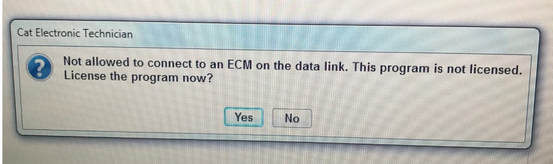
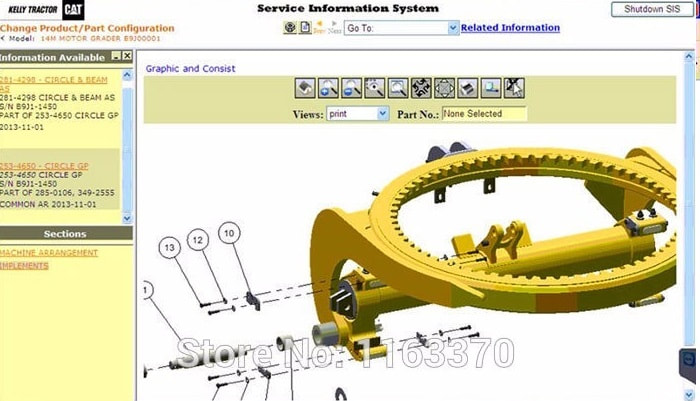
 We found the older CAT ET SIS 2019 version quite frankly a little buggy. The Caterpillar SIS parts searches were either painfully slow or CAT SIS would just hang, freeze be brutally slow! And in some cases you would get the dreaded CAT ET SIS license has expired or “Not allowed to connect to an ECM on the data link. This program is not licensed.”

not-allowed-to-connect-to-an-ecm-on-the-data-link-this-program-is-not-licensed-cat-et-sis-unlicensed

The newer CAT ET SIS 2020 Version frankly is the most stable version we have ever used. So if you are pulling your hair out with one of these older versions… have faith the new 2020 if installed correctly works like a charm!

If you want the Toughest laptop on the globe installed with the latest CAT ET SIS 2018 then look no further our units come ready to PLUG & PLAY! It frankly can be a real hassle for a non-tech to install the software, drivers, setup, etc… Our Toughbook + CAT SIS ET solution is completely PLUG & PLAY! 60 day Money Back Guarantee + 6 month warranty

cat-et-sis-2018-caterpillar_orig


Launch X431 V Audi A5 “P161200 ECM Incorrect Coding” Solution

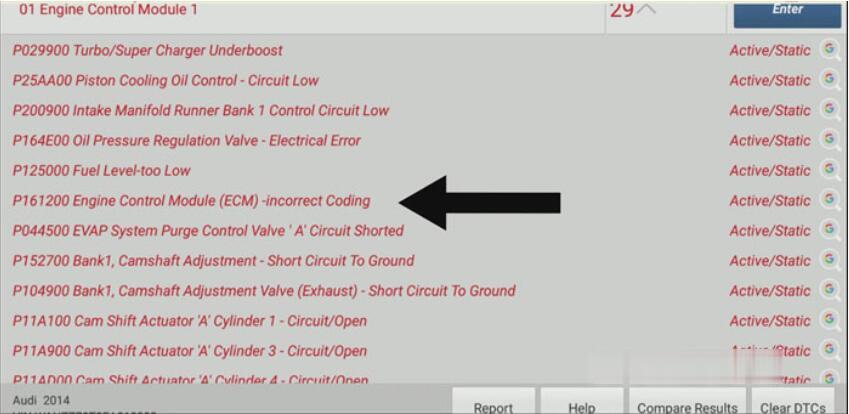
 Here share how to use to Launch X431 V 8 inch to solve 2014 Audi A5 “P161200 Engine Control Module (ECM)-incorrect Coding” error.

Launch-X431-V-Audi-A5-P161200-ECM-Incorrect-Coding-Solution-1 (2)

Now, we can see that the long coding is all zero.

Launch-X431-V-Audi-A5-P161200-ECM-Incorrect-Coding-Solution-2 (2)

Solution:

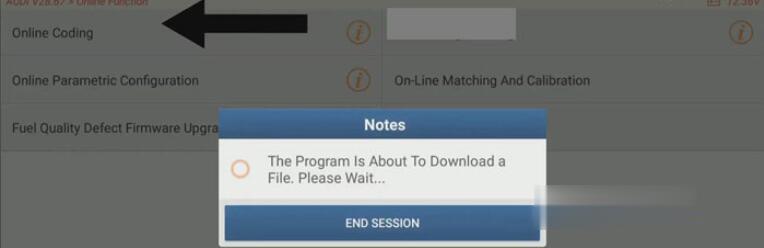
Click “Online Coding”, then the program will download a file.

Launch-X431-V-Audi-A5-P161200-ECM-Incorrect-Coding-Solution-3 (2)

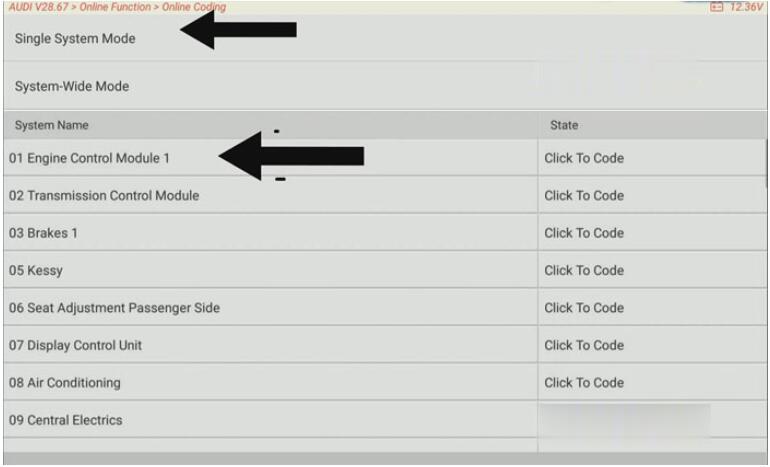
Click “Single System Mode”>>“01 Engine Control Module1”.

Launch-X431-V-Audi-A5-P161200-ECM-Incorrect-Coding-Solution-4 (2)

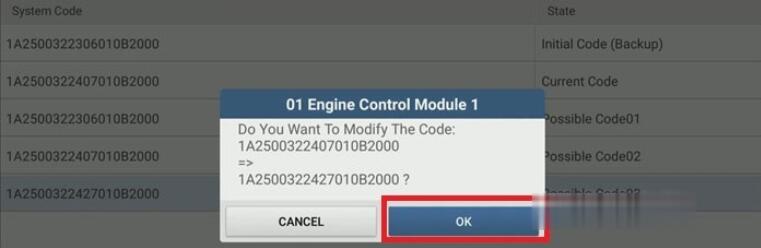
Choose “1A2500322427010B2000”>>“OK”.

Launch-X431-V-Audi-A5-P161200-ECM-Incorrect-Coding-Solution-5 (2)

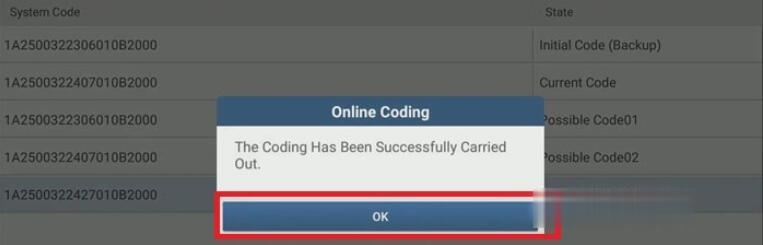
When the coding has been successfully carried out, press “OK”.

Launch-X431-V-Audi-A5-P161200-ECM-Incorrect-Coding-Solution-6 (2)

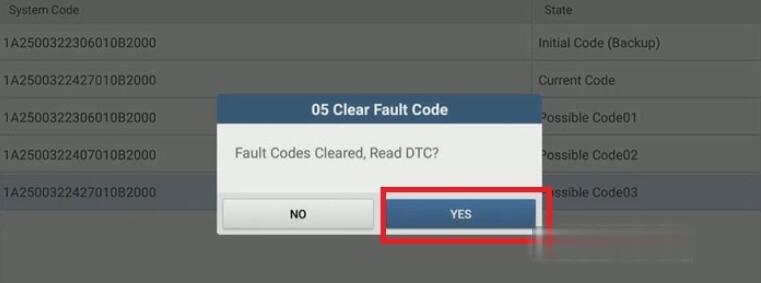
Click Possible Code03 “1A2500322427010B2000” again to clear and read the fault code again.

Launch-X431-V-Audi-A5-P161200-ECM-Incorrect-Coding-Solution-7 (2)

When fault codes are cleared, press “OK” to read DTC, then exit online coding.

Launch-X431-V-Audi-A5-P161200-ECM-Incorrect-Coding-Solution-8 (2)

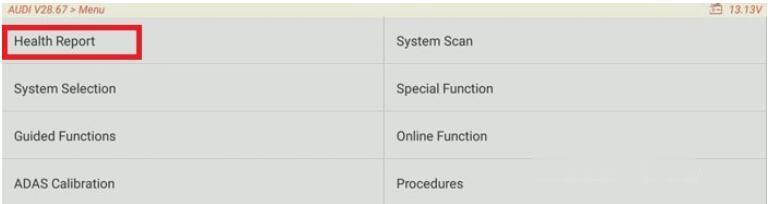
Go to “Menu” and click “Health Report”, then the system scanning will begin.
Launch-X431-V-Audi-A5-P161200-ECM-Incorrect-Coding-Solution-9 (2)

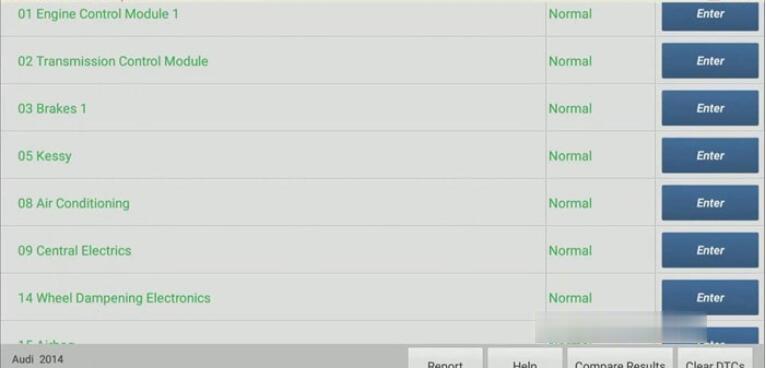
When clearing fault memory is completed, click “OK”.
Job is done! Now, we can see that the engine control module is normal now.

Launch-X431-V-Audi-A5-P161200-ECM-Incorrect-Coding-Solution-10 (2)


2021年1月16日星期六

How to Change Speed Limit of Volvo Truck via Volvo 88890300 Vocom? Technical support

 Volvo 88890300 Vocom Interface is a diagnostic application that covers the whole repair process through the use of plug-ins. With Volvo 88890300 Vocom Interface you can diagnose, test, calibrate, and program a product (a vehicle, engine, or a machine). Volvo 88890300 Vocom Interface also provides functions for updating the tool, communication with the product, and other external applications. Users can setup plug-ins, user authorizations, and available languages as they want.
There is a setting of speed limit for Volvo truck in ECU parameter, if you want to change the speed limit, you need program a new value into the ECU. So here i will show you guide on how to use Volvo PTT diagnostic software to change speed limit for Volvo Truck.
Volvo Vocom Changing Speed Limit Procedures:

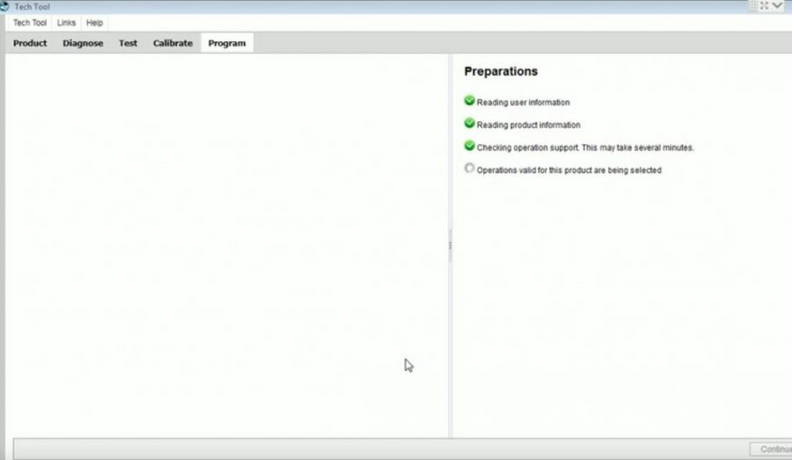
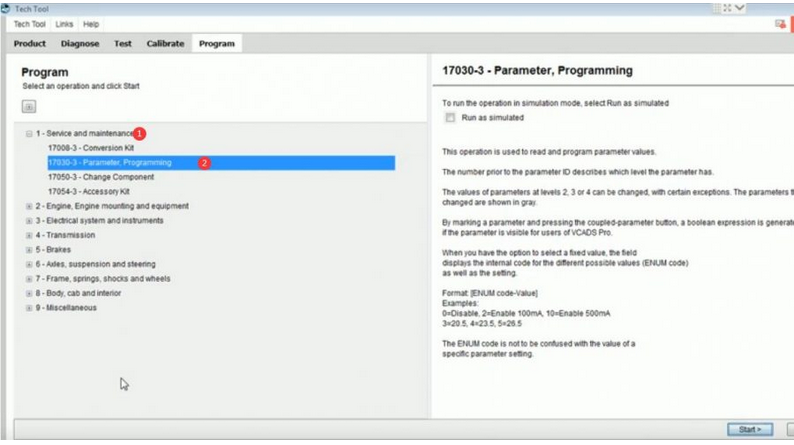
1. Connect Volvo diagnostic interface to Volvo truck DLC, then run software and select “Program”
How-to-Change-Speed-Limit-of-Volvo-Truck-via-Volvo-88890300-Vocom-1

2. Select “Service and maintenance”–>”Parameter, Programming”, then click “Start”
How-to-Change-Speed-Limit-of-Volvo-Truck-via-Volvo-88890300-Vocom-2

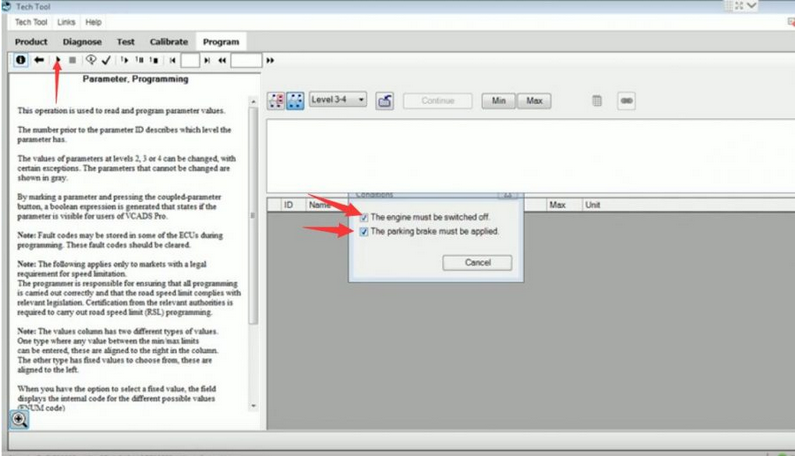
3. Now click “Start” icon and check the box to meet the conditions
How-to-Change-Speed-Limit-of-Volvo-Truck-via-Volvo-88890300-Vocom-3

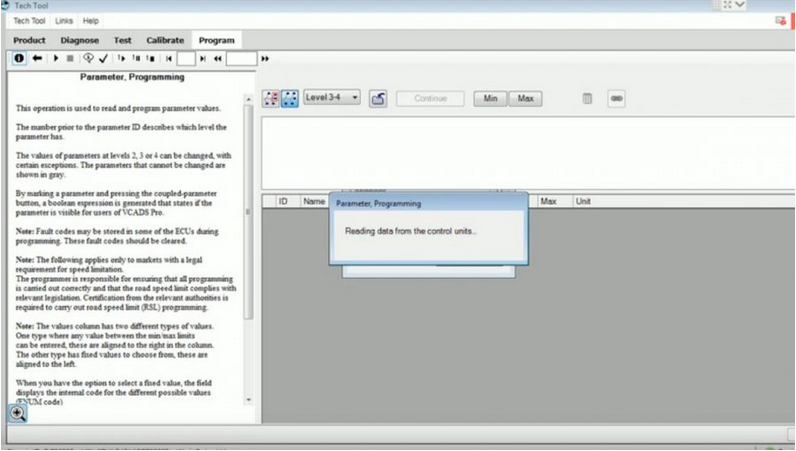
4. Reading data from the control units
How-to-Change-Speed-Limit-of-Volvo-Truck-via-Volvo-88890300-Vocom-4

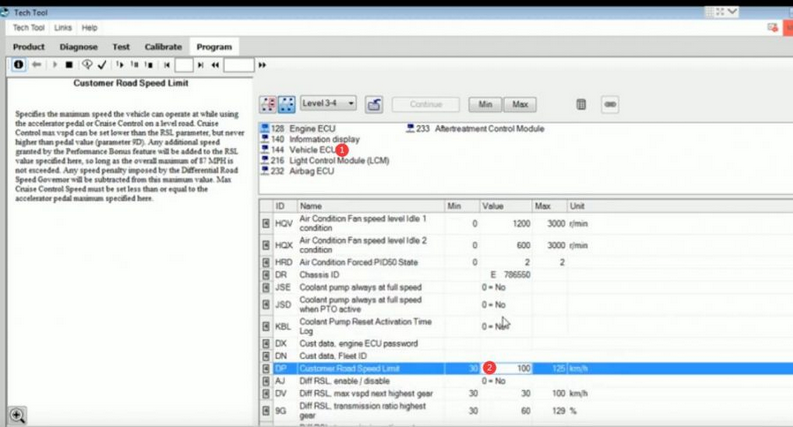
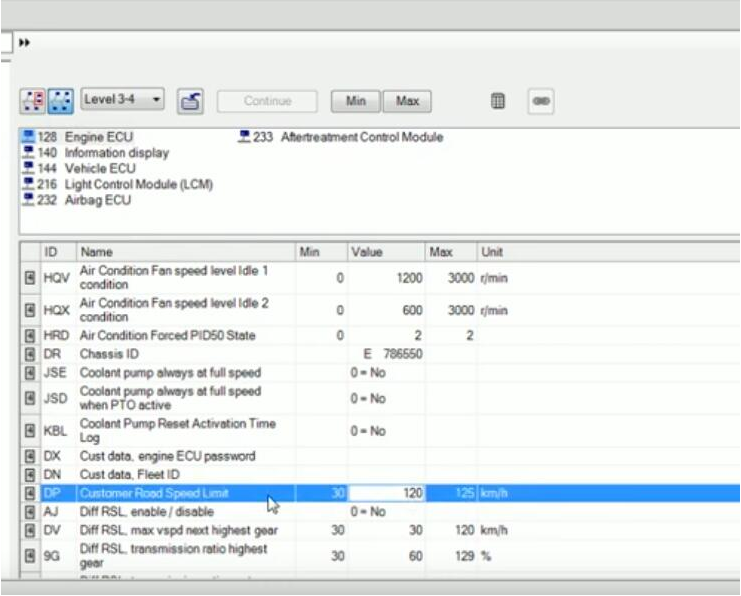
5. Now select “Vehicle ECU”, then scroll down to select “Customer Road Speed Limit”

Here the old value is 100km/h
How-to-Change-Speed-Limit-of-Volvo-Truck-via-Volvo-88890300-Vocom-5

6. Click to input new value 120,and click “Continue”
How-to-Change-Speed-Limit-of-Volvo-Truck-via-Volvo-88890300-Vocom-6

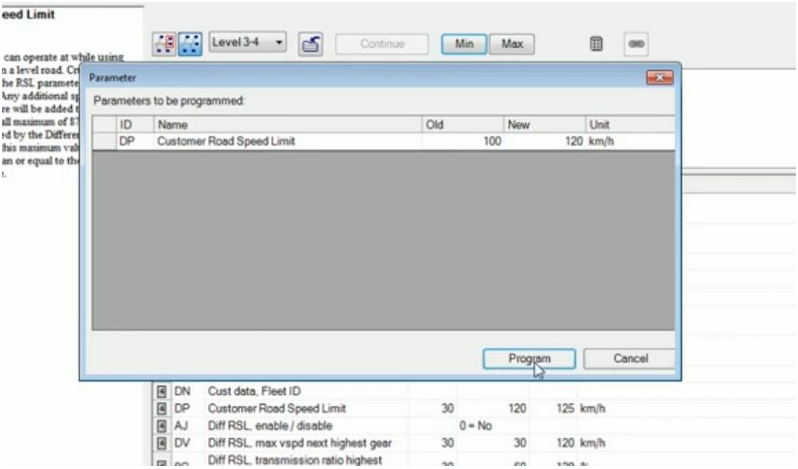
7. Make sure the value is correct, and click “Program” button
How-to-Change-Speed-Limit-of-Volvo-Truck-via-Volvo-88890300-Vocom-7

8. Now then new speed limit value is valid, you can see it here
How-to-Change-Speed-Limit-of-Volvo-Truck-via-Volvo-88890300-Vocom-8


Program Toyota Sienna 2013 Smart Keyfob by Autel MaxiSys Elite

How to use Autel Maxisys Elite scan tool to program a smart key fob for 2013 Toyata Sienna? Today I will show you guys with an old key & a new smart key to finish the tutorial.

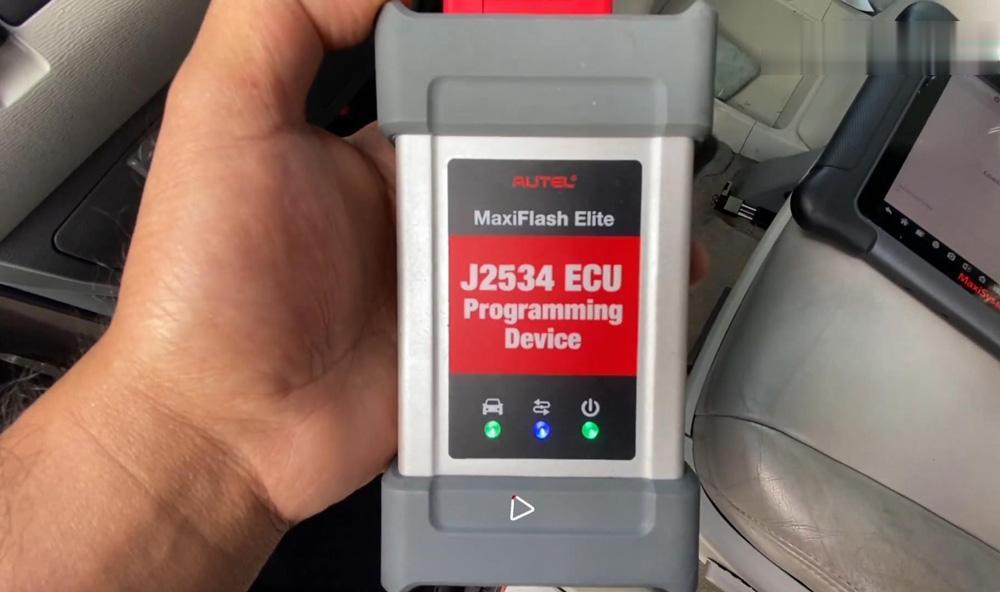
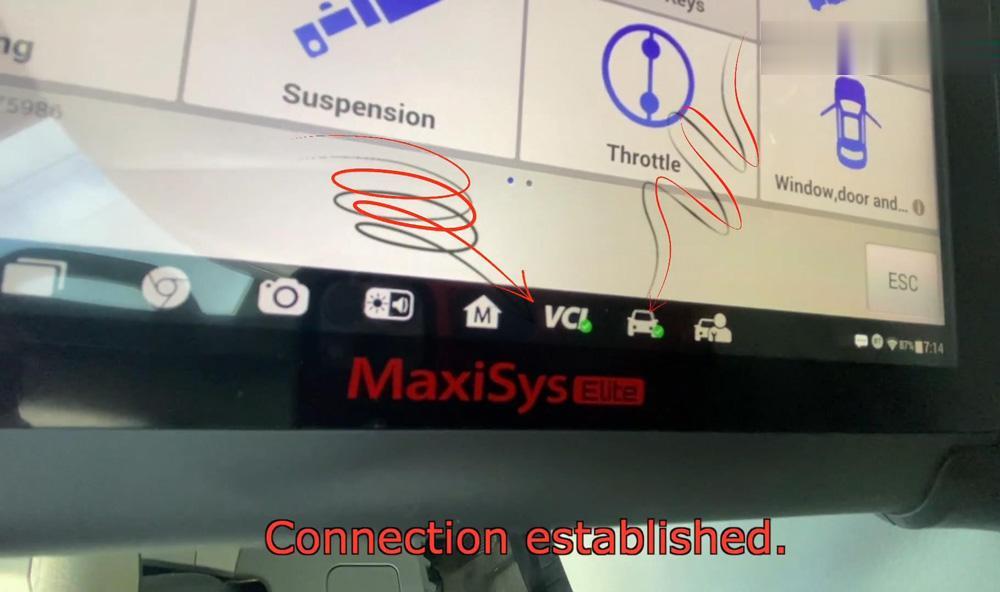
First of all, connect J2534 ECU programming device (MaxiFlash Elite) with the car via OBD. Turn on Autel MaxiSys Elite&MaxiFlash Elite, turn on the ignition but not the car. You will find 3 lights flashed on MaxiFlash Elite, and 2 green checkmarks on the bottom bar of Autel MaxiSys Elite tablet, which means the programming device is connected succeed with your car.

autel-maxisys-elite-add-a-smart-key-for-toyota-sienna-1 (2)
autel-maxisys-elite-add-a-smart-key-for-toyota-sienna-2 (2)

Now let’s go to start on the Autel MaxiSys Elite tablet tool:

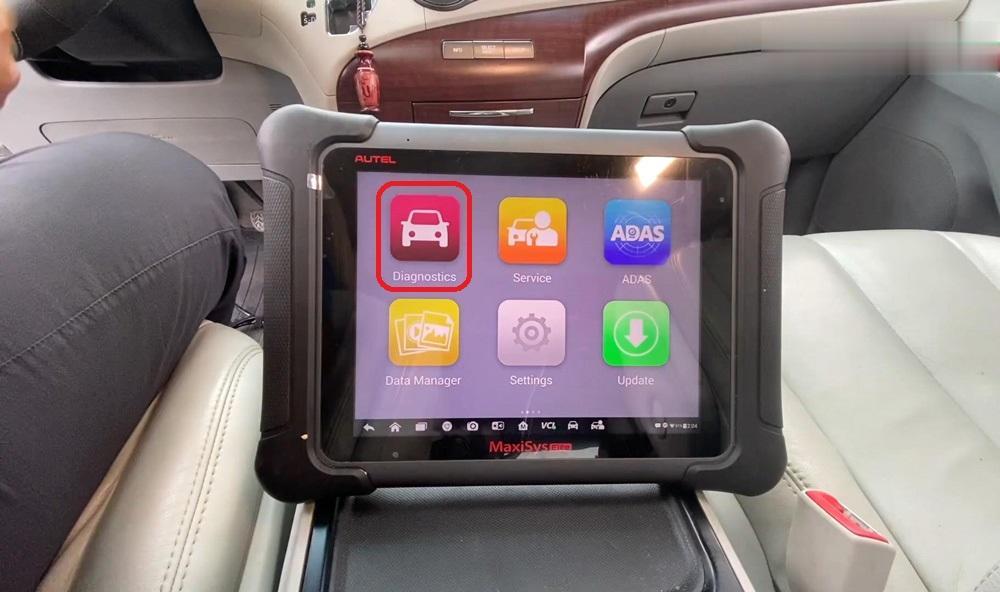
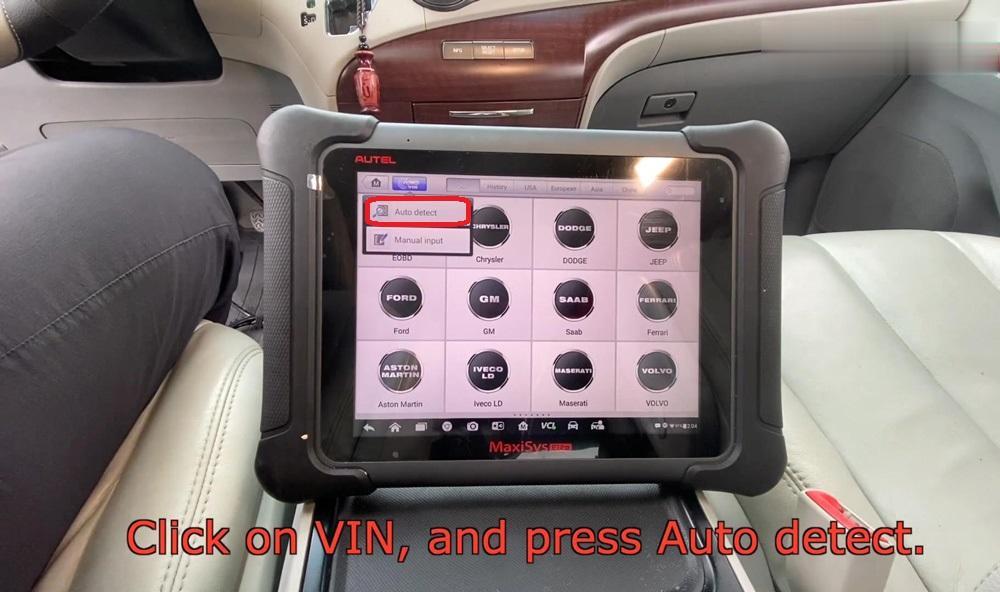
Diagnostics >> VIN >> Auto detect

The device will scan the VIN…

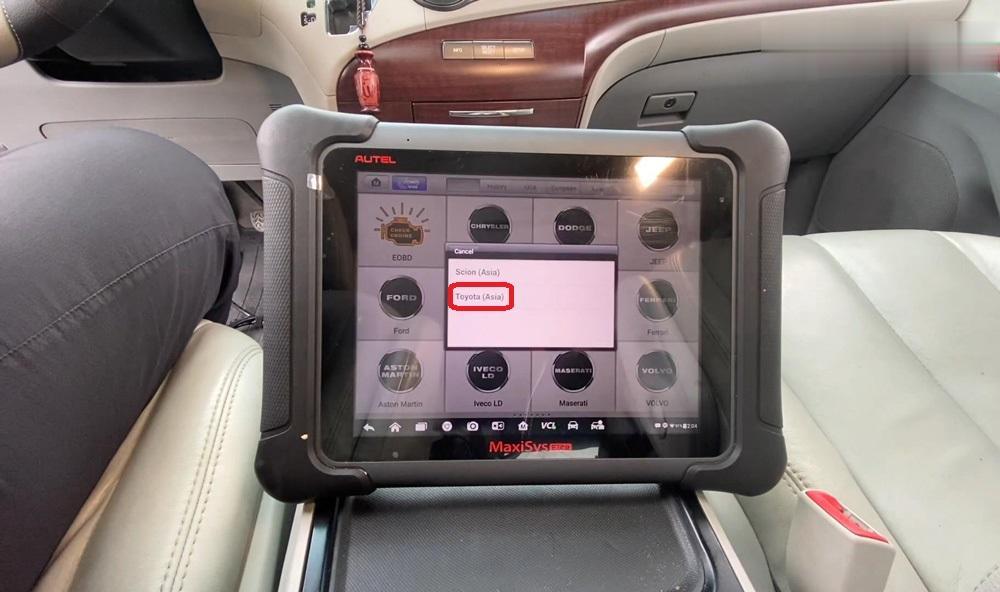
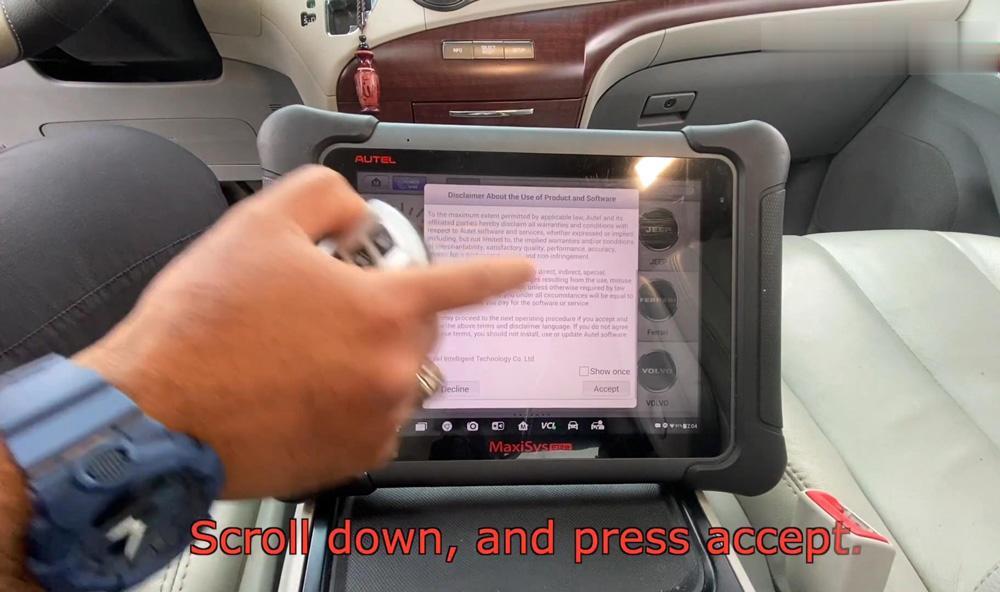
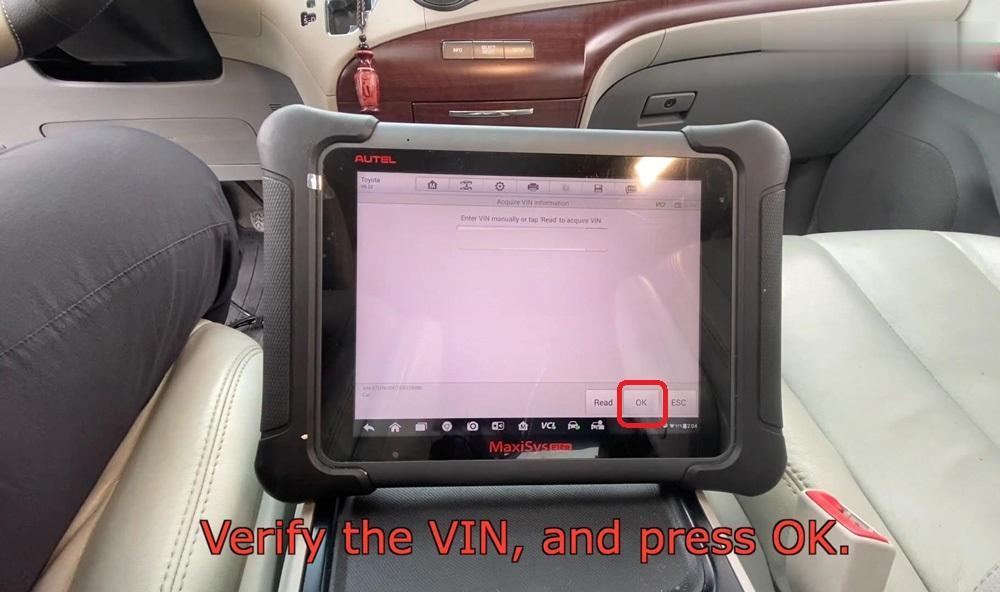
Choose your car make, Toyota (Asia) >> Scroll down to press “Accept” the terms >> verified you VIN and press “OK”

autel-maxisys-elite-add-a-smart-key-for-toyota-sienna-3 (2)autel-maxisys-elite-add-a-smart-key-for-toyota-sienna-4 (2)autel-maxisys-elite-add-a-smart-key-for-toyota-sienna-5 (2)
autel-maxisys-elite-add-a-smart-key-for-toyota-sienna-6 (2)
autel-maxisys-elite-add-a-smart-key-for-toyota-sienna-7 (2)

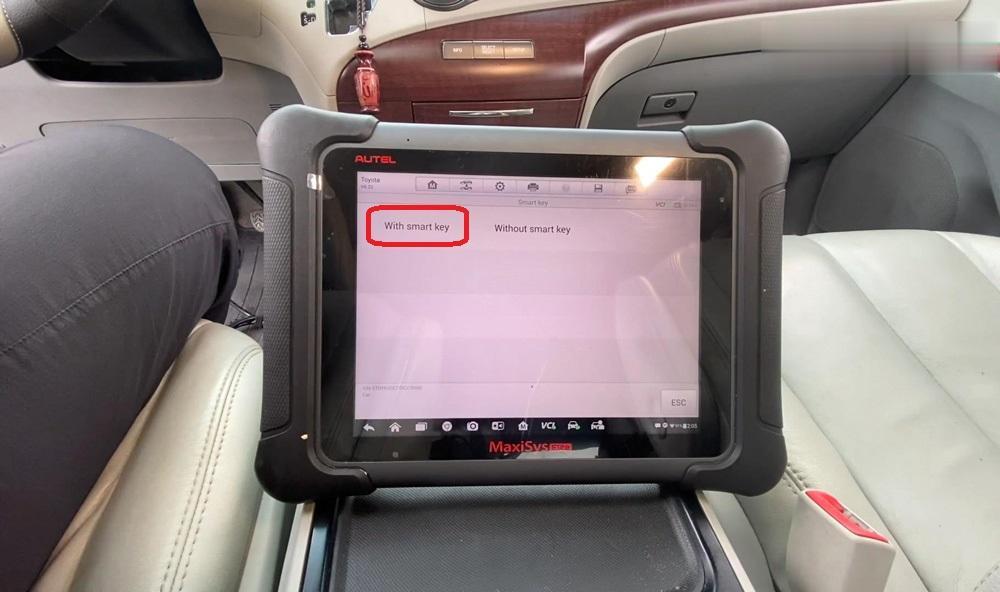
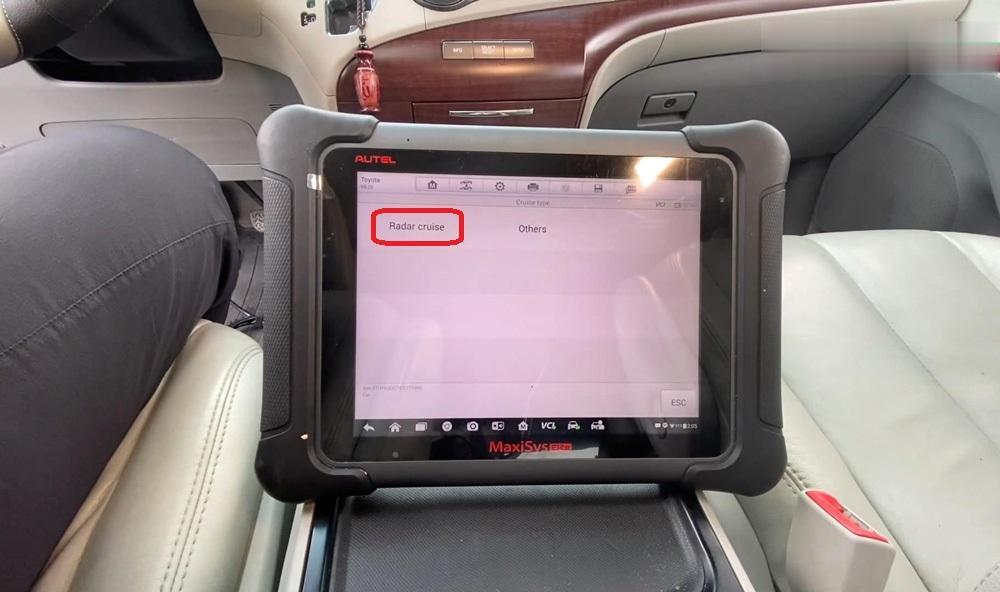
Radar cruise >> With smart key >> Verify car information and press “Yes”

autel-maxisys-elite-add-a-smart-key-for-toyota-sienna-8 (2)
autel-maxisys-elite-add-a-smart-key-for-toyota-sienna-9 (2)
autel-maxisys-elite-add-a-smart-key-for-toyota-sienna-10 (2)

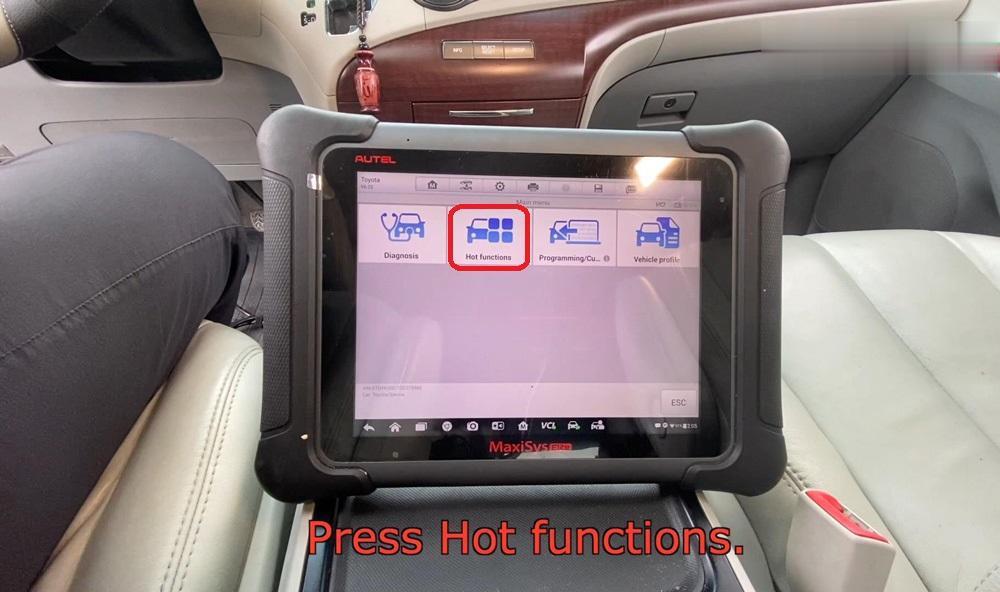
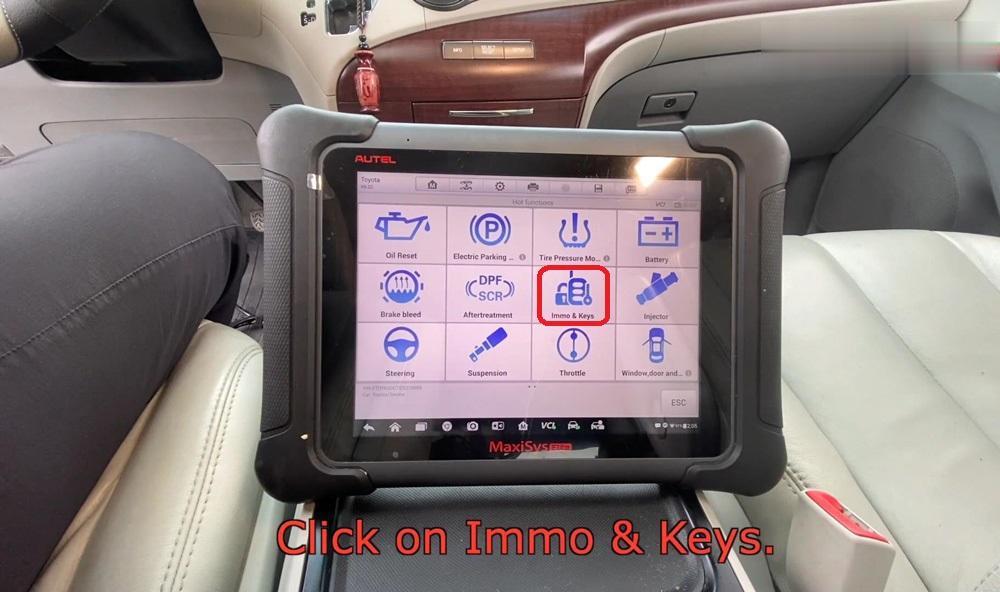
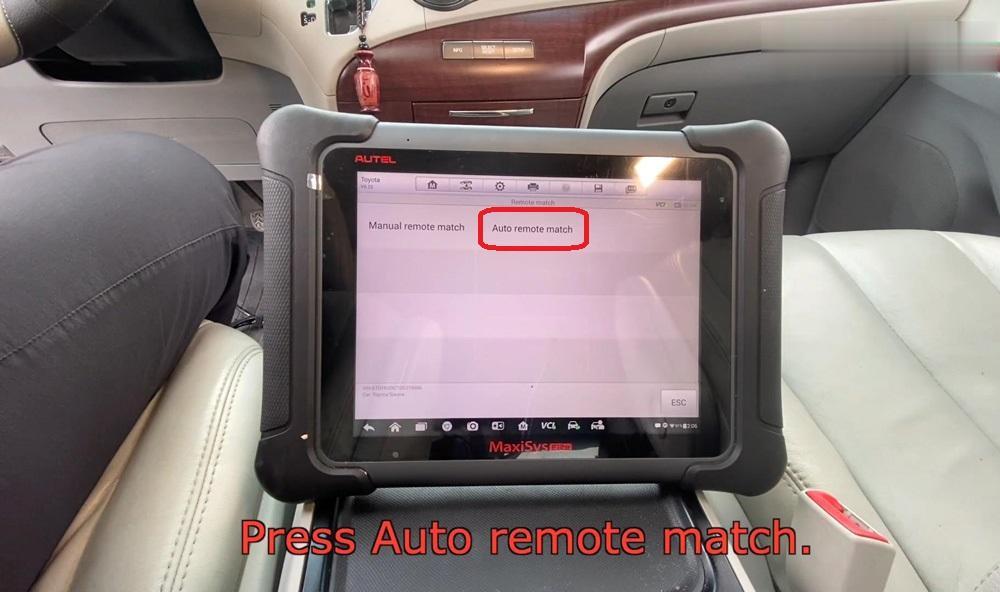
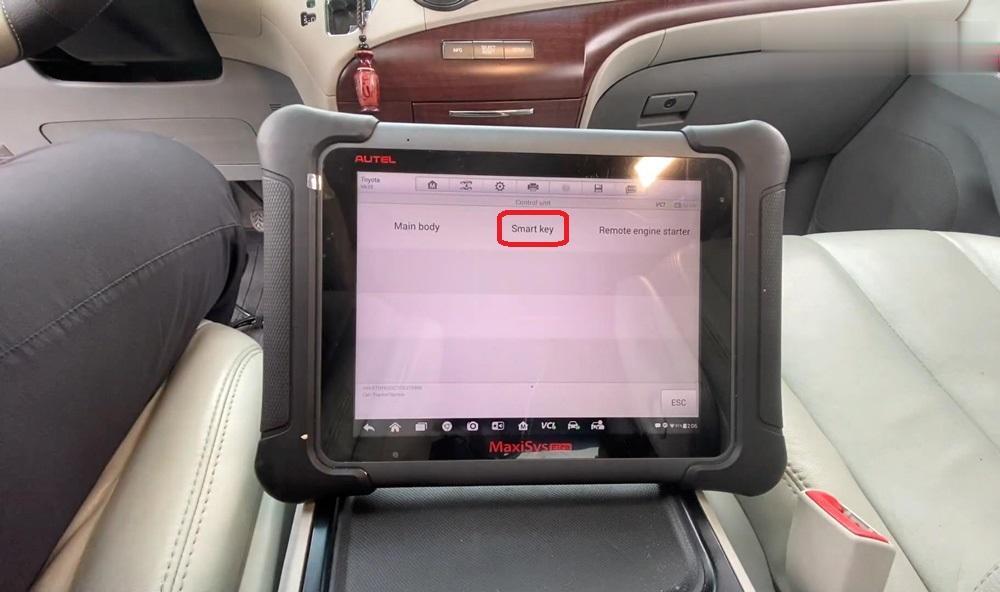
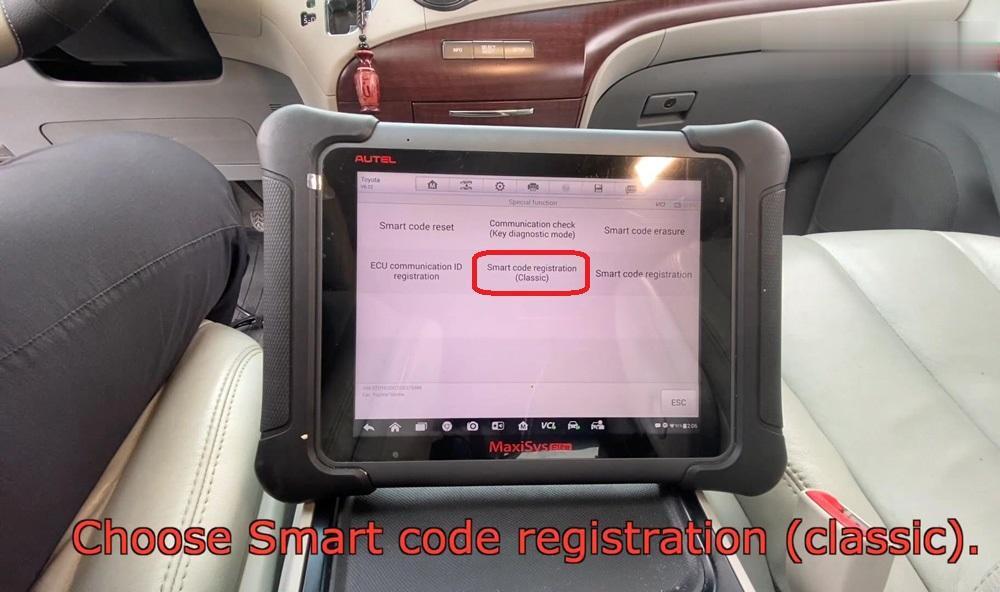
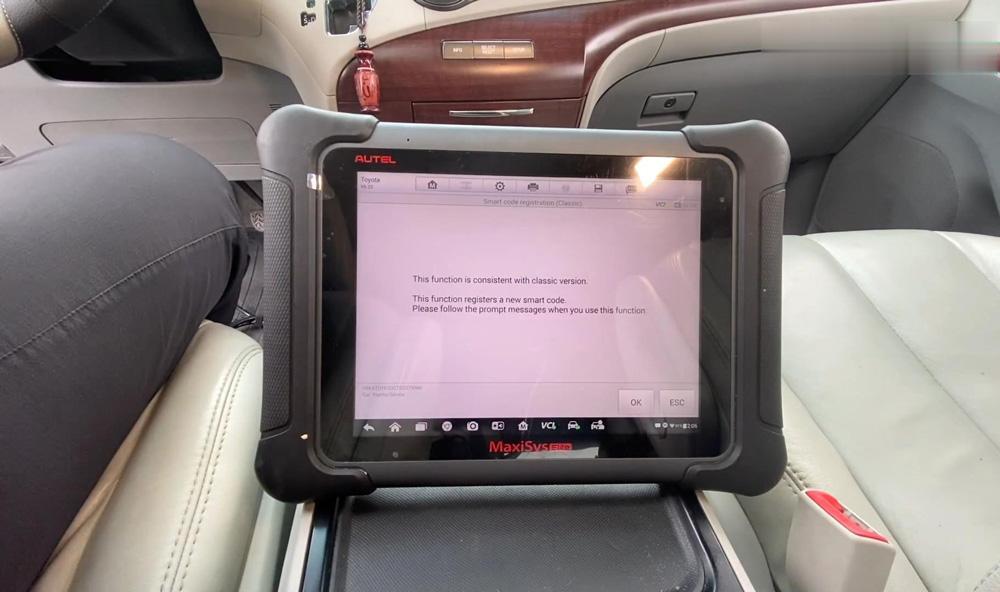
Hot functions >> Immo & keys >> Auto remote match >> Smart key >> Smart code registration (Classic)

autel-maxisys-elite-add-a-smart-key-for-toyota-sienna-11 (2)
autel-maxisys-elite-add-a-smart-key-for-toyota-sienna-12 (2)
autel-maxisys-elite-add-a-smart-key-for-toyota-sienna-13 (2)
autel-maxisys-elite-add-a-smart-key-for-toyota-sienna-14 (2)
autel-maxisys-elite-add-a-smart-key-for-toyota-sienna-15 (2)
This function registers a new smart code, press “OK”.

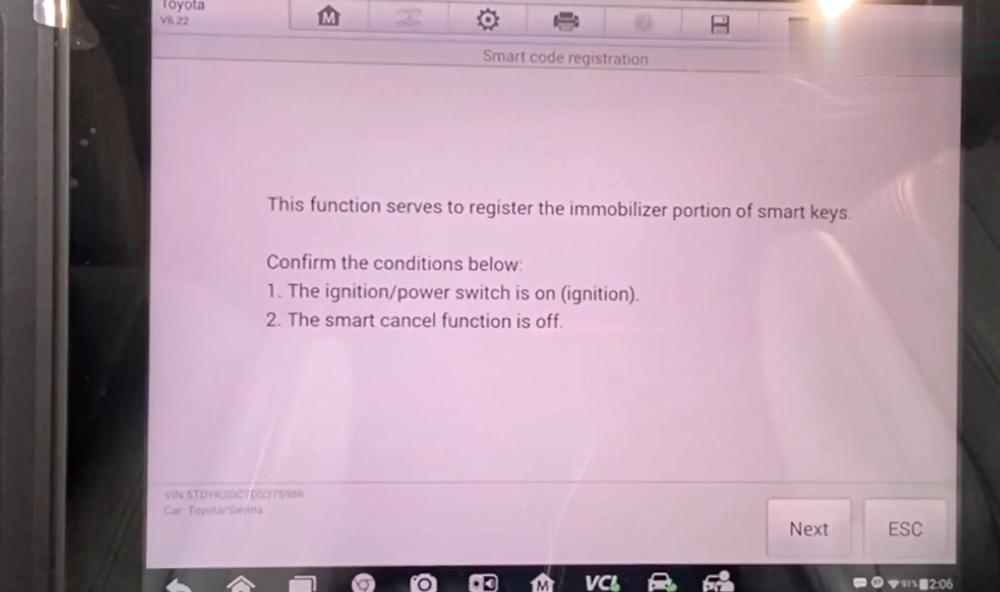
Make sure the ignition is on, but not the car, press “Next”.

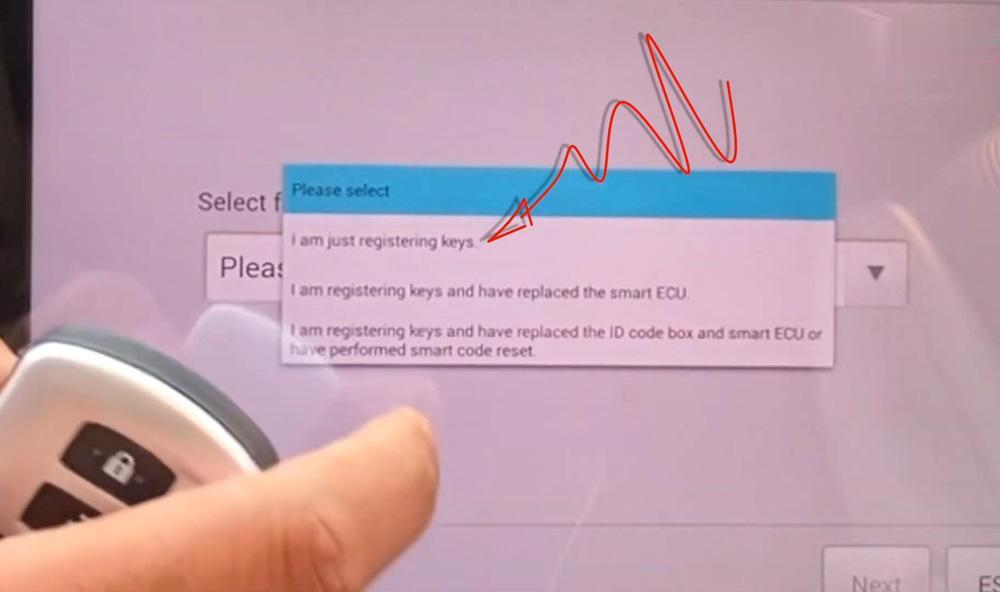
Select “I am just registering keys”, press “Next”.

Read the information to know how many keys you have registered, press “Next”.

autel-maxisys-elite-add-a-smart-key-for-toyota-sienna-16 (2)
autel-maxisys-elite-add-a-smart-key-for-toyota-sienna-17 (2)
autel-maxisys-elite-add-a-smart-key-for-toyota-sienna-18 (2)
autel-maxisys-elite-add-a-smart-key-for-toyota-sienna-19 (2)

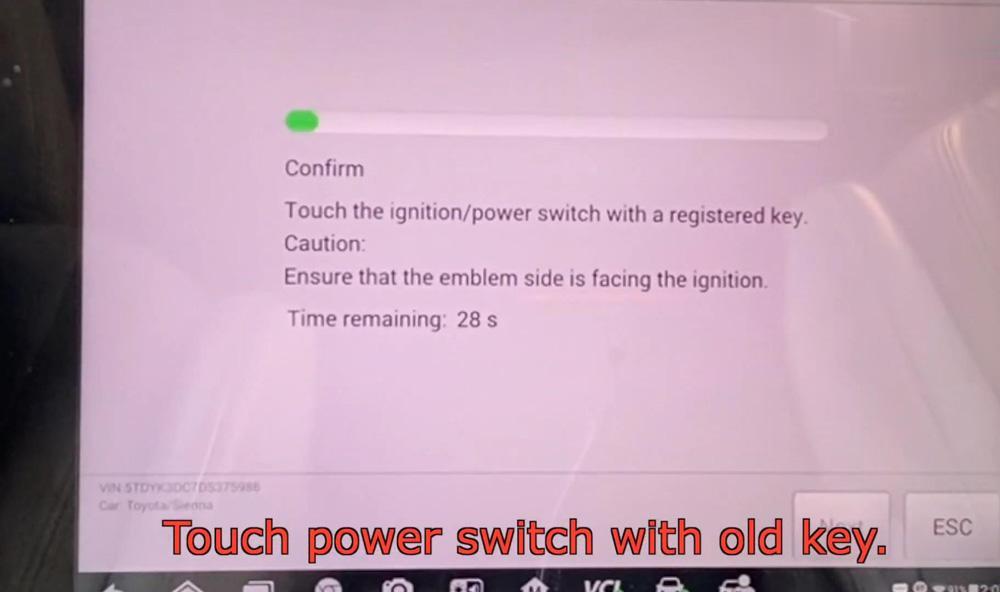
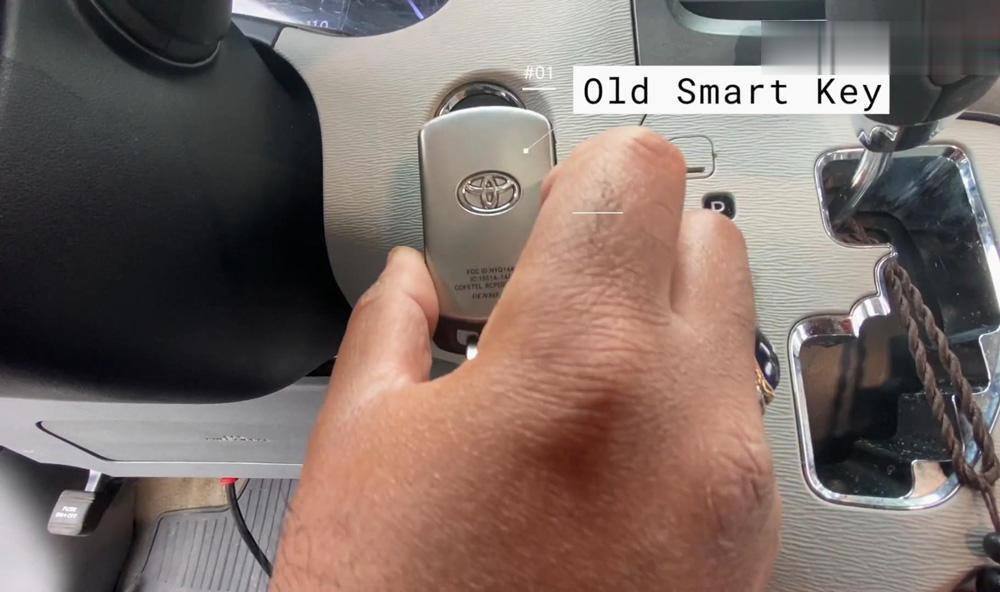
Touch power switch with the old smart key.

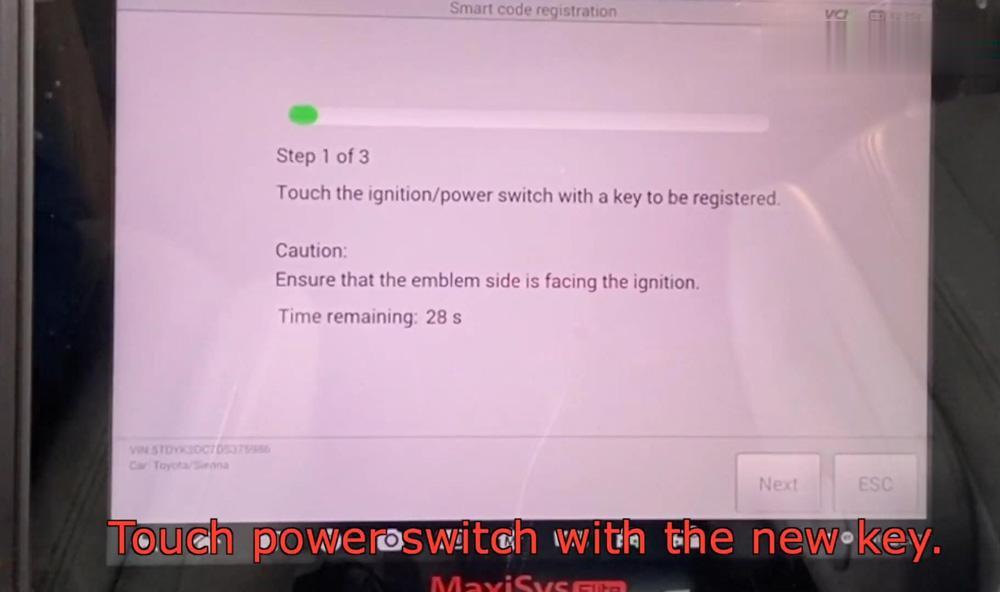
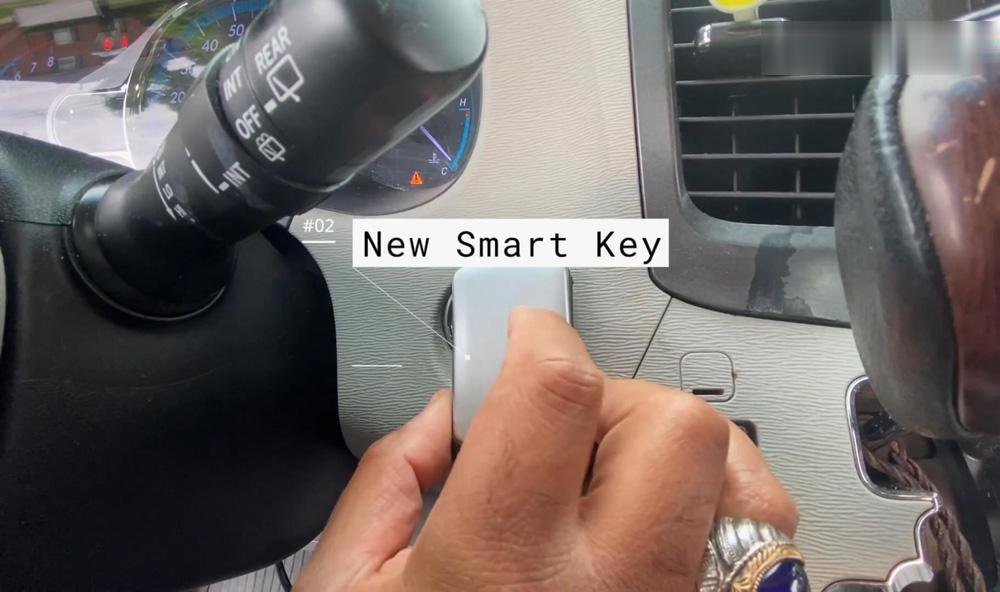
Touch power switch with the new smart key.

autel-maxisys-elite-add-a-smart-key-for-toyota-sienna-20 (2)
autel-maxisys-elite-add-a-smart-key-for-toyota-sienna-21 (2)
autel-maxisys-elite-add-a-smart-key-for-toyota-sienna-22 (2)
autel-maxisys-elite-add-a-smart-key-for-toyota-sienna-23 (2)

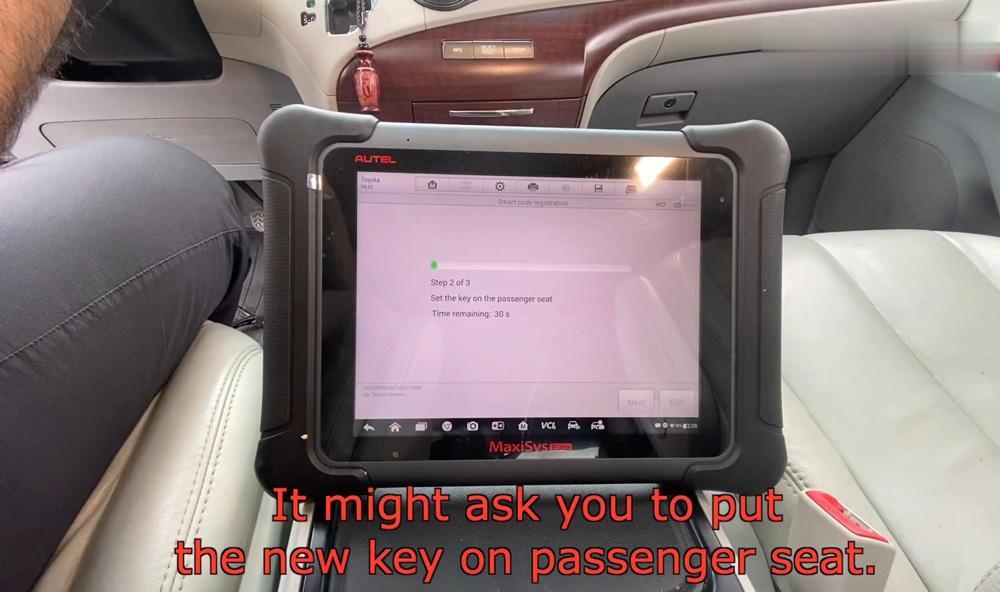
It may ask you to put the new smart key on passenger seat.

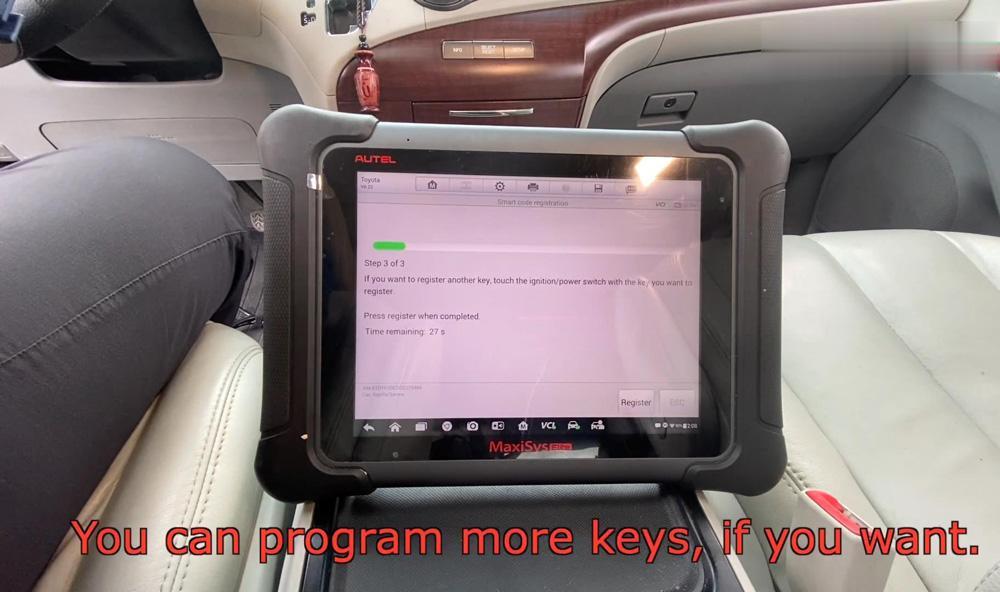
You can program more keys if you want, if you don’t want, you can wait or press “Register”.

autel-maxisys-elite-add-a-smart-key-for-toyota-sienna-24 (2)
autel-maxisys-elite-add-a-smart-key-for-toyota-sienna-25 (2)

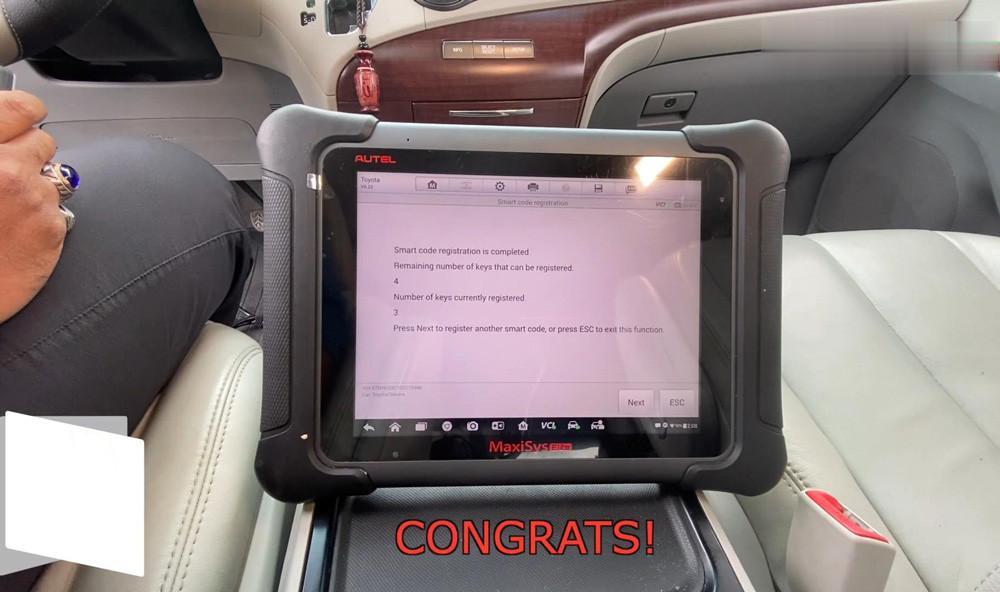
Congratulations! You have a new smart key.

autel-maxisys-elite-add-a-smart-key-for-toyota-sienna-26 (2)

Now let’s have a try, the new smart key is working.

This is how to program a smart key with Autel MaxiSys Elite for a 2013 Toyata Sienna. The diagnostic tool also supports ECU coding & matching, SAS reset, DPF reset, injector coding…etc. More function tests to be continued…