2020年7月7日星期二

SD CONNECT C5 REVIEW TEST OK WITH 2014 MERCEDES GLA 250

I’ve just started my adventure with Mercedes SD Connect C5. I recently bought cloned SD C5 with 2020.06 software.
At first I had troubles with configuring the connection between the laptop and SDconnect, now it works and passes tests (haven’t tried all of the tests yet). I used it once, with no luck reading out data from the car (I cannot see car voltage or ignition in Xentry diagnosis software). After a while of using it the display in it went almost completely blank so that I couldn’t read what’s on it.
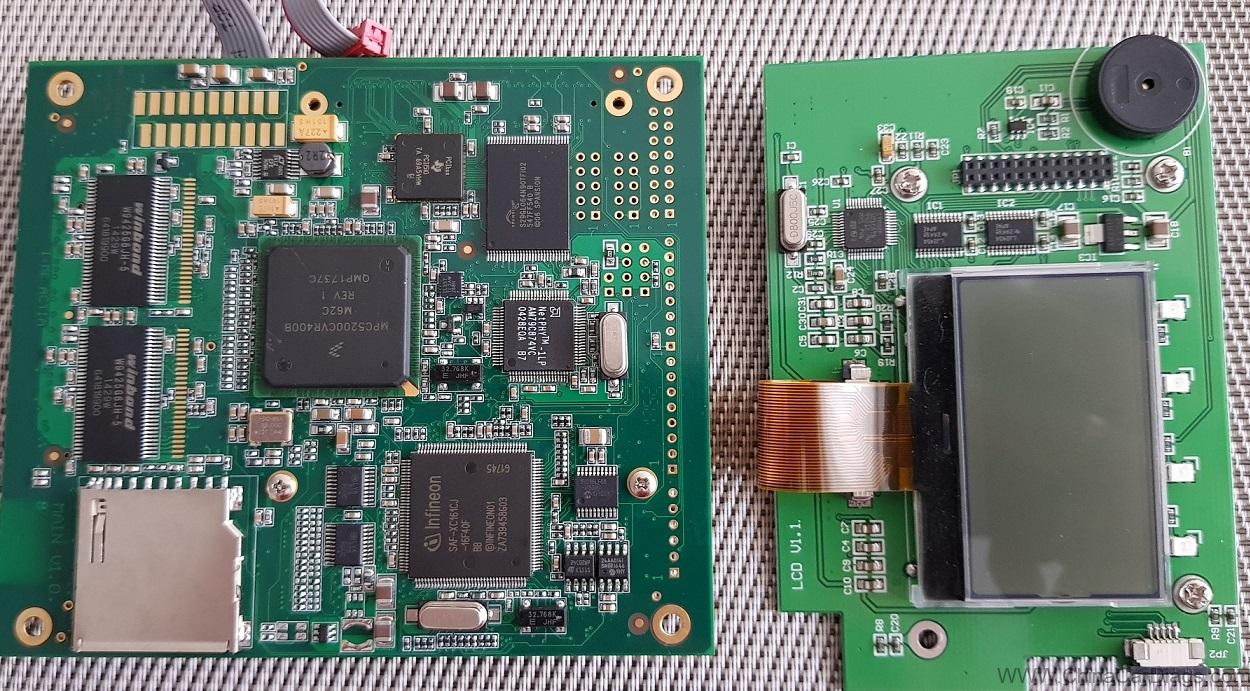
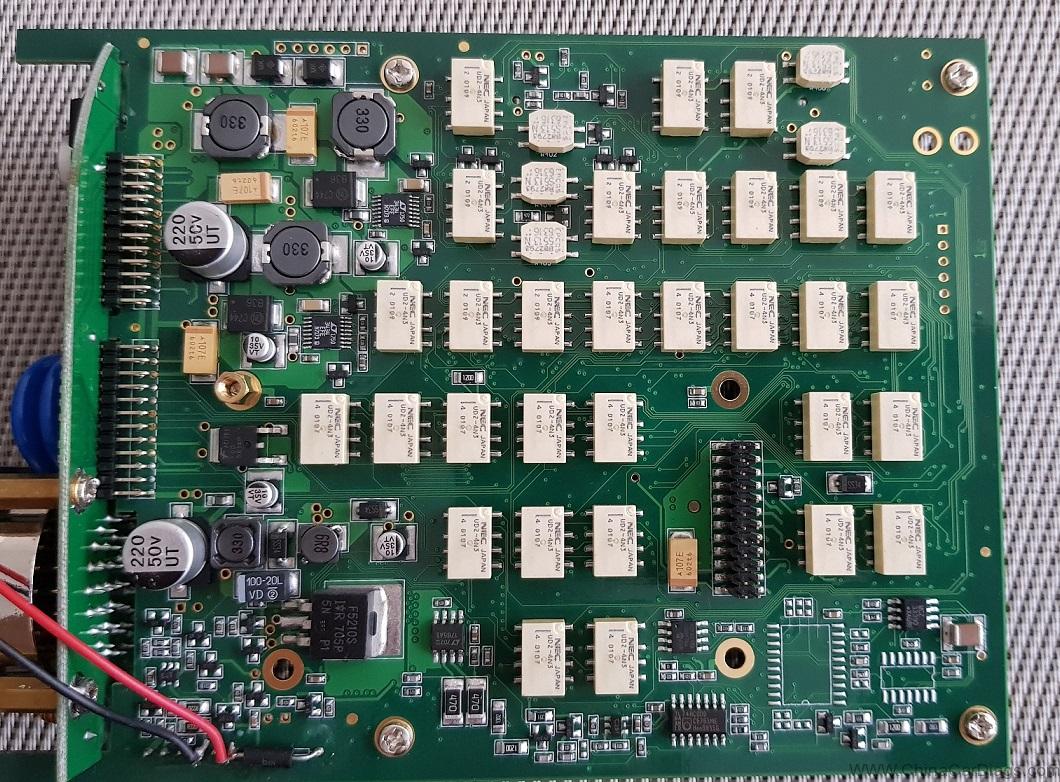
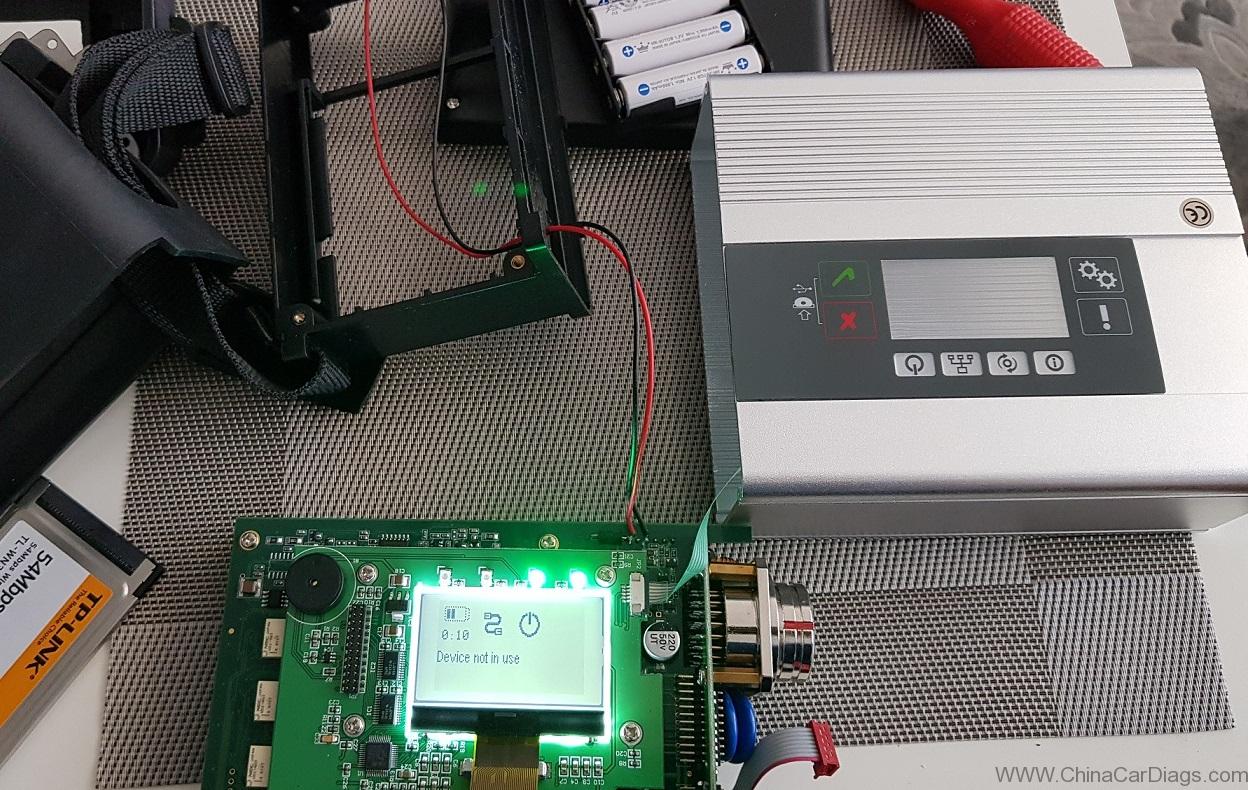
I disassembled it today, put the batteries in it, played around with ribbon cables and the display is back on. Then connected it to the car.
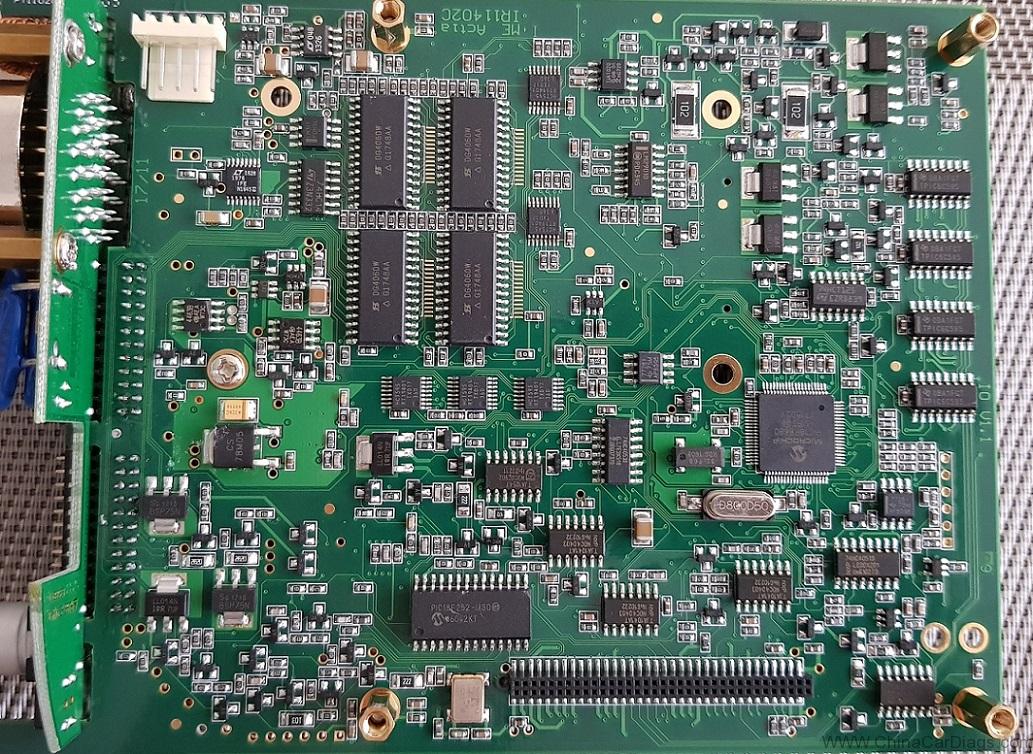
SD-connect-C5-Review-Test-OK-with-2014-Mercedes-GLA-250-1SD-connect-C5-Review-Test-OK-with-2014-Mercedes-GLA-250-2
SD-connect-C5-Review-Test-OK-with-2014-Mercedes-GLA-250-3
SD-connect-C5-Review-Test-OK-with-2014-Mercedes-GLA-250-4
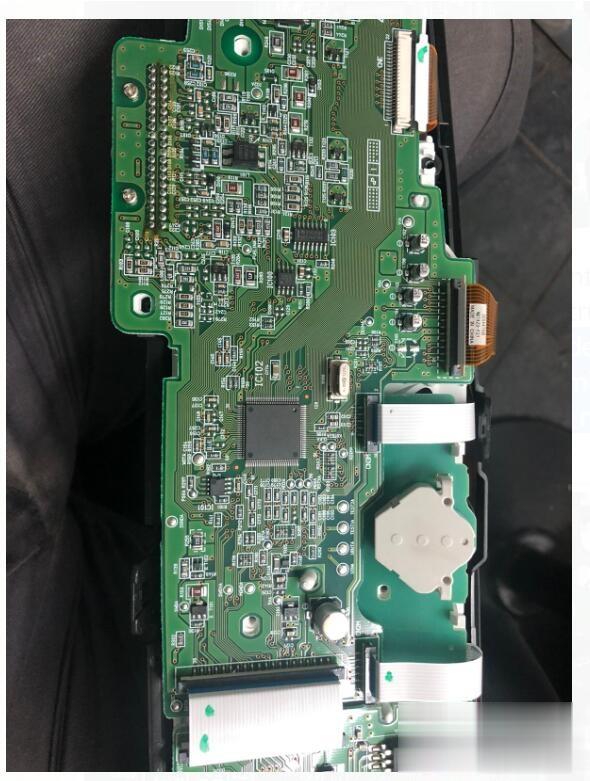
SD-connect-C5-Review-Test-OK-with-2014-Mercedes-GLA-250-5
Tried… my SDconnect mux has successfully completed short test on 2014 Mercedes GLA 250 4matic reading data from all modules (with no errors at all!). Next step is to check if it can properly do the firmware updates

2020年6月17日星期三

DIGIMASTER 3 TOYOTA ESTIMA 2012 MILEAGE CORRECTION INSTRUCTION

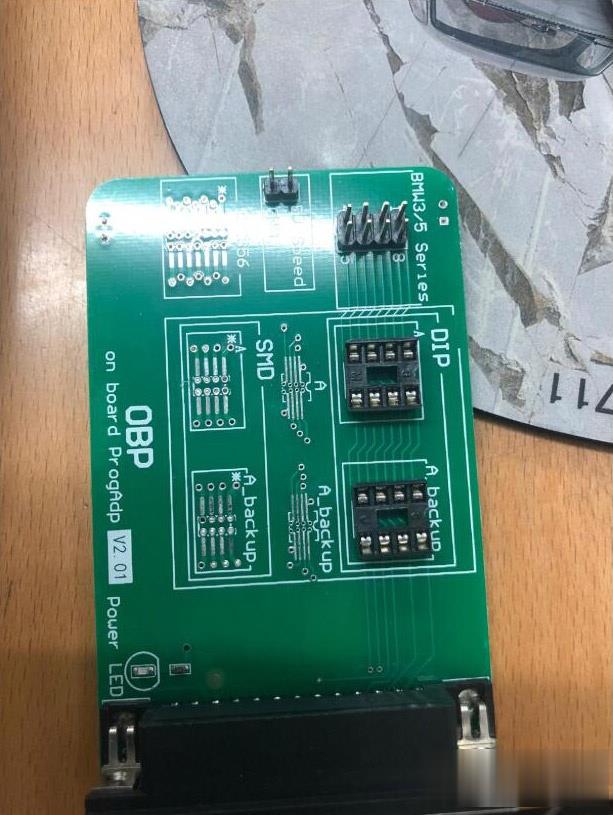
Car model and year: Toyota Estima Japan model year 2012
Purpose:
To adjust the mileage and change rhe kmh led on dash to read mph
Chip: 8feet 93C56 (ra57)
Digimaster-3-Toyota-Estima-2012-mileage-correction-instruction-1 (2)
Digimaster-3-Toyota-Estima-2012-mileage-correction-instruction-2 (2)
Instruction:
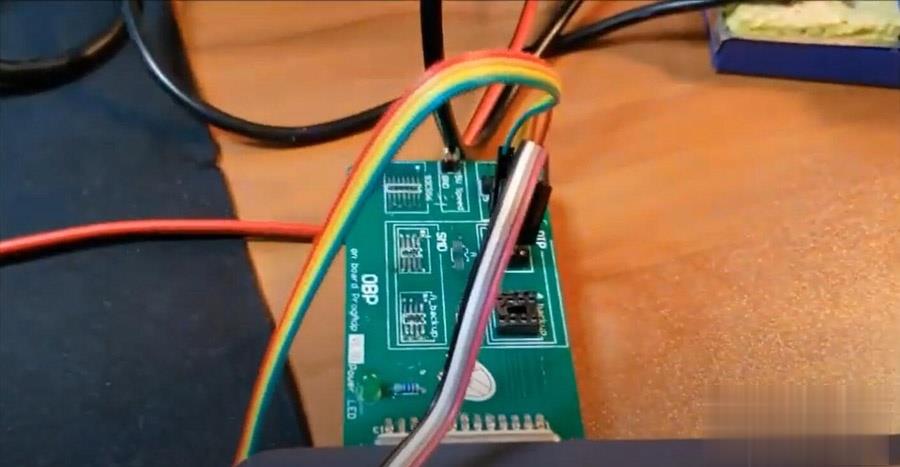
Option 1: weld the chip on the OBP board (safe and stable)
Digimaster-3-Toyota-Estima-2012-mileage-correction-instruction-3 (2)
Option 2: use the clip (easily lost the data; and not stable, need to try several times until succeed).
Digimaster-3-Toyota-Estima-2012-mileage-correction-instruction-4 (2)
Digimaster-3-Toyota-Estima-2012-mileage-correction-instruction-5 (2)
How to weld the chip on the OBP board to change the mileage?
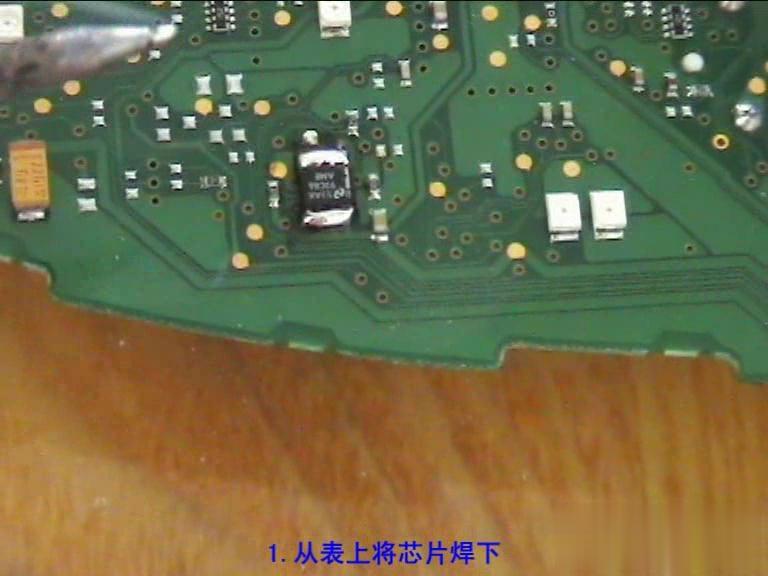
Remove the chip off the dashboard.
Digimaster-3-Toyota-Estima-2012-mileage-correction-instruction-6 (2)
Remove the excess tin on the IC.
Digimaster-3-Toyota-Estima-2012-mileage-correction-instruction-7 (2)
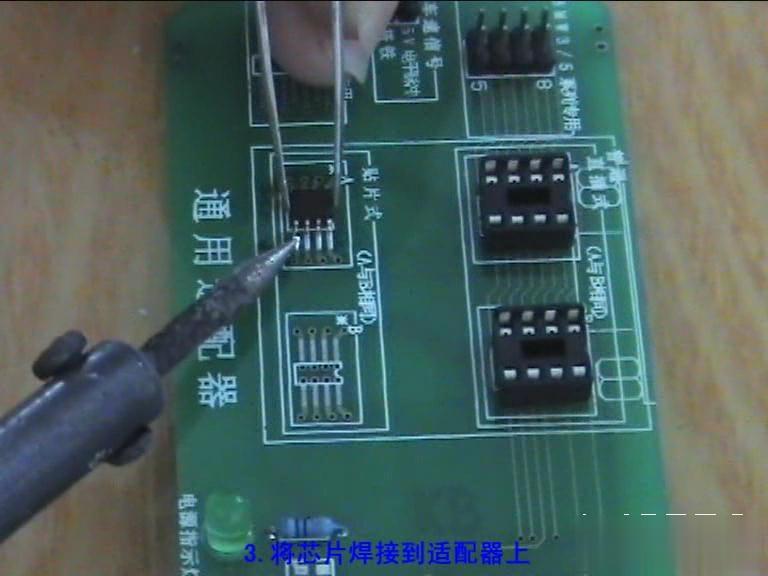
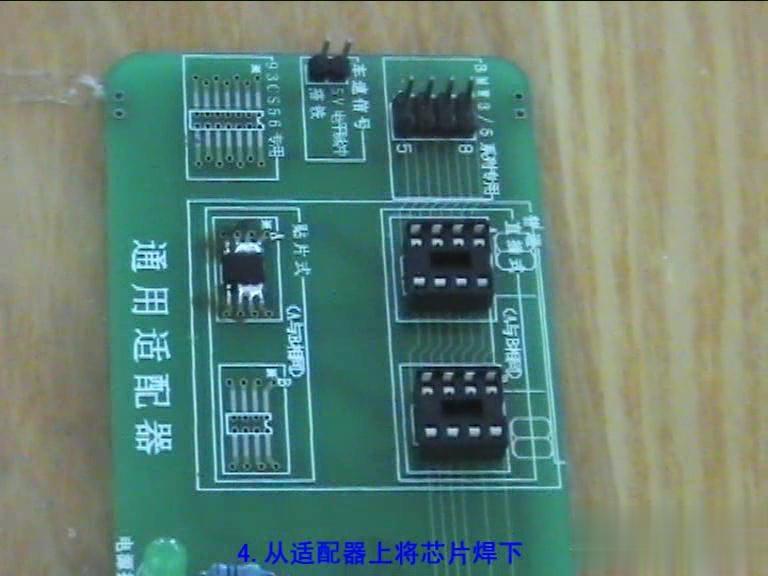
Weld the chip on the OBP adapter packed in the Digimaster 3.
Digimaster-3-Toyota-Estima-2012-mileage-correction-instruction-8 (2)
Solder the chip off the adapter.
Digimaster-3-Toyota-Estima-2012-mileage-correction-instruction-9 (2)
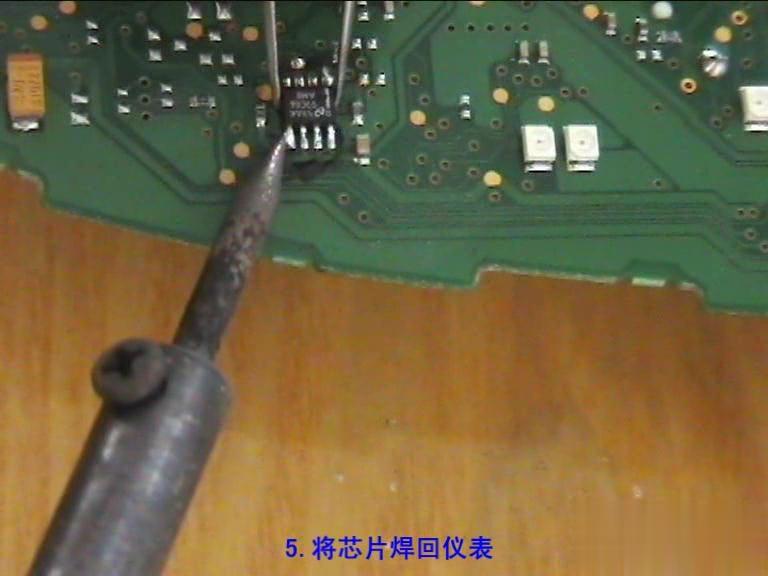
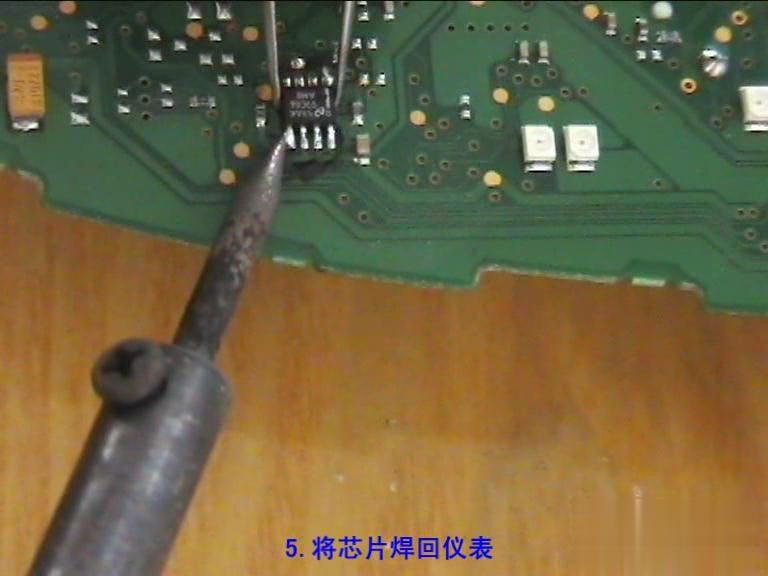
Solder the chip back onto the adapter.
Digimaster-3-Toyota-Estima-2012-mileage-correction-instruction-10 (2)
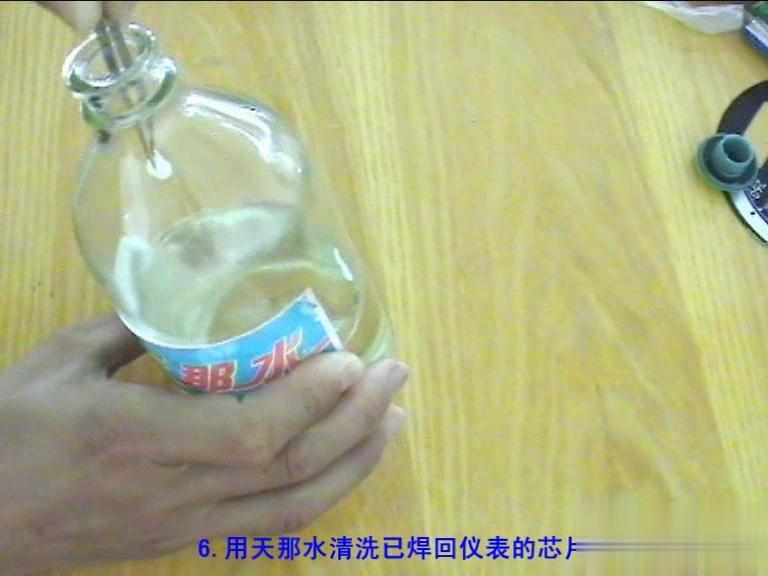
Use banana oil to clean the chip that was solder back onto the adapter.
Digimaster-3-Toyota-Estima-2012-mileage-correction-instruction-11 (2)
Digimaster-3-Toyota-Estima-2012-mileage-correction-instruction-12 (2)
Done!

OBDSTAR TOOL UPDATE DETAIL IN MAY


OBDSTAR Tools Update detail in May:
IMMO
Great Wall
1. Optimized VV5C 2017- smart key system
2. Optimized VV7C 2017- smart key system
3. Optimized Haval H4 smart key system all keys lost
4. Optimized Haval H6 2013-2018 smart key system KSTAR Knob PEPS system clear key and add key
5. Optimized Wingle 5 IMMO system Delphi diesel (Bosch 4D20) key programming
GM
1. Increased Chevrolet Asia Captiva Proximity
2. Increased Chevrolet Trailblazer smart key system
3. Increased the German and updated multi-language
4. Optimized Buick Excelle GT/XT (with smart) 2018- key programming
5. Optimized Buick Regal (without smart) 2000-2005 all keys lost procedure
6. Optimized Cadillac XTS menu
7. Optimized Cadillac XTS (with smart) 2013-2015 all keys lost procedure
8. Optimized Chevrolet AVEO remote programming procedure
9. Optimized Chevrolet Captiva (with smart) all keys lost procedure
10. Optimized Enclave 2008-2013 remote programming procedure
11. Optimized Envision (with smart) -2017 key programming and all keys lost
12. Optimized GL8 (with smart) 2017- 2.0T communication
13. Optimized Cadillac CT6 (with smart) -2016 key programming procedure
14. Optimized GL6 2017- smart key system
Toyota
1. Increased IMMO system type 9 (2020)
2. Increased smart key system type 7 (2020)
3. Optimized IMMO system type 2 (with G 72) key adding procedure
Geely
1. Optimized UAES smart key system
2. Optimized Boyue smart key system clear key
3. Optimized Vision X3 IMMO system after-sales key programming
Roewe/MG
1. Optimized MG GS smart key system
2. Optimized MG GT IMMO system clear key
3. Optimized MG HS smart key system
4. Optimized MG 3 remote system MG3 (old version)
5. Optimized Roewe RX5 IMMO system (with smart)
Landwind
1. Optimized X7 TungThih smart key system EMS reset
2. Optimized X7 TungThih smart key system EMS programming
Ford
1. Optimized new Focus 2011- IMMO system
2. Optimized Mustang USA proximity 2020
3. Optimized EcoSport 2018- IMMO system operation tips
4. Optimized New Focus 2014- IMMO system key adding procedure
5. Optimized Mondeo Zhisheng IMMO system type 2 all keys lost
6. Optimized Ranger Australia blade 2015-2018 all keys lost (Beta)
7. Optimized Kuga Australia balde 2012-2016
8. Optimized Territory smart key system
9. Optimized Kuga IMMO system
10. Increased Ranger USA blade 2015-2019 type 2
11. Increased the German and updated multi-language
BAIC
1. Optimized new energy ECU smart key system
2. Optimized Senova D20 IMMO system key programming
3. Optimized Jing Koo S50 smart key system
Leopaard
Optimized CS10 integrated IMMO system (CAN)
Hyundai
1. Optimized smart key Pincode reading
2. Optimized smart key system type 1/2/3/4/5/6 key programming procedure
Kia
1. Increased the German language
2. Optimized smart key Pincode reading
3. Optimized smart key system tips
4. Optimized 46 smart card Pincode reading (via OBD)
5. Optimized 2014 Kia K5 smart key programming procedure
6. Optimized smart key system type 1/2/3/5 key programming procedure
Nissan/Infiniti
1. Optimized 4-digit Pincode remote system type 1
2. Optimized 2016 Qashqai key programming
3. Optimized Nissan 2013 Livina key programming procedure
Dongfeng Fengguang
1. Increased 560 IMMO system
2. Increased 560 smart key system
Opel
1. Optimized the menu
2. Optimized BCM IMMO Pincode reading
3. Optimized Astra H 2009 key programming
4. Increased ADAM 2013- IMMO system
5. Increased AMPERA 2012-2018 smart key system
6. Increased ASTRA K 2017-2019 IMMO system
7. Increased COMBO E 2018- IMMO system
8. Increased GrandLand X 2018- IMMO system and smart key system
9. Increased INSIGNIA B 2017-2019 smart key system
10. Increased KARL/VIVA 2016- IMMO system
11. Increased ZAFIRA-C 2012-2016 IMMO system
12. Increased AGILA ECM Pincode reading type: Y13DT/Z10XE/Z10XEP/Z12XEP/Z13DT
13. Increased ASTRA G ECM Pincode reading type: X16XEL/X18XE1/Y17DTL/Z12XE/Z14XEP/Z16SE/Z18XE/Z18XEL/Z20LET/Z22SE
14. Increased ASTRA H ECM Pincode reading type: Z16LET/Z16XE1/Z19DT/Z19DTH/Z19DTL/Z20LEH/Z20LEL
15. Increased CORSA C ECM Pincode reading type: Y13DT/Y17DT/Y17DTL/Z12XE/Z12XEP/Z14XE/Z16SE/Z16XE/Z18XE/Z18XEL
16. Increased MERIVA ECM Pincode reading type: Y17DT/Y17DTL/Z14XEP/Z16SE/Z16XE/Z18XE/Z18XEL
17. Increased TIGRA B ECM Pincode reading type: Y13DT/Z13DT/Z14XE/Z14XEP/Z18XE/Z18XEL
18. Increased VECTRA B ECM Pincode reading type:X16XEL/X18XE1/X20XEV/Z16SE/Z16XE/Z18XE/Z18XEL
19. Increased VECTRA C/SIGNUM ECM Pincode reading type: Z16XE/Z16XEP/Z19DT/Z19DTH/Z19DTL
20. Increased ZAFIRA ECM Pincode reading type:X18XE1/Z16SE/Z16XE/Z20LET/Z22SE
21. Increased ZAFIRA B ECM Pincode reading type: Z19DT/Z19DTH/Z19DTL
22. Increased ASTRA J/INSIGNIA/MERIVA B/MOKKA/ZAFIRA C ICM Pincode reading
Mercedes-Benz
1. Increased FBS4(2014-) disable key
2. Increased C-series new C/205 tailgate control system
3. Increased German and updated multi-language
4. Optimized E series 212 tailgate control system time parameter and procedure
LUXGEN
Optimized Luxgen 3 IMMO system type 2
Renault/Dacia/Lada
Increased the German
Yunque
Increased Quanjie Q1 remote system
FAW Hongqi
1. Increased H5 smart key system
2. Increased HS3 smart key system
3. Increased HS5 smart key system
4. Increased HS7 smart key system
SMART
Increased Vietnamese, Hebrew, German language
Mazda
Increased German and updated multi-language
Subaru
1. Increased German and updated multi-language
2. Optimized North America BRZ proximity 2013-2015
VW
1. Optimized Audi A3 2011 IMMO data reading
2. Optimized the 4th  generation remote programming
3. Optimized 4th generation IMMO system remote programming
4. Optimized Lavida Pincode reading from engine
5. Optimized 2-3.5th generation 25 immobilizer key programming procedure
6. Optimized 2010 Jetta key programming
7. Optimized MQB key generating and key learning
8. Optimized MOTOROLA 9S12XHZ512 IMMO
9. Optimized Magotan 46 key programming
10. Optimized Skoda MQB dealer key generate
11. Increased the German language
Porsche
Increased the German language
Lamborghini
Increased Italian, Vietnamese, Hebrew and German
Mitsubishi
1. Increased Triton 2010-2016 smart key system
2. Increased German and updated multi-language
3. Optimized Eclipse Cross smart key system key programming
4. Optimized L200 TRITON_2017- key programming
5. Optimized Outlander 4WD IMMO system 2014- key programming procedure
Isuzu
Increased the German language
Fiat/Alfa Romeo
1. Increased the German language
2. Increased Alfa Romeo MITO menu
3. Increased Alfa Romeo Guilia/Stelvio smart key clear function
4. Optimized Alfa Romeo Guilia/Stelvio 2018 Pincode reading
5. Increased Fiat 500X 2014-2019 smart key and blade key programming
Chrysler  
1. Increased FCA tips (all 2018- models)
2. Increased Jeep Renegade IMMO system 2015-2017
3. Increased German and updated multi-language
4. Optimized Jeep Grand-Cherokee toothless rotary key system 2008-2010.5 programming procedure
5. Optimized Jeep Renegade 2018-2019 smart key system key programming procedure
Peugeot/Citroen/DS
1. Optimized the system structure for part of models
2. Optimized 2018 Peugeot 5008 smart key all keys lost procedure
Cluster Calibration                                                                                                                         
Peugeot/Citroen
1. Optimized BSI K0X, P0X, H0X cluster calibration
2. Optimized BSI N0X, Q0X cluster calibration
3. Shielded K0X type 2 menu
Ford
1. Optimized the Edge menu
2. Optimized the Kuga menu
3. Optimized Explorer 2011- communication
4. Optimized Transit Connect and Transit 2013 NEC 70F3425 time sequence
5. Increased Explorer 2011- data recovery
6. Increased Transit Custom 2018- type 2 cluster calibration
Mercedes-Benz
Optimized W221 chassis cluster calibration
Kia/Hyundai
1. Optimized Hyundai MB91F061BS cluster calibration procedure
2. Increased Hyundai Sonata 9 MB91F061BS(hybrid) cluster calibration type
VW/Audi/Seat/Skoda
1. Optimized Audi A6L 2013- procedure
2. Optimized Audi A6L 2009-2012 procedure
3. Combined Audi A4L 2008-2012 and 2013- menu to be 2008-
Oil Service Reset
New Increased:
1. Trumpchi,Lifan,China Toyota, China Fiat, Dongfeng Honda, GAC Honda, GAC Mitsubishi, Abarth auto reset
2. Increased Dongfeng Nissan, Zhengzhou Nissan, China Toyota, China Ford manual reset
3. Increased Ford Messenger, Motorhome/Removable Chassis Van, E-series shuttle bus manual reset
4. Increased Chrysler Grand Caravan/300/Poplar, Dodge Ram/Dodge Nitro/Dodge Dakota manual reset
5. Increased Mercedes-Benz and Smart VIN code auto select
6. Increased Besturn X40 2018 white screen auto reset
7. Optimized BMW auto reset
8. Optimized the Porsche menu
9. Optimized 2018 Cayenne and Panamera oil service rest
10. Optimized Roewe EI6/ERX5/I6/RX3/RX5 oil service reset
11. Optimized 2018 Cadillac XT5 and 2017 Geely Borui oil service reset
Tablet Display Program Software
Increased the German language

2020年6月2日星期二

VXDIAG VCX Nano won’t Connect to GM Corvette C6

Car model: GM Corvette C6
Error:
Won’t connect to the car
Can’t get the licensee to load
How to solve?
Problem with WI-Fi unit, is that the Nano needs to be connected to the car so the nano has power to begin with. Also, OBDII port needs to be powered up, so on a C5, car has to be in run postion before the OBDII has power itself.
Because of that, even on the Wifi unit I have, I still use it with a cable so the laptop powers up the nano to begin with, and don’t have to worry about the OBDII power instead..
When you load it make sure you run the installed updates from tech2win.
You also cant use a 64bit OS system it has to to be a 32bit device. The newer units (if bought on amazon) are 32bit and cant run from a Vm image that is 32bit OS.
I had the same issue. I pulled out a old laptop and installed win10 32bit and ran the updated add-ons from tech2win.
Load VX manager first, plug in the Nano, and get it working in VX manager. Hence click on firmware icon to update the firmware, then click on licence icon to install the licenses.
Now with the VX manager open and the nano plugged in, now load that auto install.exe of Tech2win to load it from the White disc that came with the Nano to your machine. Hence the autoinstall.exe will need to over ride some VX manager files when it installs, so VX manager has to be open with the Nano connected/being seen in VX manager when you load tech2 win auto install from the disc. Installing tech2 win, with VX manager not open and the nano not plugged into the machine will end up with install problems every time with Win 64bit system.
Lastly, if you are loading in the Newer VX manager, you have to go in and install the needed programs from inside VX manager (no long load into VX manger from the white disc). So Tech2, GDS2 and SPS have to be installed from within VX manager. If you check in VX manager and these are loaded already, uninstall and reload them from VX manager again if you are having problems. When you have done these three reloads, go back in the licence tab in VX manager and make sure you are showing licences for all three of these. If not, then go back to the main page and click on the licence ion to update the licences on the refreshed installed. I bring this up, since if you are using the last right hand top tab in VX manager to download the latest VX manager, you will have to install Tech2win/gds2/SPS from within VX manager (will still use the white disc to install Tech2win to the laptop to get the the desk top icon.
Now the glitch with A/C Delco TBS.
If you are using the older VX manager and older firmware on the Nano, when you get the screen to install the Bosch Tech2win driver and GDS2 in TBS (will be a pop up screen), you want to skip these installs each time you use TBS.
If you are using the latest VX manager and latest Nano firmware, then you want to install these two Bosch drivers from TBS instead.
Trust is, for TBS now, you want to be using the latest VX manager and firmware. When you load the two Bosch drivers, it going to to load another program that is needed to get the Nano to work (TBS changed about a year ago, and its this third driver that loads with the Bosch drivers that is needed to get the Nano to work with the system.

2020年3月5日星期四

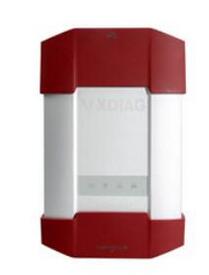
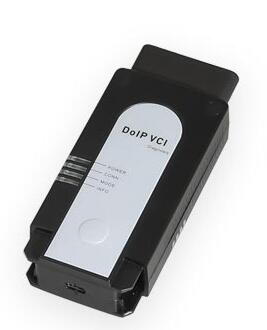
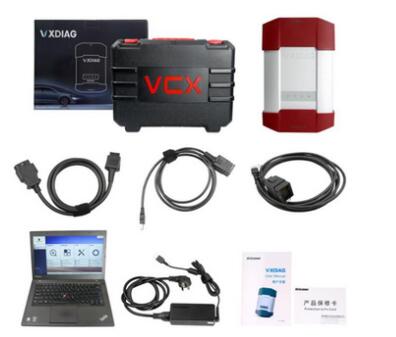
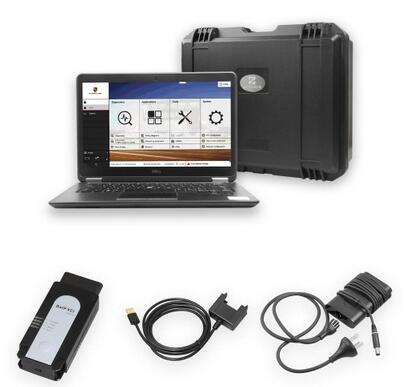
VXDIAG VCX DoIP Porsche Tester III vs. OEM Porsche PIWIS III

What’s the difference between VXDIAG VCX DoIP Porsche Tester III and OEM Porsche PIWIS III Tester? Check table comparison below:
Item VXDIAG VCX-DoIP for Porsche OEM Porsche Tester III PT3G
Item No. VX16 VX16-B
Image
Original/Clone Original VXDIAG Clone
Software version 38.300.030 38.200.040
Language German English French Italian Spanish Japanese Chinese Russian Dutch Portuguese German English French Italian Spanish Japanese Chinese Russian Dutch Portuguese
PIWIS License Unlimited Unlimited
Update By new SSD By new SSD
DoIP enabled Yes Yes
Support Porsche year All Porsche from 1998 till now All Porsche from 2002 till now
Online immobilizer programming Yes Yes
Full-system diagnosis Yes Yes
Guided fault finding Yes Yes
Maintenance circuit diagram view Yes Yes
Developer Mode Yes Yes
Original software compatibility No No
WiFi connection USB/WiFi/WLAN USB/WiFi
Package 1pc x Piwis tester III VCI 1pc x USB Cable
1pc x OBD Cable
1pc x Lenovo T440P Laptop
1pc x LAN cable
1pc x 240G SSD
1× Piwis3 Tester 1× OBDII Cable
1× USB Cable
1× 240GB Software SSD
1× Panasonic CFAX3 Laptop

Other software license SDD, GDS2, Techstream, HDS, XENTRY, ISTA,IDS,VIDA etc No possible to add other license
Price $1845 $2599
What’s the difference between Piwis 2 and Piwis 3:
PIWIS Tester III covers all new Porsche models like new Panamera 971, Cayenne 9Y0, Cayman 981 GT4 clubsport, etc., which are not supported by PIWIS II at all and will never be supported in the future. PIWIS Tester III also supports full range of diagnostics functions for all the Porsche models which have ever been released.
Why you should have a Porsche Piwis 3:
* vehicle coverage up to 2018: 911, Macan, Cayeme, Panamera, Boxter Cayman
* Fast and stable connection Simulation mode ( diagnostic session without VCI connection )
* Support online immobilizer programming
* New DoIP diagnostic technique based on Ethereum for post-2017 Porsche
* Developer mode enabled
Which Porsche model and year can be done with Piwis 3:
Piwis 3 is confirmed to work with all Porsche from 1998-2018:
Porsche 911(997) (991)
Boxster/Cayman (987)
Cayenne up to MY 2010
Cayenne from MY 2011
Panamera
Especially the latest models:
Paramera (971) 2018
Caynenne (92A) 2018
Macan (95B) 2018
911 (991) 2018
and othe1 old models


https://www.obd2tool.com/blog/2020/03/07/vxdiag-vcx-doip-porsche-tester-iii-vs-oem-porsche-piwis-iii/

Choosing the best OBD-II scanner for Porsche vehicles

In this article, we take a look and review some of the best OBD2 scanners for Porsche. With hundreds of OBD-II scanners on the market, it is overwhelming for many Porsche owners to figure out what is the best OBD2 scanner for Porsche.
While you can diagnose Porsche check engine light with a standard obd2 scanner, you can not diagnose airbag, transmission, and other systems without a scanner that can read Porsche specific fault codes.

Scanners we review here range from $140 up to $700 and can diagnose multiple Porsche systems including Engine, Anti-lock Brake System, transmission, airbag and more.
1. Autel MaxiDAS Professional Scanner
Who is this scanner for?
The Autel MaxiDAS is a professional level diagnostic scanner for Porsche and other makes. While it is the most expensive scanner on this list, it is also the cheapest scanner that you can get that will offer similar functionality to a dealer level scanner.
What do we like?
The Autel MaxiDAS can not only access all Porsche systems and modules, but it can also carry out sensor activations, programming and display live sensor data from all the modules.
Another advantage of the Autel MaxiDAS is that it covers almost all makes and makes and is not just for diagnostic Porsche vehicles.
What don’t we like?
This scanner is a bit expensive for Porsche owners who may only use it a couple of times.
If money is not a concern this is without a doubt the best Porsche scanner for the money.
2. Porsche PIWIS
Whos is this scanner for?
PIWIS is a diagnostic scanner for Porsche dealers and mechanics.
Porsche PIWIS is the most powerful diagnostic tool for Porsche vehicles. It is used at Porsche dealerships for diagnosis, troubleshooting, and programming.
It allows you to:
* read/clear error codes,
* view live data stream,
* any module programming,
* perform any component testing,
* view maintenance information,
* display wiring diagram,
* much more.
What do we like?
Porsche Piwis Tester II can help you diagnose and program anything on a Porsche. It works on new and old Porsche vehicles.
New Panamera vehicles can be diagnosed with Porsche Piwis Tester II.
What don’t we like?
PIWIS scanner is too expensive and difficult to use. You most likely won’t be able to get a hold of Porsche Piwis unless you are an auto repair shop.
Porsche Piwis 3 Advantages:
* New DoIP Ethernet diagnostic technology, support for models with DoIP diagnostics after 2017.
* Multi Languages available for diagnosis: English, US English, German, French, Italian, Spanish, Japanese, Chinese, Russian, Portuguese
* Software version: V38.400.000
* New operating system and more intuitive software interface
* Maintenance, repair, control unit replacement, programming code.
* Login online anti-theft matching programming.
* Guided fault finding.
* Maintenance circuit diagram view.
* Engineer mode (development version) can support special functions such as installing, modify, Flash.
* Process malfunction navigation, showing all interior circuit diagram. Specially if Porsche were produced after 2005. The PIWIS III has original oscillometer and multi-meter Function.
Piwis 3 diagnostic functions:
Read trouble code
Clear trouble code
Show ECU information
Test live data
Display actual values
New Car Models Available :
Panamera (971) 2018
Cayenne (92A) 2018
Macan (95B) 2018
991 (991) 2018
Also support All Other Old car models
Conclusion:
If you are Porsche owner looking for a dealer level scanner you will get similar functionality with Autel MaxiDAS.
MaxiDAS provides the in-depth diagnostics and also works on 20+ vehicle makes including Europen, Asian and Domestic vehicles.
The PIWIS 2 in this list work on most 1996 and newer Porsches such as Porsche 996, 997, 911, Boxter, Cayenne, 993.
Before you purchase a Porsche OBD2 scanner, you should always check system coverage for your particular Porsche model and year.
https://www.obd2tool.com/blog/2020/03/09/choosing-the-best-obd-ii-scanner-for-porsche-vehicles/

2020年2月24日星期一

Volvo TechTool developer installation package

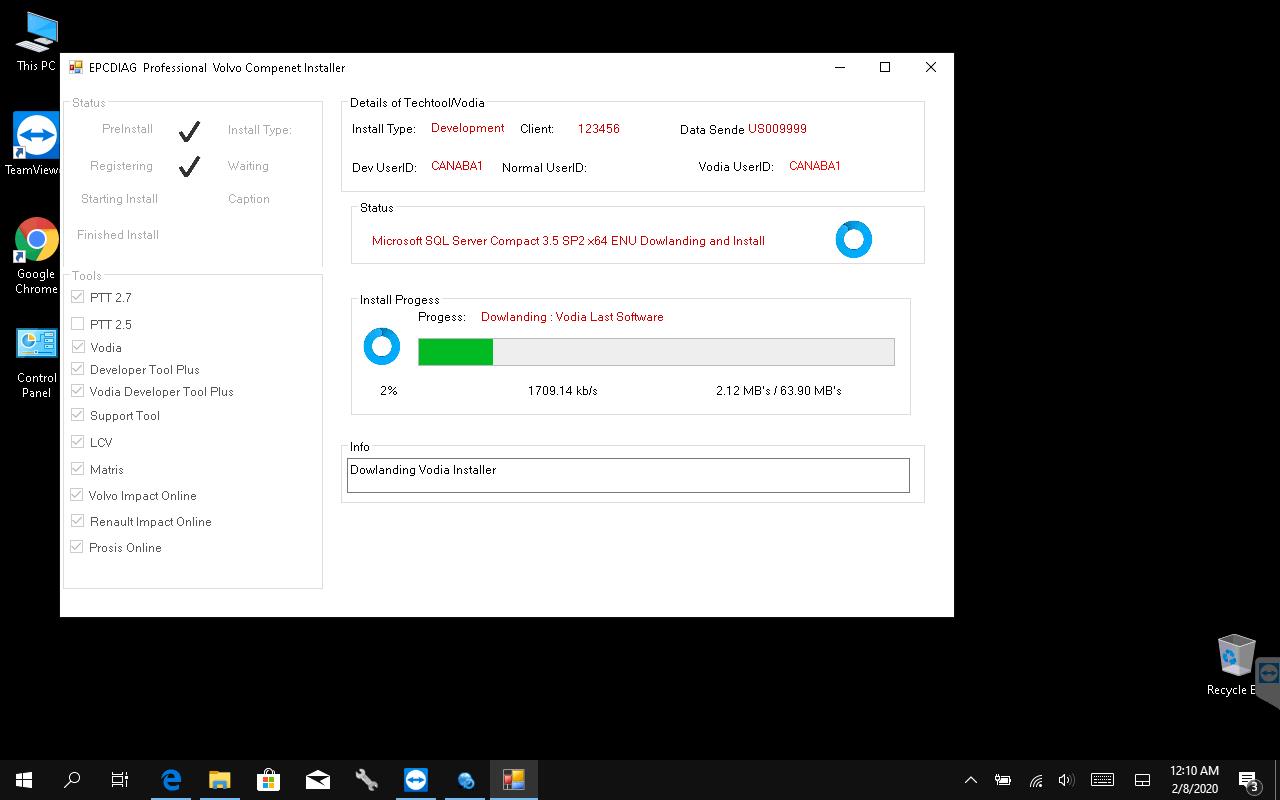
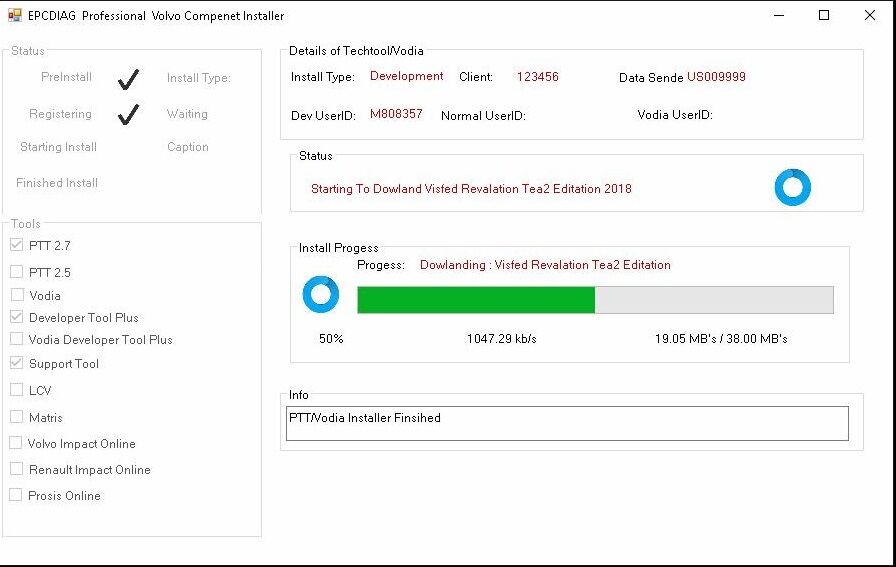
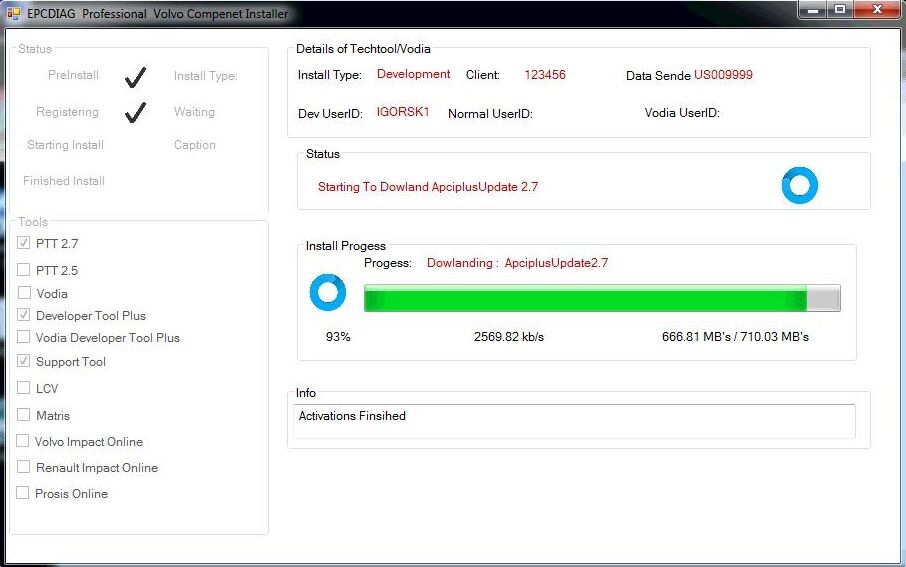
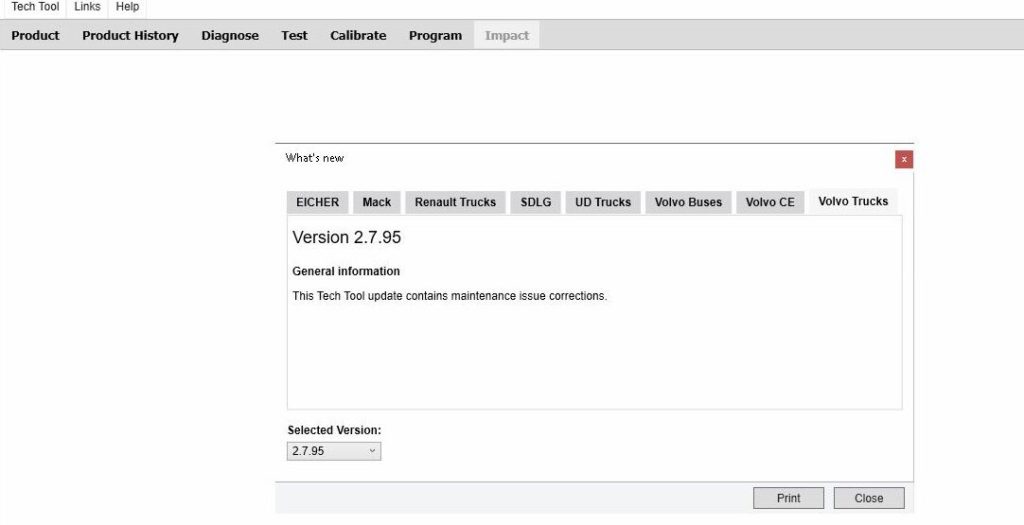
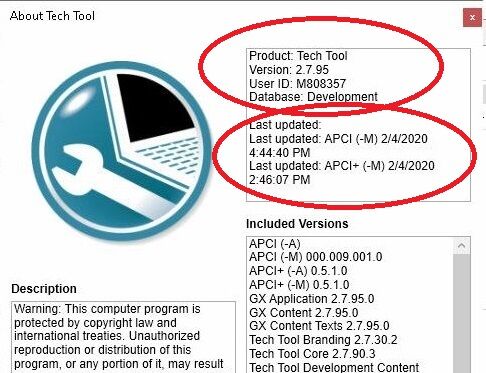
Techtool 2.7.95 development + Developer tool + Support tool + Visfed Revolation Tea2 Professional 2020 (APCI) Volvo Intermediate Storage File Encryptor/Decryptor + 15.000 and more flash files
* Volvo Tech Tool developer installation package (100% working solution) include:
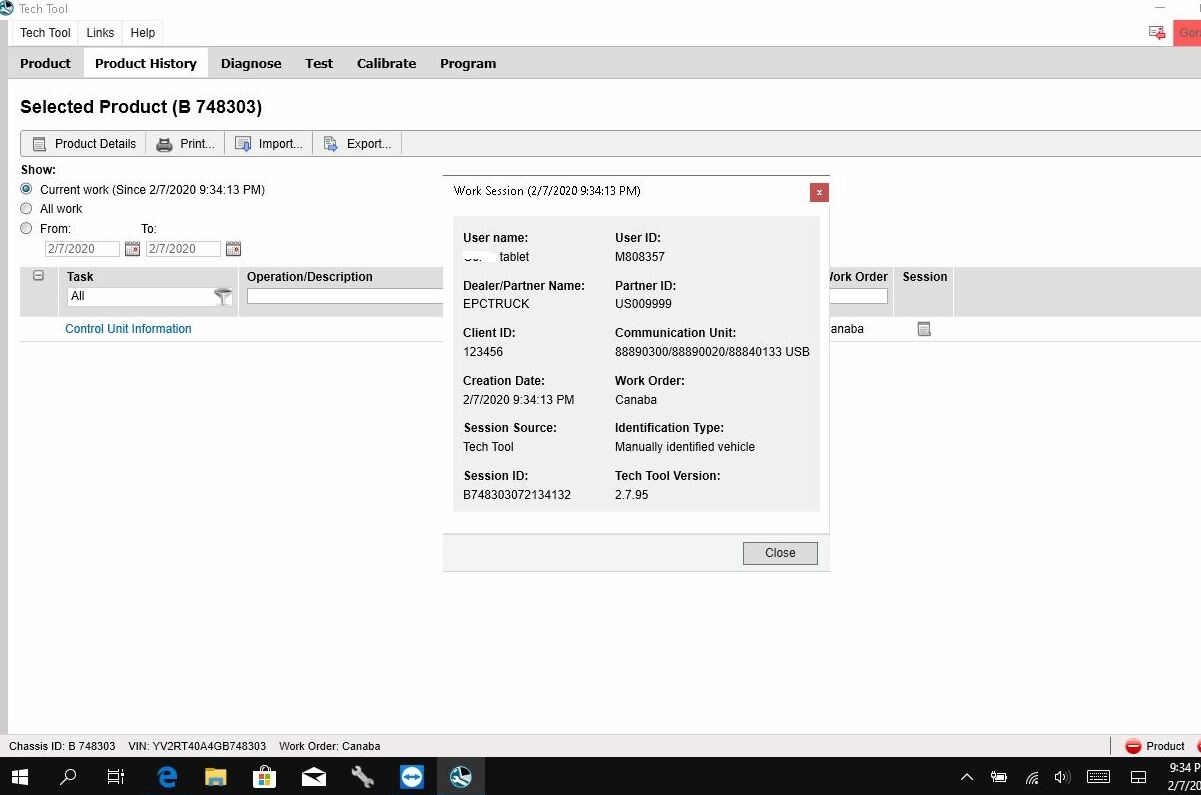
1.Techtool 2.7.xx(95) Development online installation (support US units, Include Product History)
2.Developer tool Professional 2020
3. Support tool for fixing automaticly any error in techtool (also old electrical version fix, connection fix, login fix…) also for download all new software
4.DTC Error info for acpi+ for version 3/4 !!!
5.ACPI PLUS latest update 02/2020 , download automatically via support tool !!!
6. Update TT to new version automatically via Volvo server
7.WORK WITH USA TRUCK WITHOUT PROBLEM()
8.installation online directly from the server (NOT OFFLINE, not need any file to download)
* Visfed Revolation Tea2 Professional 2020 (APCI)-Volvo Intermediate Storage File Encryptor/Decryptor- support for USA trucks also
New intelligence Online Flash System.
1. Automatically list Flash vehicle specific dataset
2. Select Flash type( noxOff, egroff, Emission levels, Hp incahese etc.)
3. Edit dataset part no and description
4. Add and remove Dataset
5. Edit DST 1 and DST 2 names
6. Automatically setting Vin and chassis id
7. Edit transable parameters
8. Remotely Flash Programing system
9. Bin to Volvo Flash convert system
10. Added new brand (Volvo penta and Us truck) Big flash database
Professional hex editor.
10.000 + Flash files for all Brends (Volvo Truck, UD, Penta, Volvo Ce, Mack, US Truck, Bus, Renault Truck) on Online Server… And the constantly is adding new flash files
*Get Original File From Volvo Server (Volvo Truck, UD, Penta, Volvo Ce, Mack, US Truck,Bus,Renault Truck)
*ECU files(Kess & K-Tag) ORI/BIN To TMP/XML Techtool (PTT) Flash —on world first-
*Noxoff Files(Same Flash) *Egroff Files (Same Flash) *SCR Files (Same Flash)
*DPF Files (Same Flash) *Euro2 Files (Same Flash) *Euro3 Files (Same Flash)
*Euro4 Files (Same Flash) *Euro5 Files (Same Flash) *Hp Incase Files
Module for The VOLVO CE ( VOLVO CONSTRUCTION EQUIPMENT ) is also available , with New feature of Dataset and Sub-dataset data caption .
With online database with more then 1000 flash files in database.
Volvo Techtool 2.7.95 Source:
https://www.obd2tool.com/goods-10214-Original-Volvo-VOCOM-II-88894000-with-APCI-PTT.html
ptt-2-9-5-01 ptt-2-9-5-02 ptt-2-9-5-03
ptt-2-9-5-04
ptt-2-9-5-05
ptt-2-9-5-06
ptt-2-9-5-07
ptt-2-9-5-08


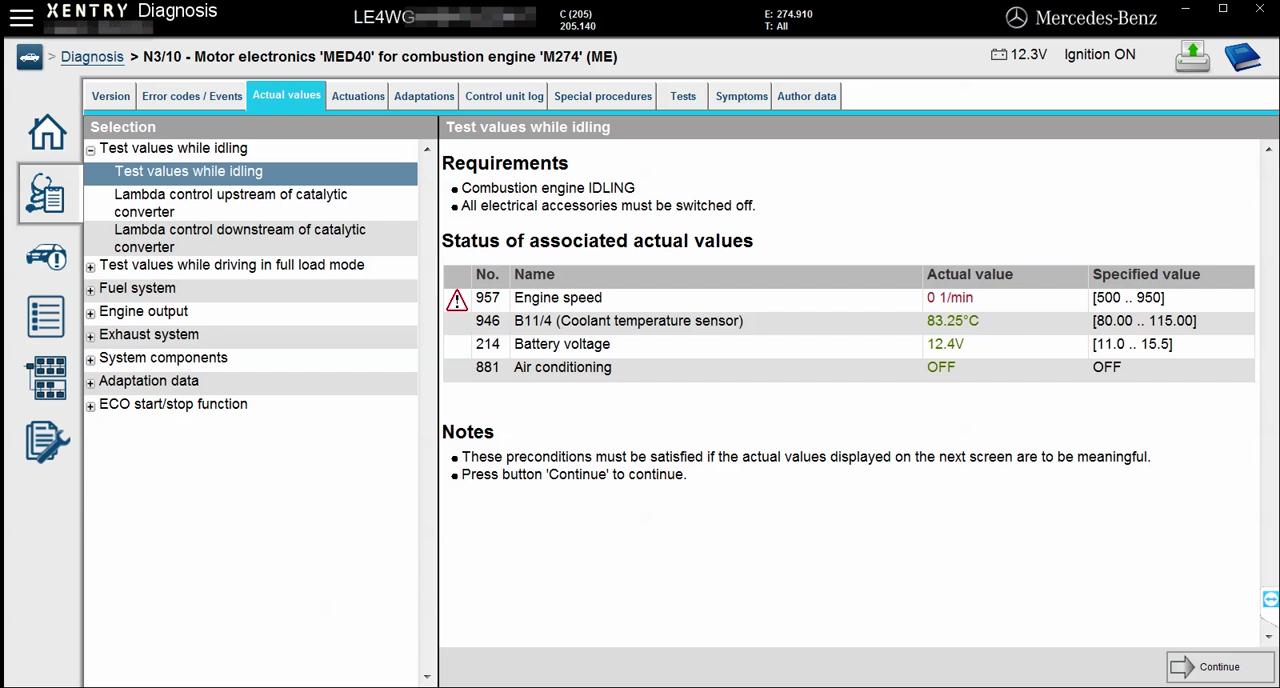
How to do Mercedes W205 engine online coding with vxdiag Benz C6 DOIP/ sdconnect C5 / C4.

Mercedes W205 engine online coding with vxdiag C6 C5 C4
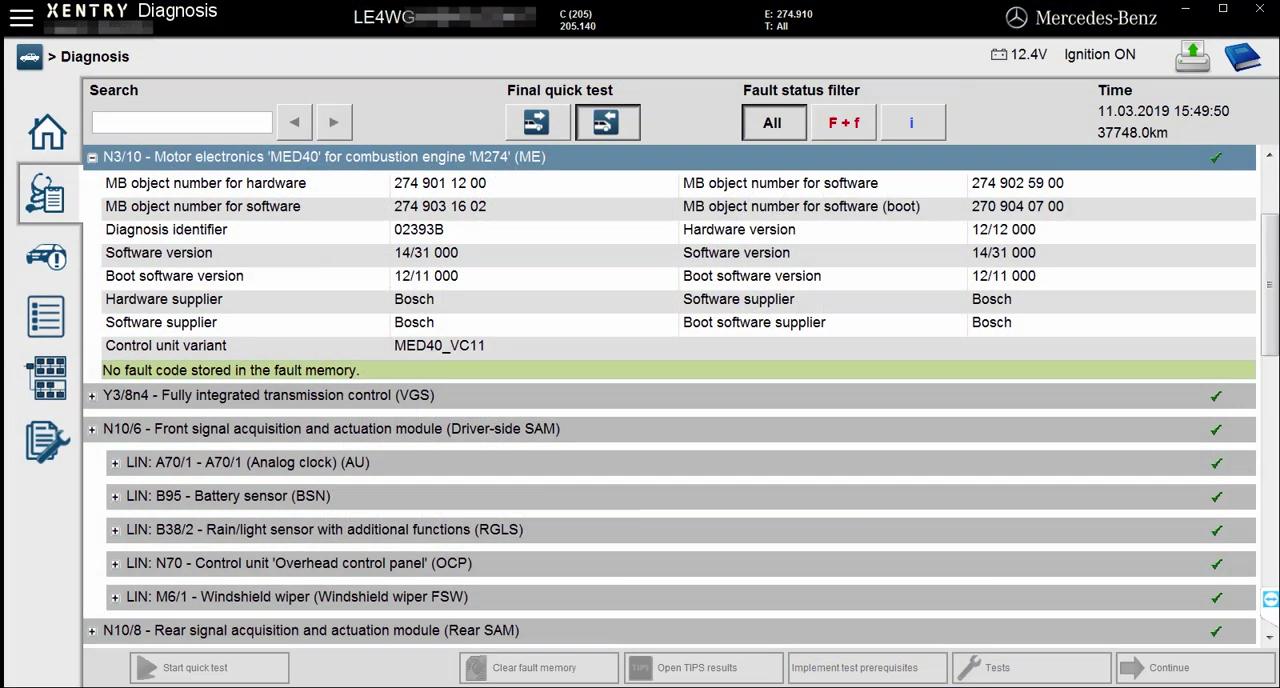
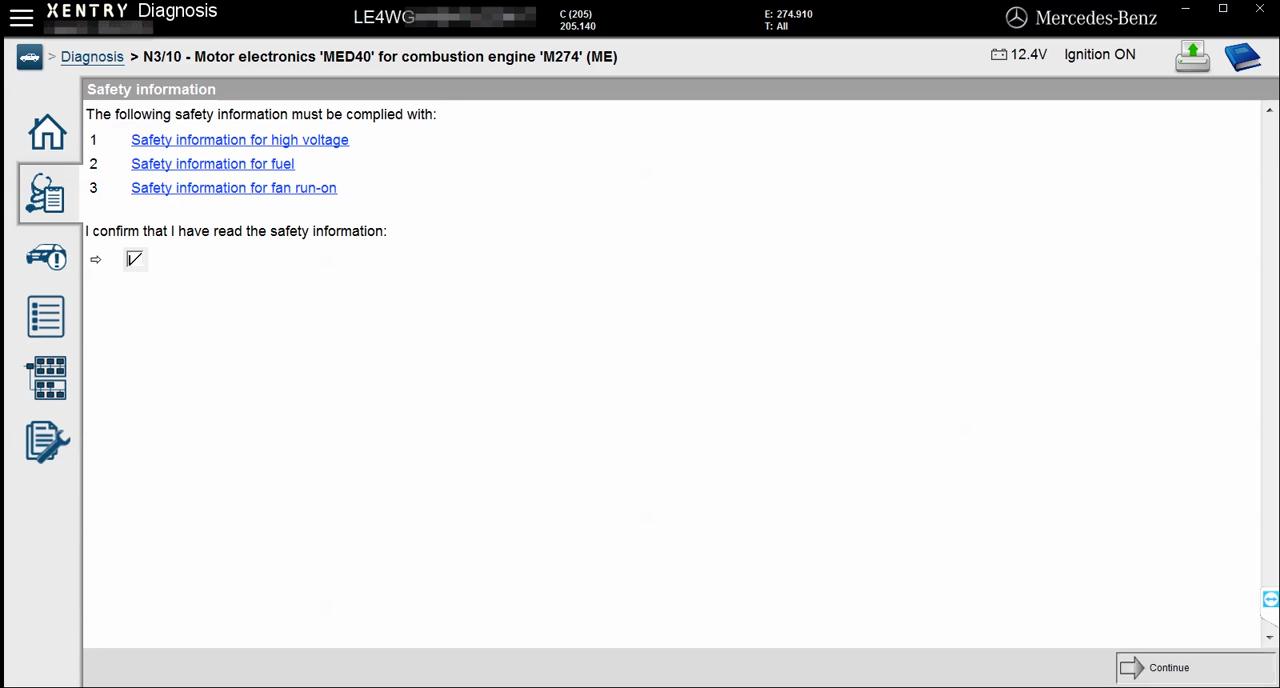
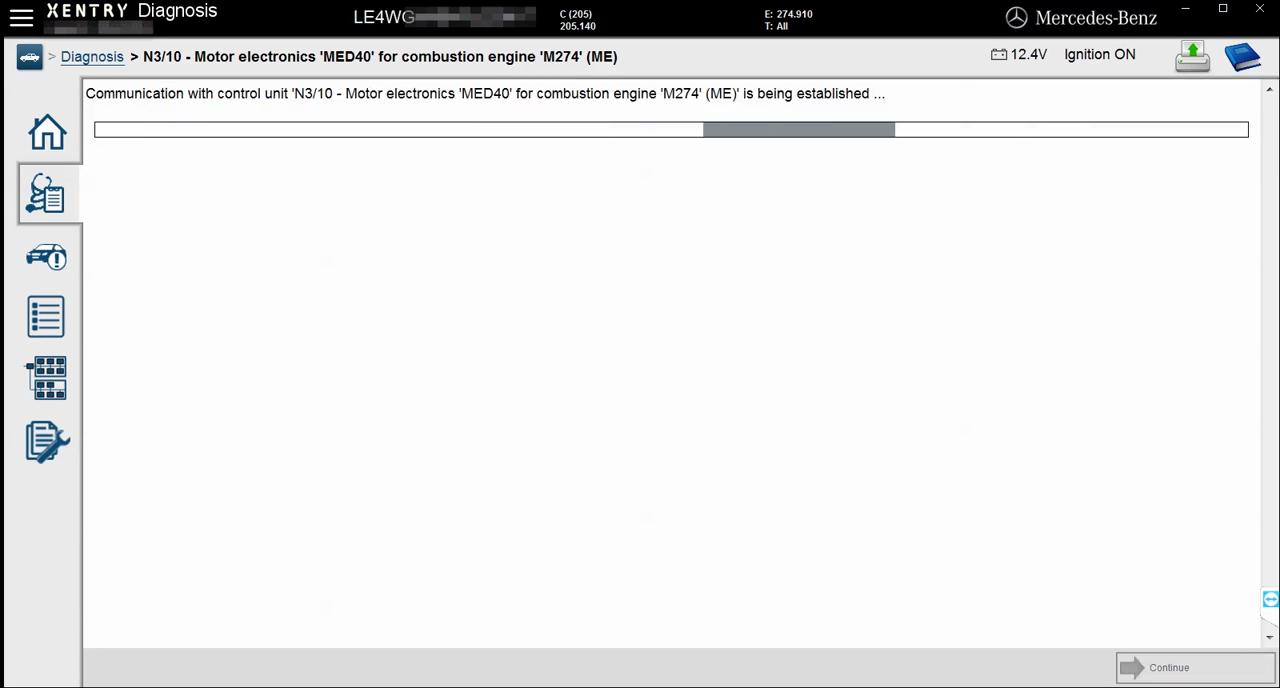
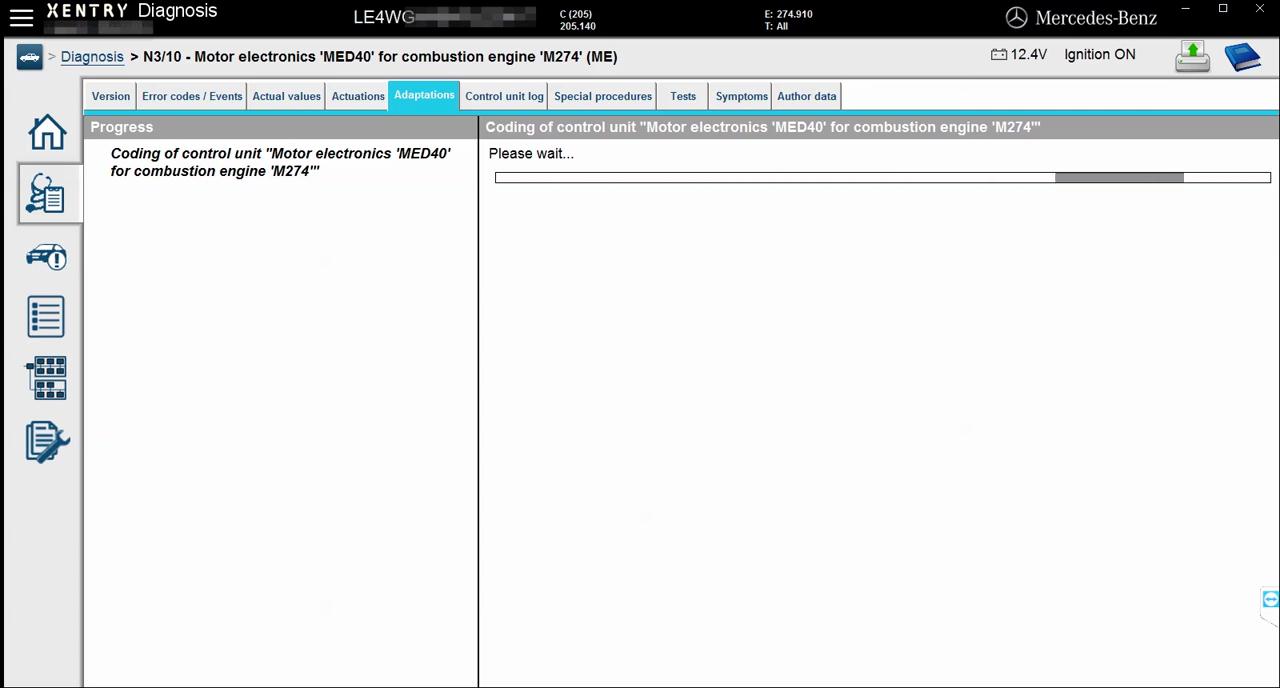
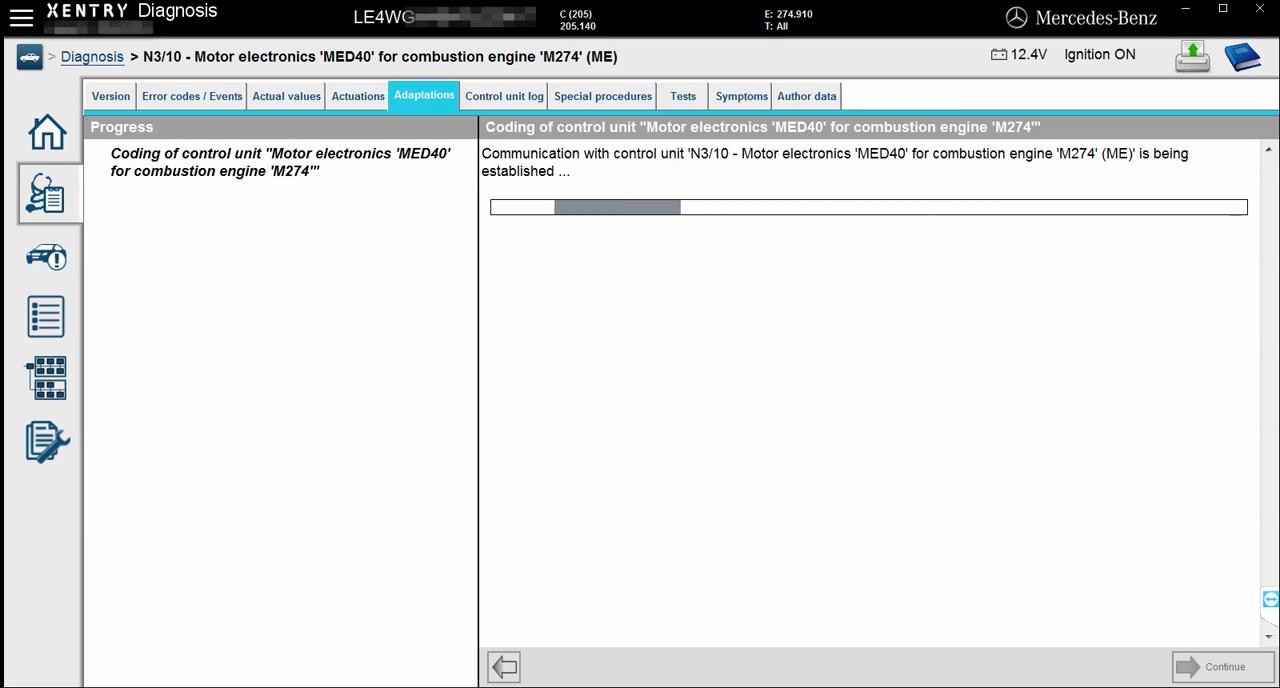
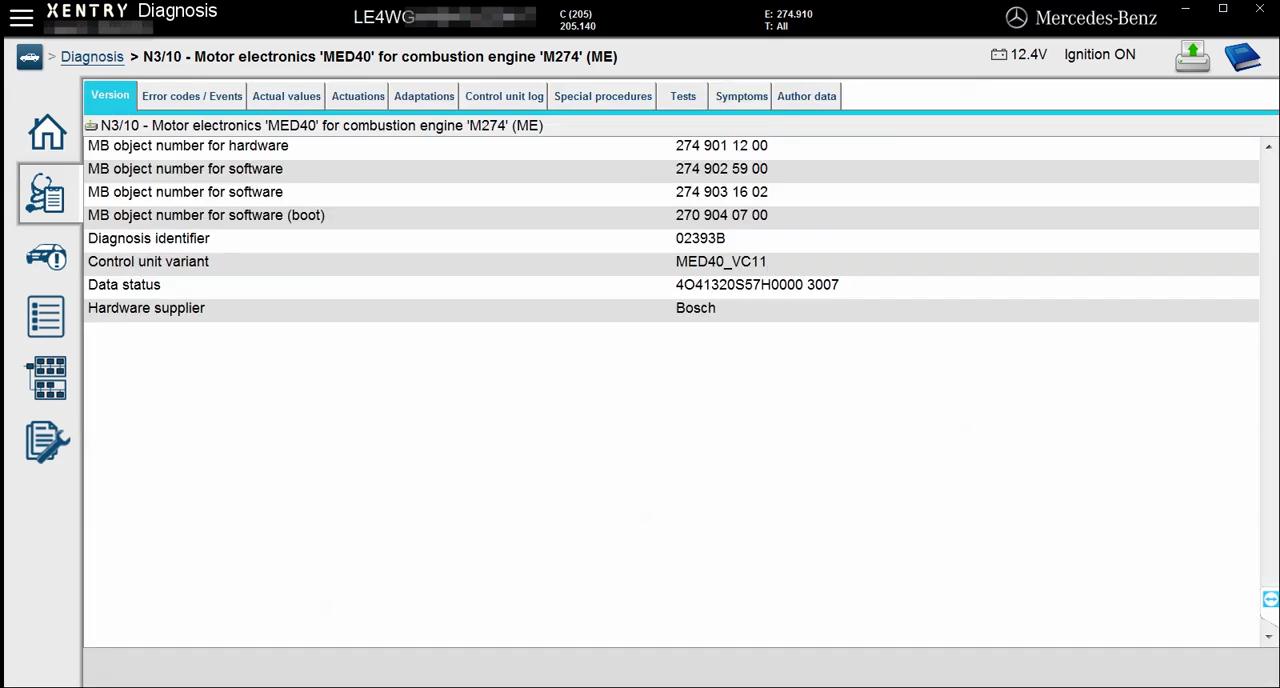
Communication with control unit ‘N3/10 -Motor electronics ‘MED40’ for combustion engine ‘M274′(ME)’ is being established.
mercedes-w205-engine-online-coding-with-vxdiag-c4-01
mercedes-w205-engine-online-coding-with-vxdiag-c4-02
mercedes-w205-engine-online-coding-with-vxdiag-c4-03
Version information.
mercedes-w205-engine-online-coding-with-vxdiag-c4-04
Error codes.
mercedes-w205-engine-online-coding-with-vxdiag-c4-05
Actual values.
mercedes-w205-engine-online-coding-with-vxdiag-c4-06
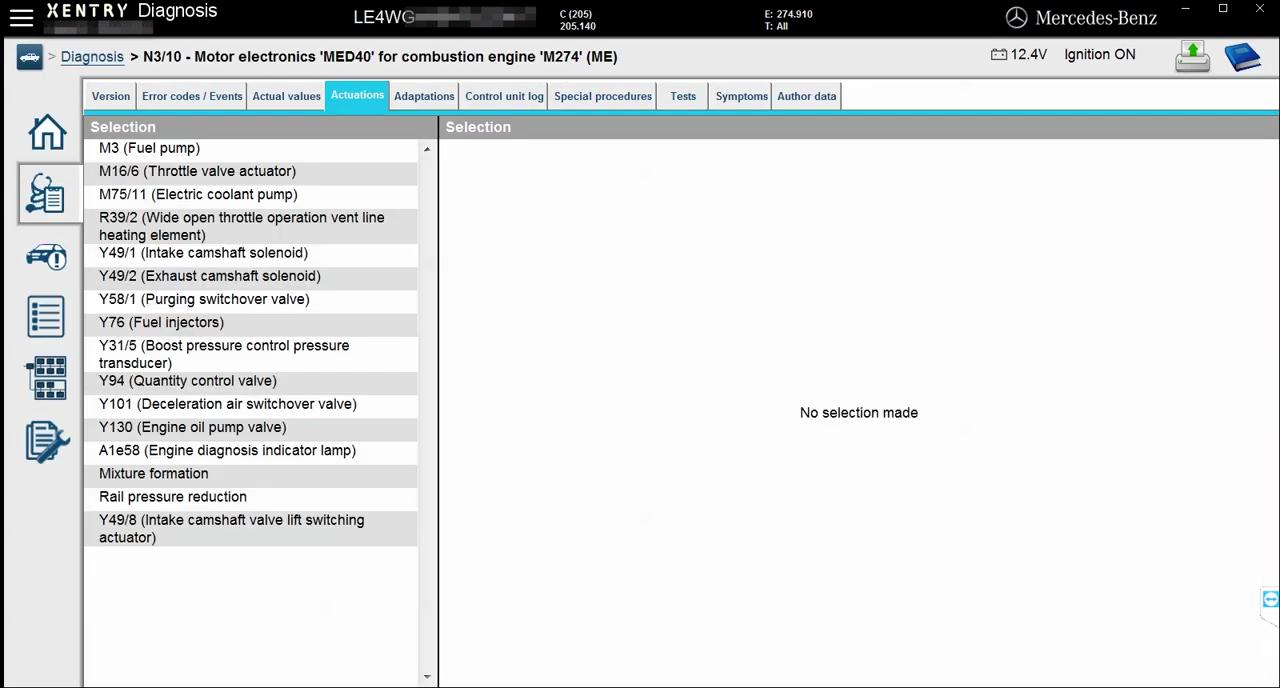
Actuations.
mercedes-w205-engine-online-coding-with-vxdiag-c4-07
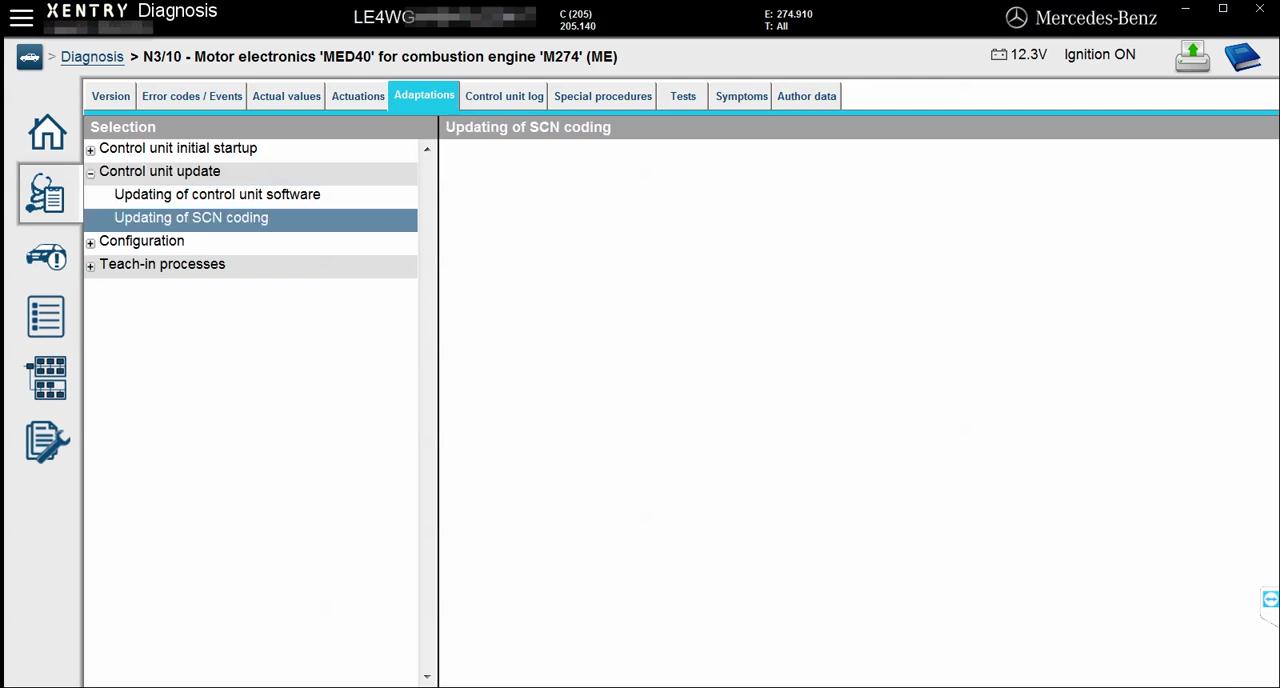
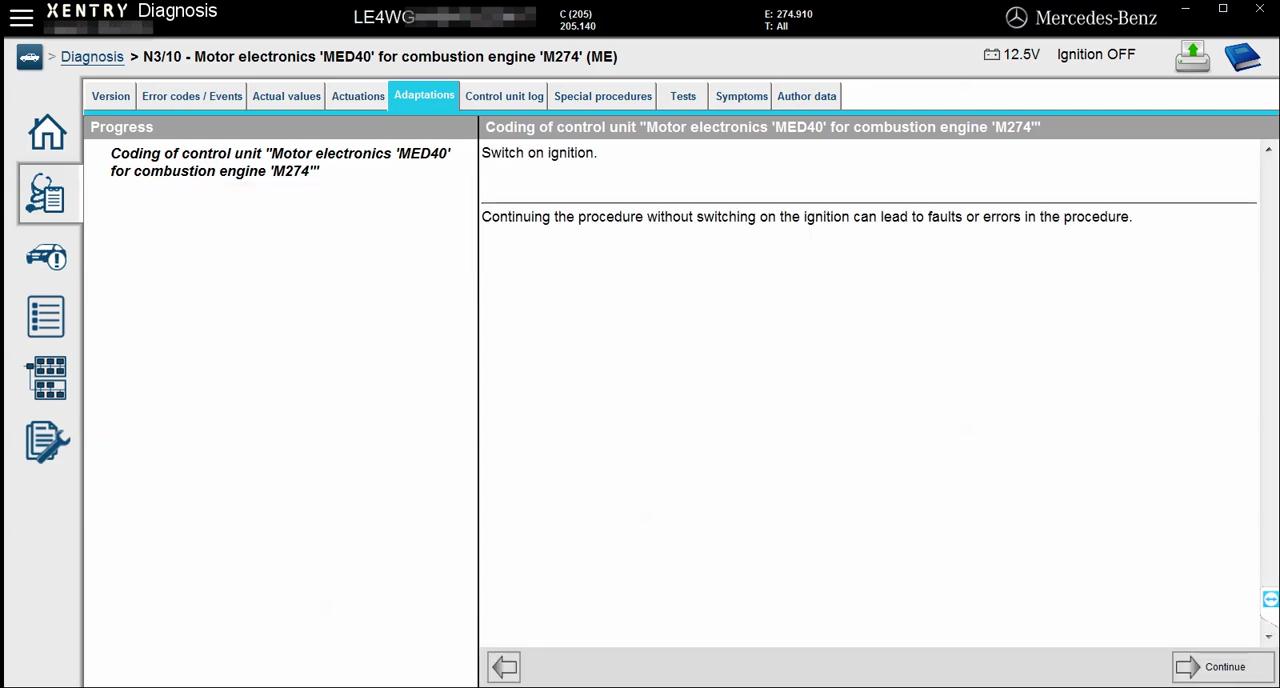
Adaptations.
mercedes-w205-engine-online-coding-with-vxdiag-c4-08
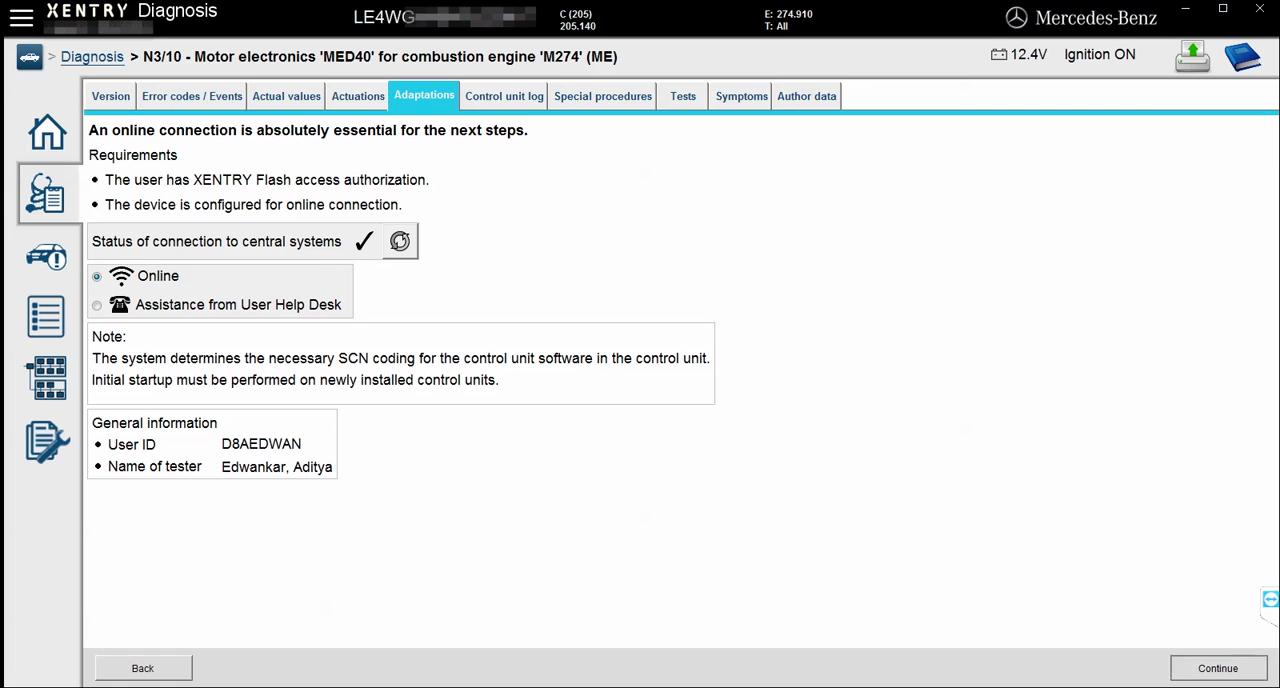
Updating of SCN coding-> an online connection is okay.
Determination of user authorization.
Message from central system.
Vehicle data are being requested from headquarters, please wait.
mercedes-w205-engine-online-coding-with-vxdiag-c4-09
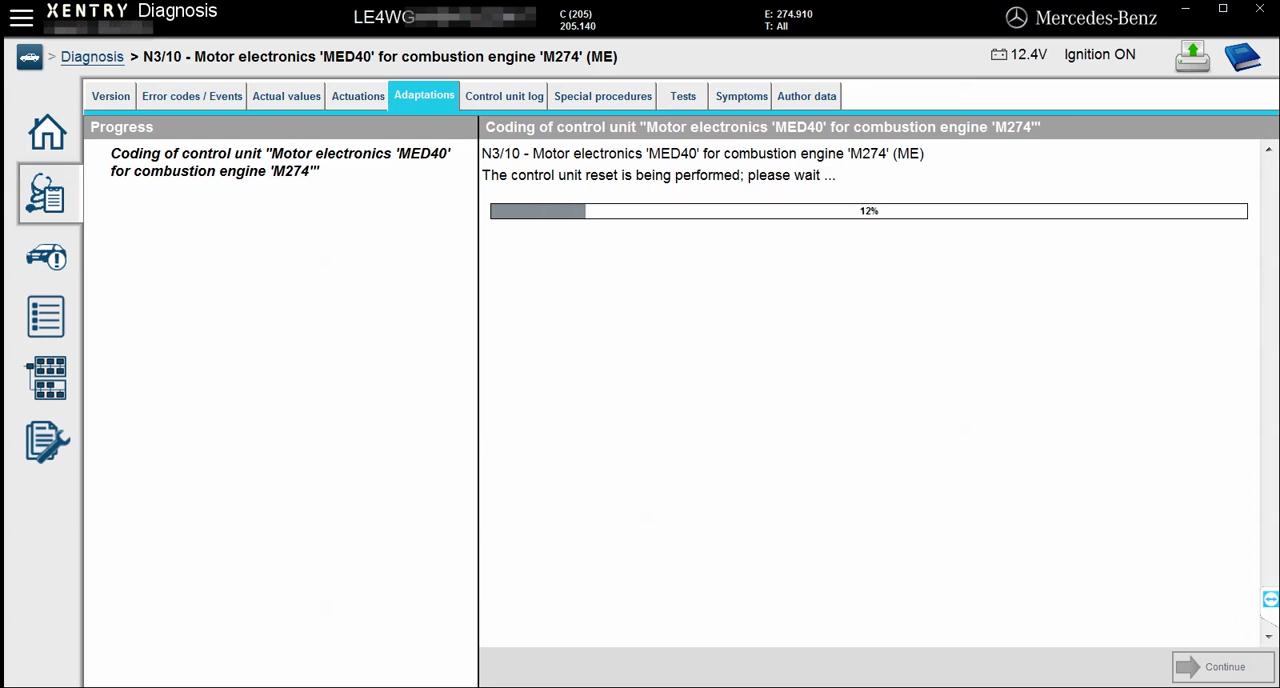
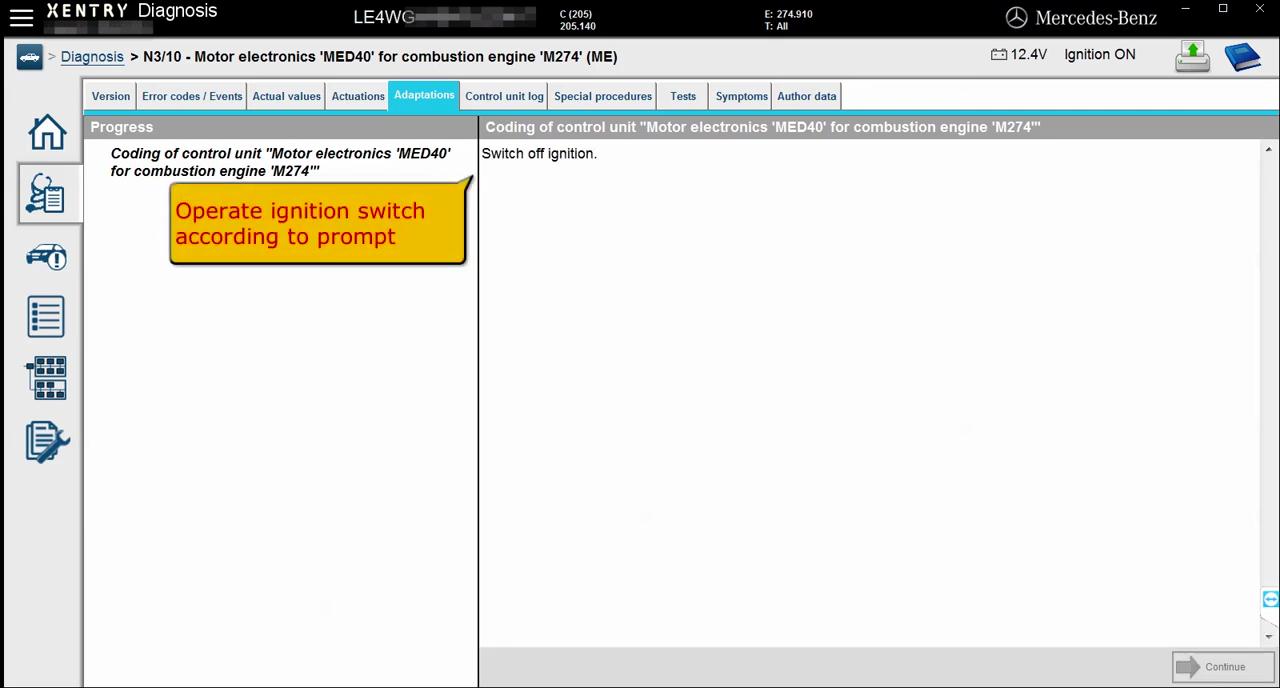
Coding of control unit “Motor electronics ‘MED40’ for combustion engine ‘M274’.
mercedes-w205-engine-online-coding-with-vxdiag-c4-10
mercedes-w205-engine-online-coding-with-vxdiag-c4-11
mercedes-w205-engine-online-coding-with-vxdiag-c4-12
mercedes-w205-engine-online-coding-with-vxdiag-c4-13
mercedes-w205-engine-online-coding-with-vxdiag-c4-14
The SCN coding sequence has been completed successfully.
mercedes-w205-engine-online-coding-with-vxdiag-c4-15
mercedes-w205-engine-online-coding-with-vxdiag-c4-16
Enjoy!

Consult-III Plus error “not supported by this computer”

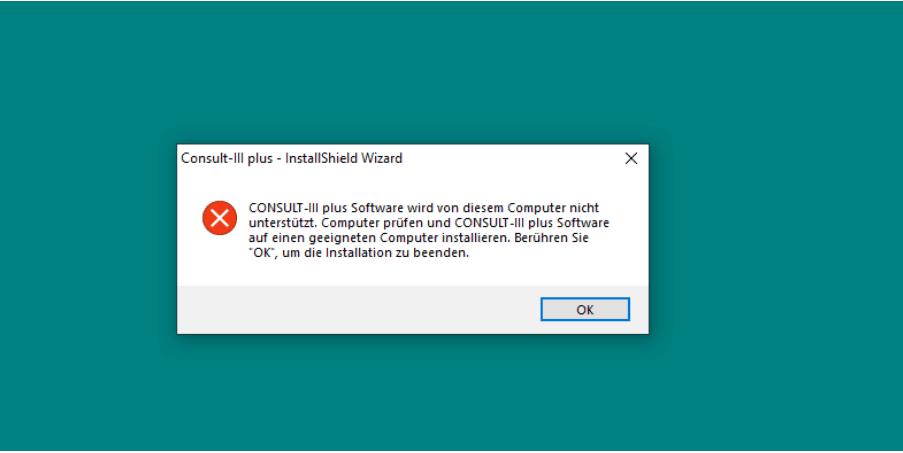
Error description: Installed Consult-III Plus V75 software on win7, got error ” CONSULT-III plus software is not supported by this computer. Check the computer and install CONSULT-III plus software on a suitable computer. Touch ‘OK * to finish the installation.” I also installed on Win 10 Pro, Win 7 Enterprise, Win Xp Sp2 etc, I got the same error message.
Consult-III-Plus-error-not-supported-by-this-computer-1
In German:
Consult-lll plus * InstallShield Wizard
CONSULT-III plus Software wird von diesem Computer nicht unterstützt. Computer prüfen und CONSULT-III plus Software auf einen geeigneten Computer installieren. Berühren Sie ‘OK*, um die Installation zu beenden.
Obd2tool.com engineer replied:
You have to put the following file into the software before installing consult-iii plus v75
https://mega.nz/#!RVxWkSDb!XbsvWRI90YScFLdq3AZUGJHDhu5Iq_rvpJ9VE-rHfFM
Consult-III-Plus-error-not-supported-by-this-computer-2
Simple steps:
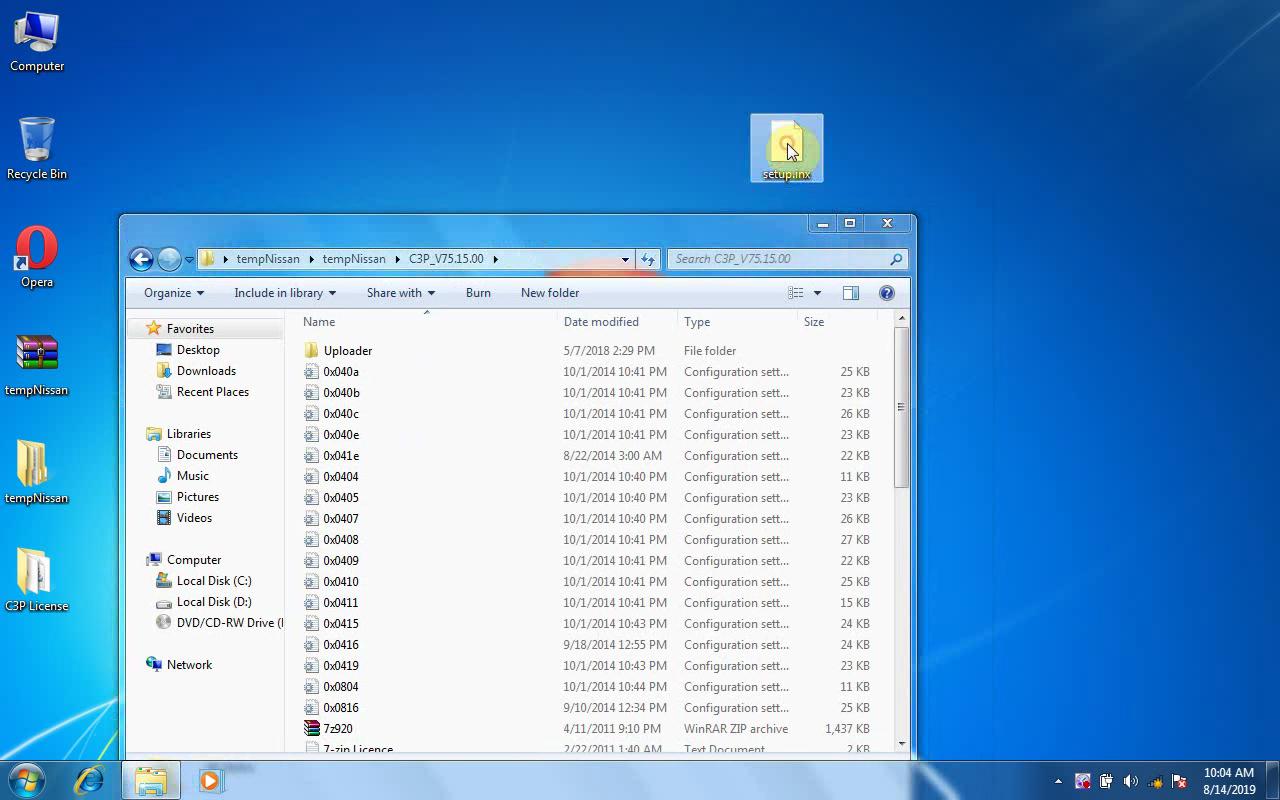
1.Open “tempNissan” -> “C3P_V75.15.00”
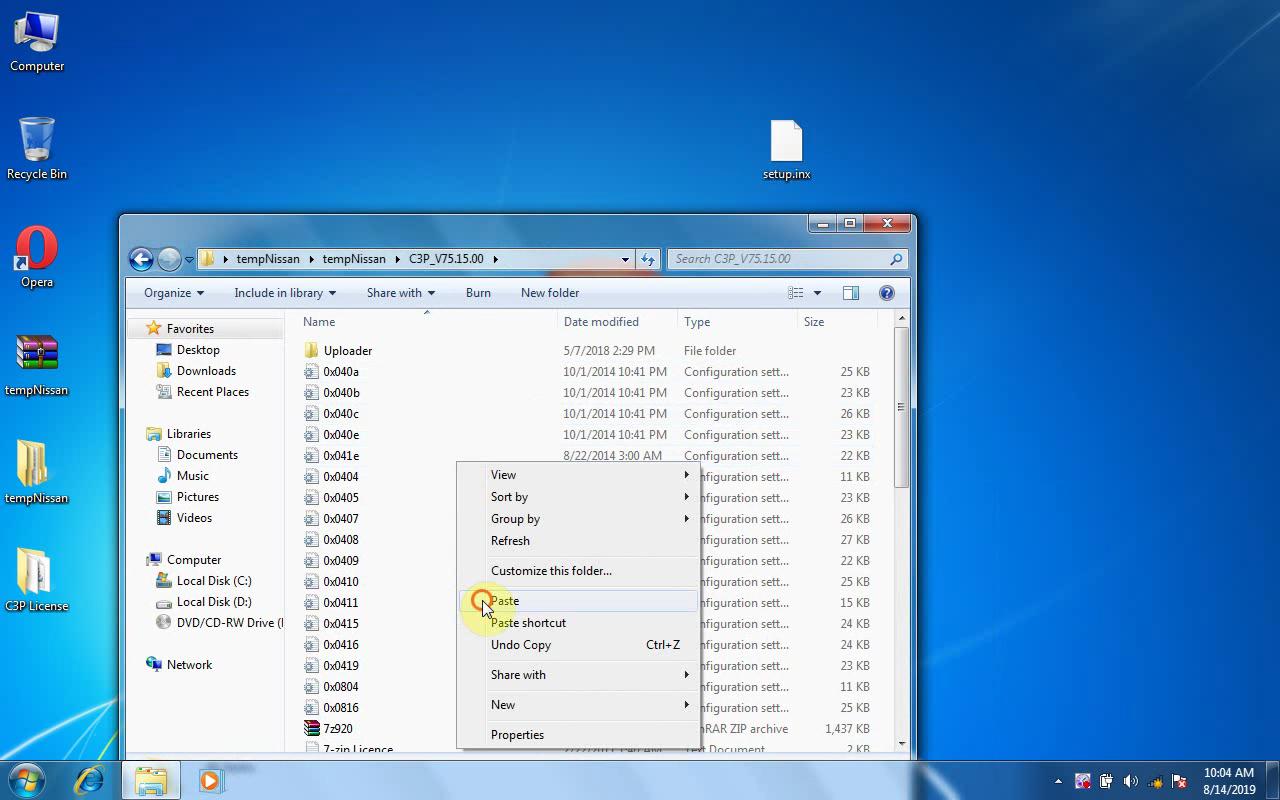
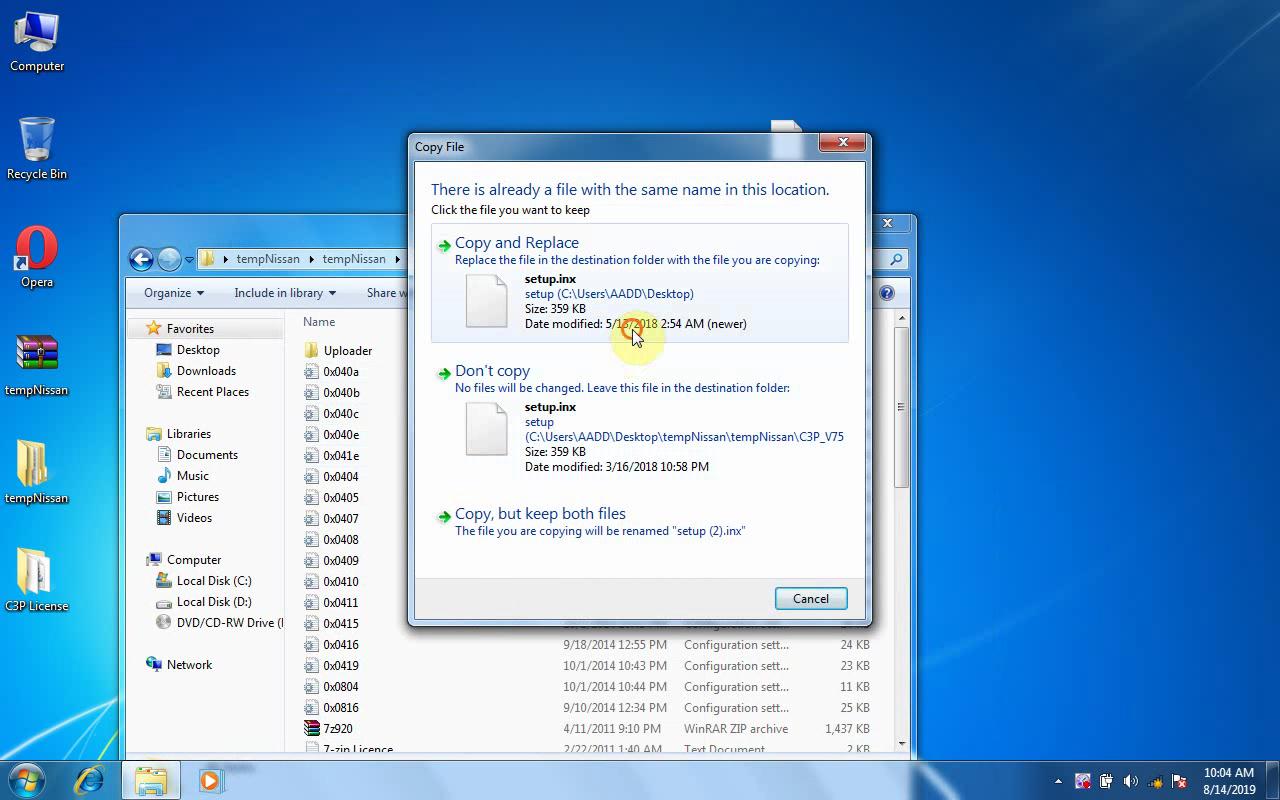
2.Copy “Setup.inx” on the desktop, paste it into “C3P_V75.15.00” to replace the original one.
Consult-III-Plus-error-not-supported-by-this-computer-3
Consult-III-Plus-error-not-supported-by-this-computer-4
Consult-III-Plus-error-not-supported-by-this-computer-5
Nissan consult-III plus install video: